
Waste management
The Waste Management solution template represents a solution for monitoring and controlling the fullness of waste containers. With this solution, you can monitor the placement of garbage bins, their fullness, and view statistics about garbage bins.
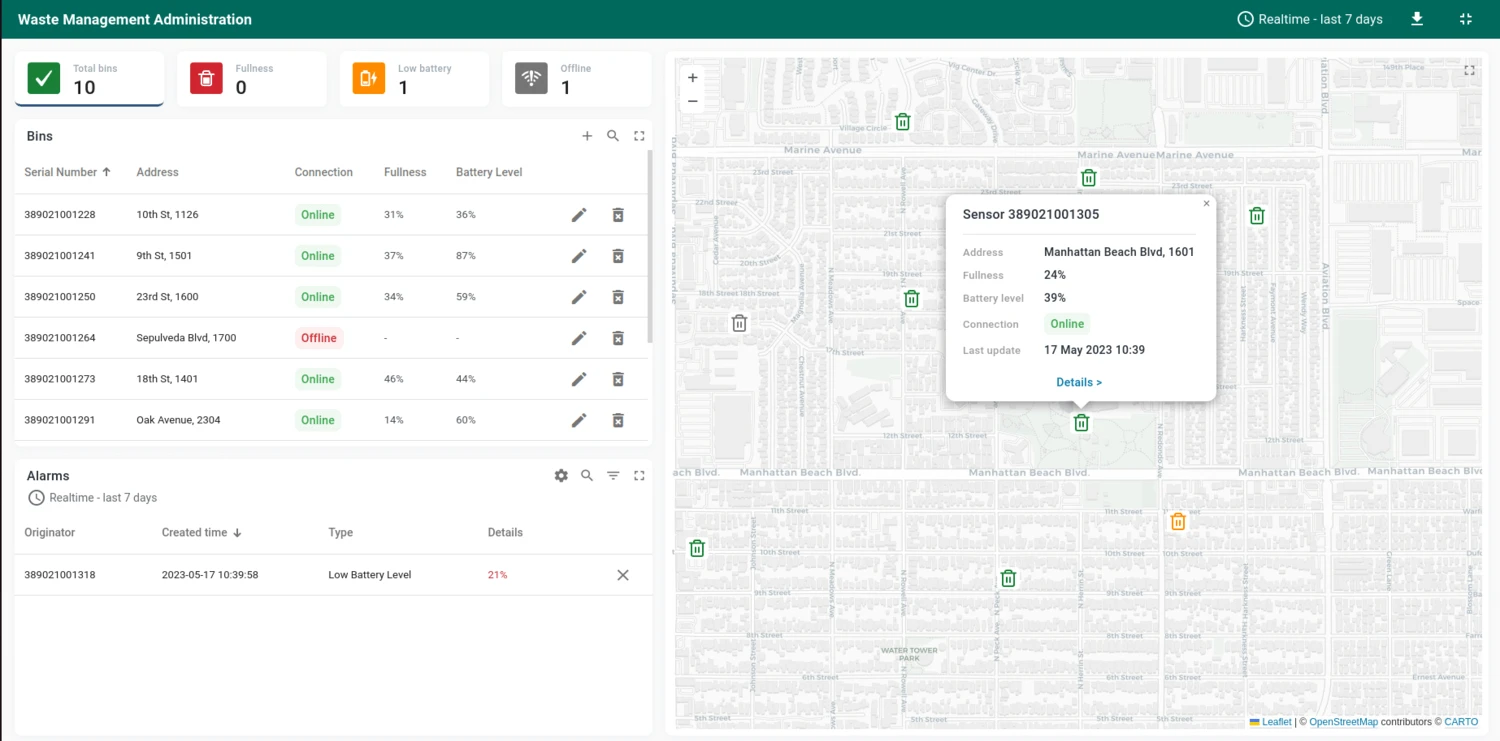
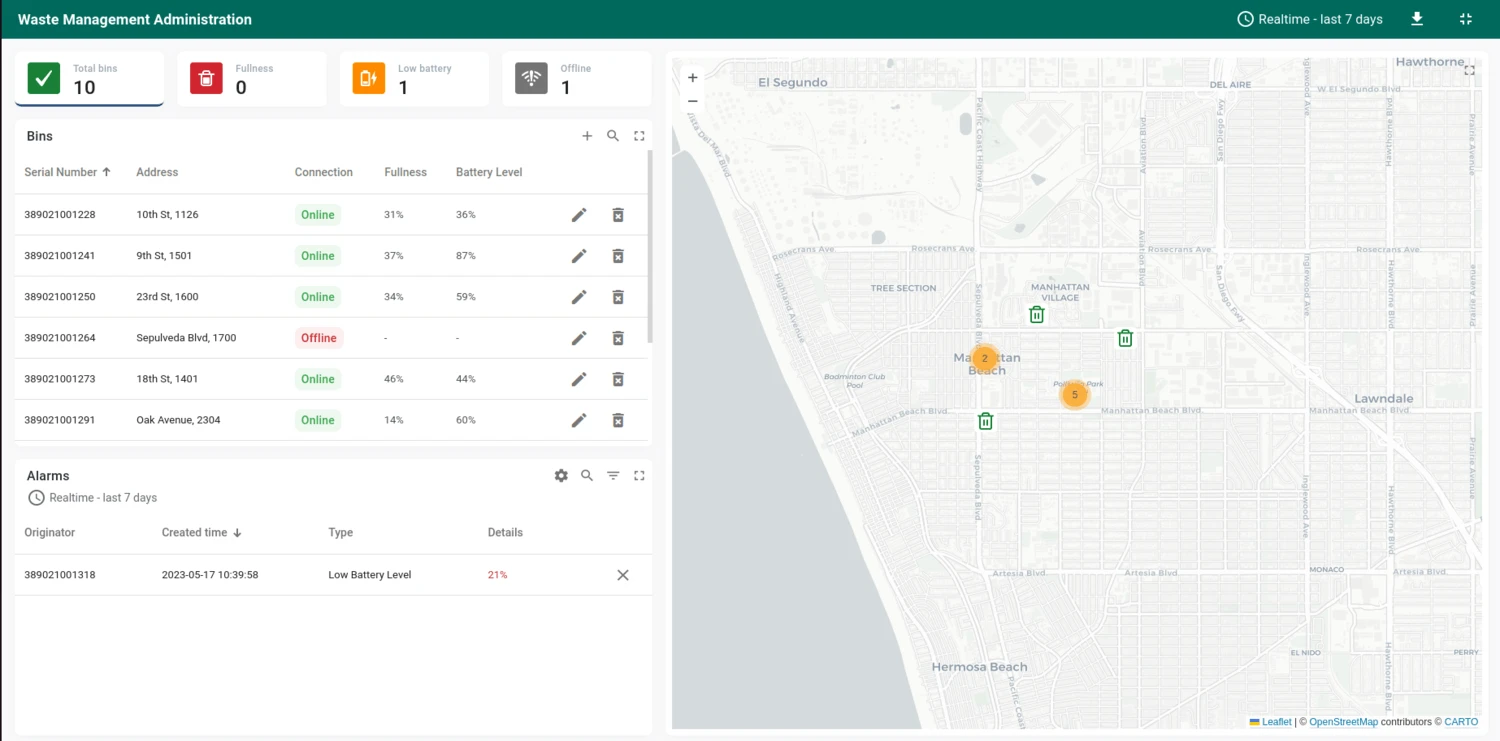
With a single installation action, the template deploys a fully functional dashboard, device profile, alarms, and demo devices. The dashboard provides interactive KPI cards that filter the view by bin status, color-coded map markers, and a centralized alarm console.
Key application areas
Section titled “Key application areas”This solution template can be used as a baseline for:
- Smart municipalities: Optimizing city-wide trash collection routes to reduce traffic and emissions
- Parks and recreation: Servicing bins in remote park areas only when necessary
- Commercial campuses: Managing waste generation across large office parks or university grounds
Install solution template
Section titled “Install solution template”To understand how the Waste management solution works, start by installing the solution template.
- Go to Solution templates in the main menu.
- Find Waste management and click Install.
- Follow the provided configuration instructions and click Close.
- The Waste Management Administration dashboard opens automatically.
After installation, a fully functional simulation for monitoring waste container fullness is created automatically. No devices, integrations, or custom code are required to start exploring the solution.
System components
Section titled “System components”The Waste Management template includes:
- Dashboard: The Waste Management Administration dashboard displays bin locations on an interactive map with status indicators, KPI cards for quick filtering, a sensor list, and a centralized alarm console
- Devices: Ten pre-provisioned waste monitoring sensors with demo telemetry data
- Device profile: A predefined Waste Sensor device profile with pre-configured alarm rules for fullness level and low battery conditions
- Rule chain: Waste Sensor Rule Chain that processes telemetry, counts active alarms, and computes bin status attributes (
isFull,isLowBattery) used by the dashboard KPI cards
Dashboard
Section titled “Dashboard”The Waste Management Administration dashboard displays data from waste sensors and provides tools for monitoring bin locations, fullness, and alarm management.
The dashboard consists of two states:
Main state
- View bin locations on an interactive map with color-coded markers (red for critically full bins that need immediate collection)
- Click map markers to see fullness and battery level in a popup, with a details link to drill down
- Filter the entire dashboard by clicking KPI cards at the top: Total bins, Fullness (above threshold), Low Battery (below threshold), Offline
- Browse all sensors in a sortable list with serial number, address, connection status, fullness, and battery level
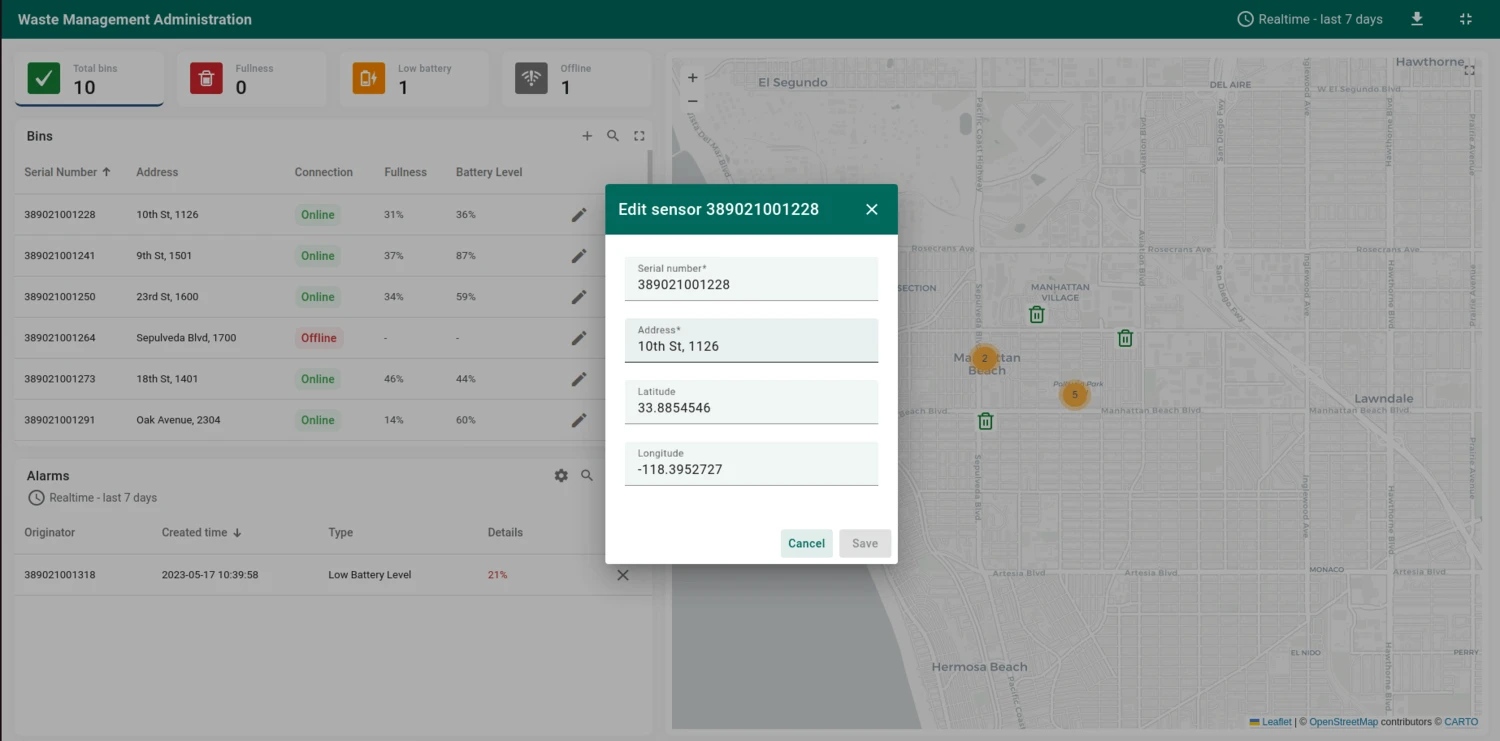
- Add new sensors (including bulk CSV upload), edit, or delete existing ones
- Monitor active alarms in the alarms console and adjust global thresholds via the settings icon
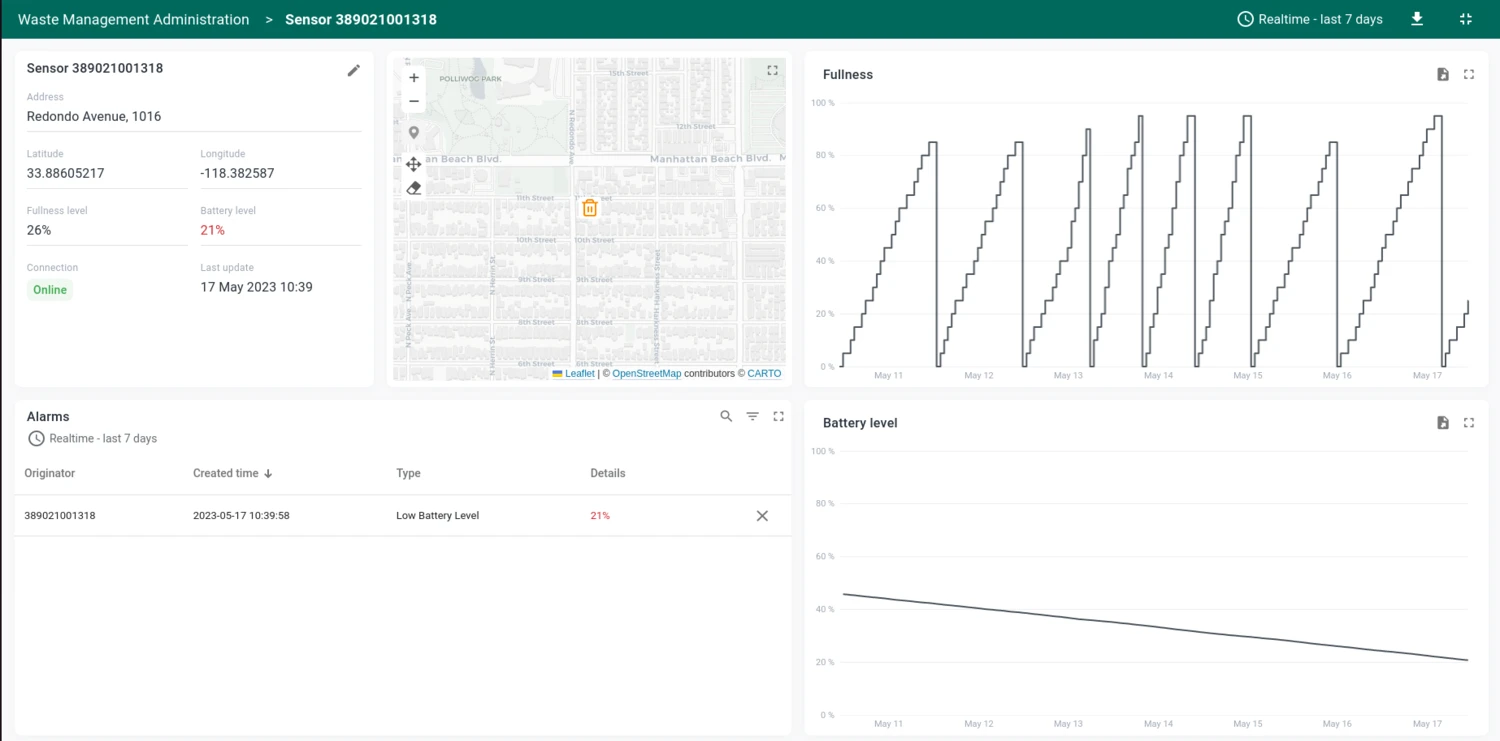
Bin details state
Click a sensor row in the list or the details link in a map popup to open the bin details.
- View sensor details: serial number, address, connection status, and last update time
- Edit sensor location, address, and tags
- Drag and drop the sensor marker on an embedded map to update its position
- Monitor fullness and battery history over time using telemetry charts
- View filtered alarms for the specific bin
The dashboard can be fully customized using the dashboard development tools.
Devices
Section titled “Devices”Ten demo waste monitoring sensors are created automatically with demonstration data. The solution expects devices to publish telemetry data in JSON format using the following keys:
{"fullLevel": 42, "batteryLevel": 77}Replace $ACCESS_TOKEN with the actual access token of the device you want to send data to:
curl -v -X POST \-d '{"fullLevel": 42, "batteryLevel": 77}' \http://THINGSBOARD_HOST_NAME/api/v1/$ACCESS_TOKEN/telemetry \--header "Content-Type:application/json"The example uses the HTTP API. Other connectivity options (MQTT, CoAP, LwM2M, etc.) are supported as well. See connecting devices for details.
Alarms
Section titled “Alarms”Alarm generation is handled by alarm rules configured in the Waste Sensor device profile. The solution includes two alarm rules:
- Fullness Level (Critical) — triggers when the fill level reaches the configured threshold (default: 90%)
- Low Battery Level (Critical) — triggers when the battery level drops below the configured threshold (default: 30%)
Both thresholds are dynamic, stored as server-side device attributes. You can adjust them from the dashboard using the Edit Sensor form or the alarm settings in the alarms console.
Conclusion
Section titled “Conclusion”The Waste Management solution template delivers a container monitoring system with real-time fullness tracking, interactive map visualization with color-coded status markers, clickable KPI cards for quick filtering, and configurable alarms. It enables fast onboarding and serves as a foundation for both demonstrations and production waste collection optimization use cases.
Was this helpful?