Trendz Analytics
Trendz Analytics is an advanced analytics and visualization add-on for ThingsBoard. It enables you to build prediction models, detect anomalies, and create calculated fields across entities — all on top of the data already collected in ThingsBoard.
Full Trendz documentation is available in the dedicated Trendz Analytics section.
Connect Trendz to ThingsBoard
Section titled “Connect Trendz to ThingsBoard”The Trendz settings page lets a System Administrator configure the connection between ThingsBoard and the Trendz Analytics add-on.
Prerequisites
Section titled “Prerequisites”- Trendz must be activated for your ThingsBoard instance
- Trendz must be installed and network-accessible from ThingsBoard
Access the Settings
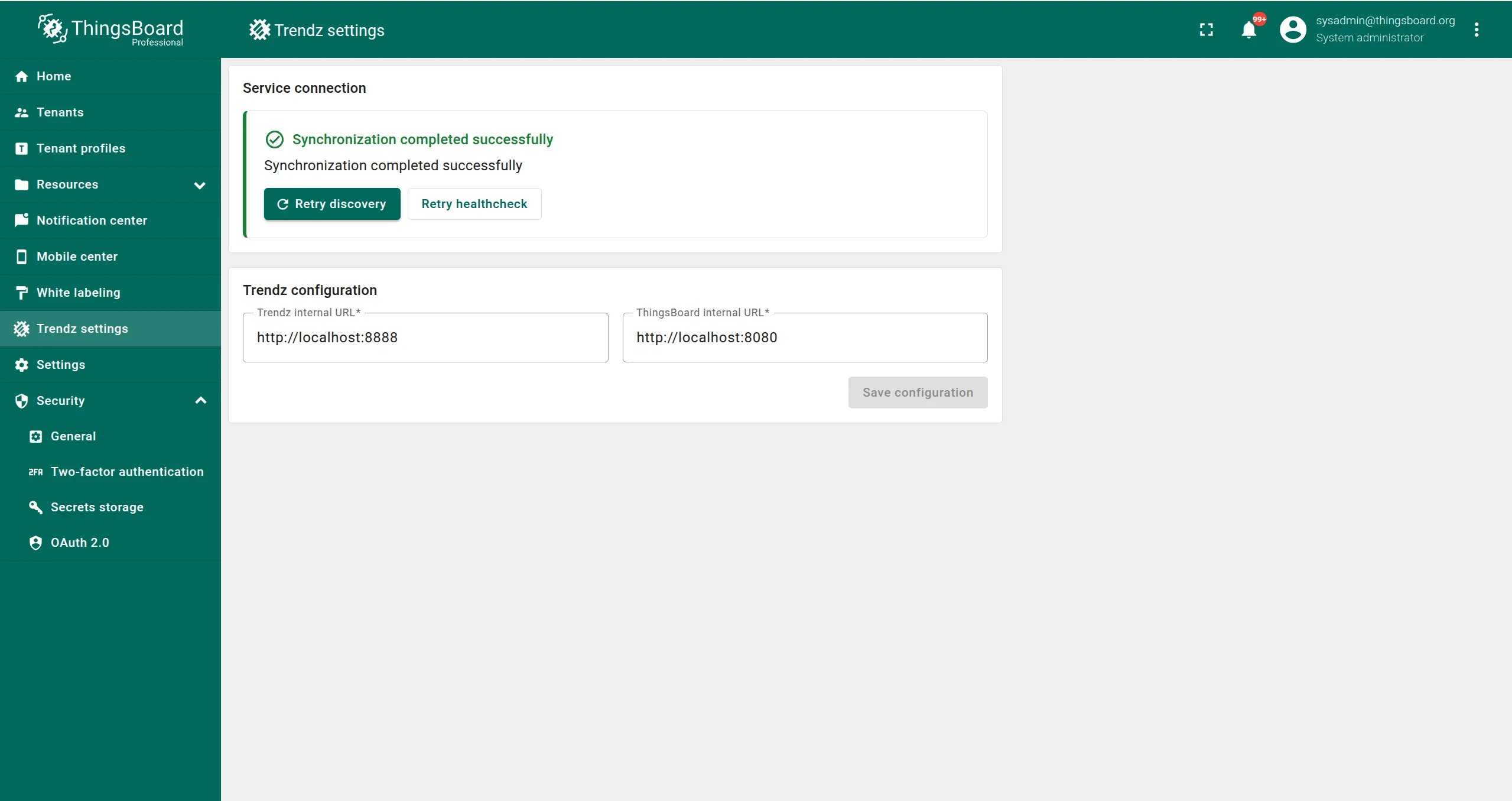
Section titled “Access the Settings”Log in to ThingsBoard as a System Administrator and click Trendz settings in the left menu.
Configuration
Section titled “Configuration”Set the two internal URLs that allow ThingsBoard and Trendz to communicate with each other:
| Setting | Description |
|---|---|
| Trendz Internal URL | URL that ThingsBoard uses to reach Trendz |
| ThingsBoard Internal URL | URL that Trendz uses to reach ThingsBoard |
The URL values depend on your deployment type:
| Deployment | Trendz Internal URL | ThingsBoard Internal URL |
|---|---|---|
| Same machine (Ubuntu, Windows, CentOS) | http://localhost:8888 |
http://localhost:8080 |
| Docker (same compose file) | http://trendz:8888 |
http://thingsboard:8080 |
| Kubernetes (same cluster) | http://trendz-app:8888 |
http://tb-node:8080 |
| Public network (same domain) | https://mydomain |
https://mydomain |
Actions
Section titled “Actions”| Action | Description |
|---|---|
| Save Configuration | Saves the URLs entered in the text fields |
| Retry Discovery | Initiates synchronization with Trendz using the saved configuration |
| Retry Healthcheck | Checks if the current Trendz sync contains any errors (visible only after successful sync) |
Synchronization Status
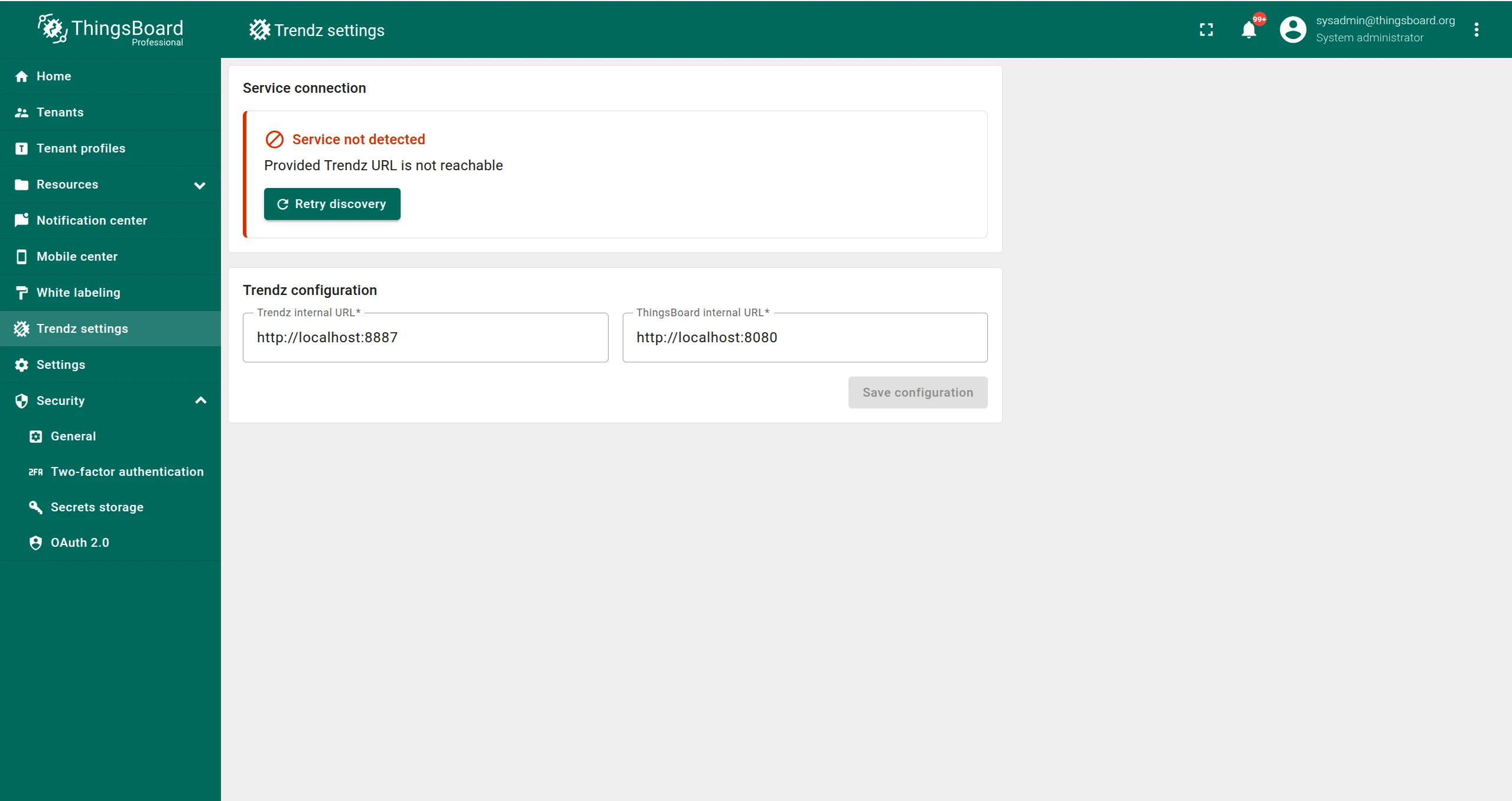
Section titled “Synchronization Status”After saving the configuration and running discovery, the page header displays the synchronization result:
Was this helpful?