
Swimming pool SCADA system
SCADA (Supervisory Control And Data Acquisition) is a software system for managing automated processes that collects and processes data in real time. Based on ThingsBoard, a Swimming Pool SCADA system template has been implemented. It is designed to monitor and control swimming pool components. Sensor data in the local network is collected and sent via the Modbus protocol to the IoT Gateway. The Gateway communicates with ThingsBoard through the MQTT protocol, ensuring continuous device connectivity and data transmission to the SCADA system. ThingsBoard acts as the core of the SCADA system, storing data from devices in a database, processing it, visualizing the information, and sending control commands to the devices.
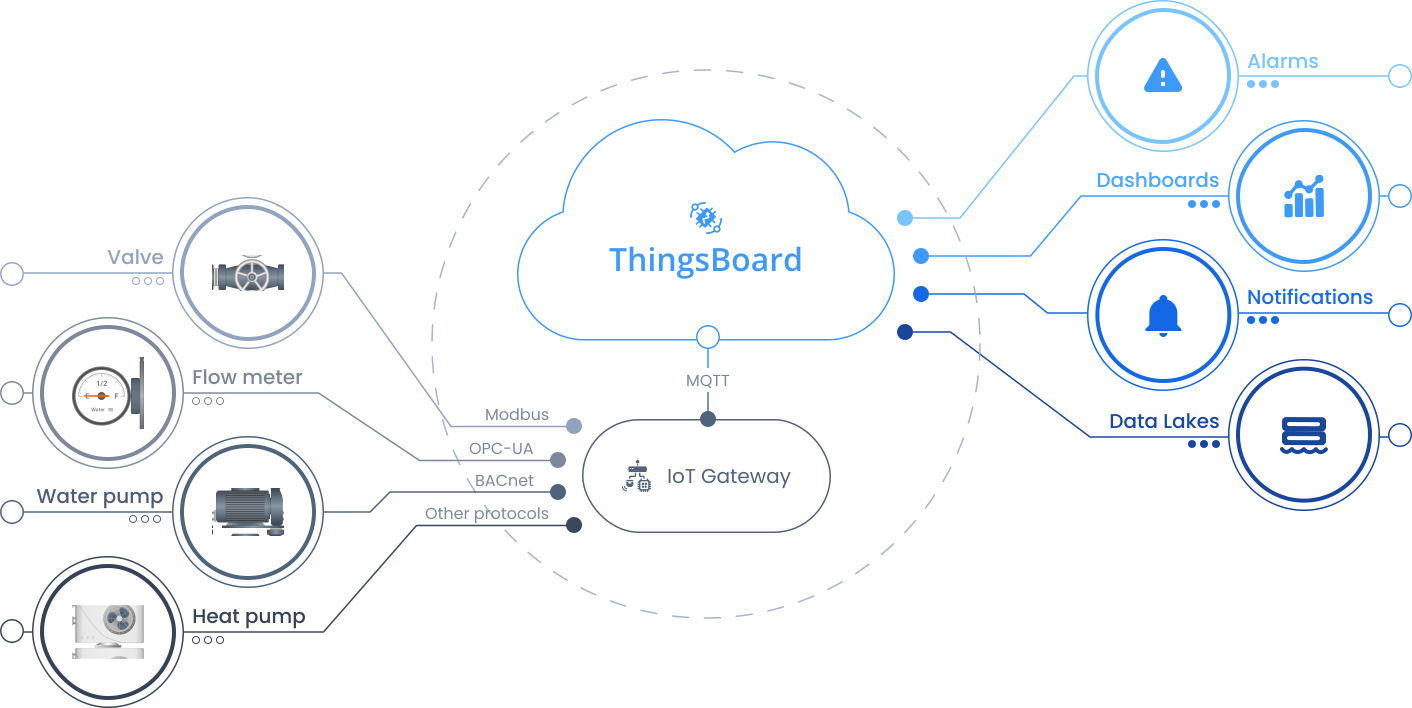
With a single installation action, the template deploys a fully functional solution that includes dashboards, 14 devices, alarms, calculated fields, and gateway configuration. The solution is suitable for proof-of-concept deployments as well as a foundation for production pool management applications.
Key application areas
Section titled “Key application areas”This solution template can be used as a baseline for:
- Public swimming pools: Centralize monitoring for municipal pools to reduce maintenance costs and ensure safety
- Hotels and spas: Maintain water temperature and clarity automatically for guest experience
- Water parks: Manage pump and filtration networks across multiple attractions from a single dashboard
Install solution template
Section titled “Install solution template”To understand how the Swimming Pool SCADA system template works, start by installing the solution template.
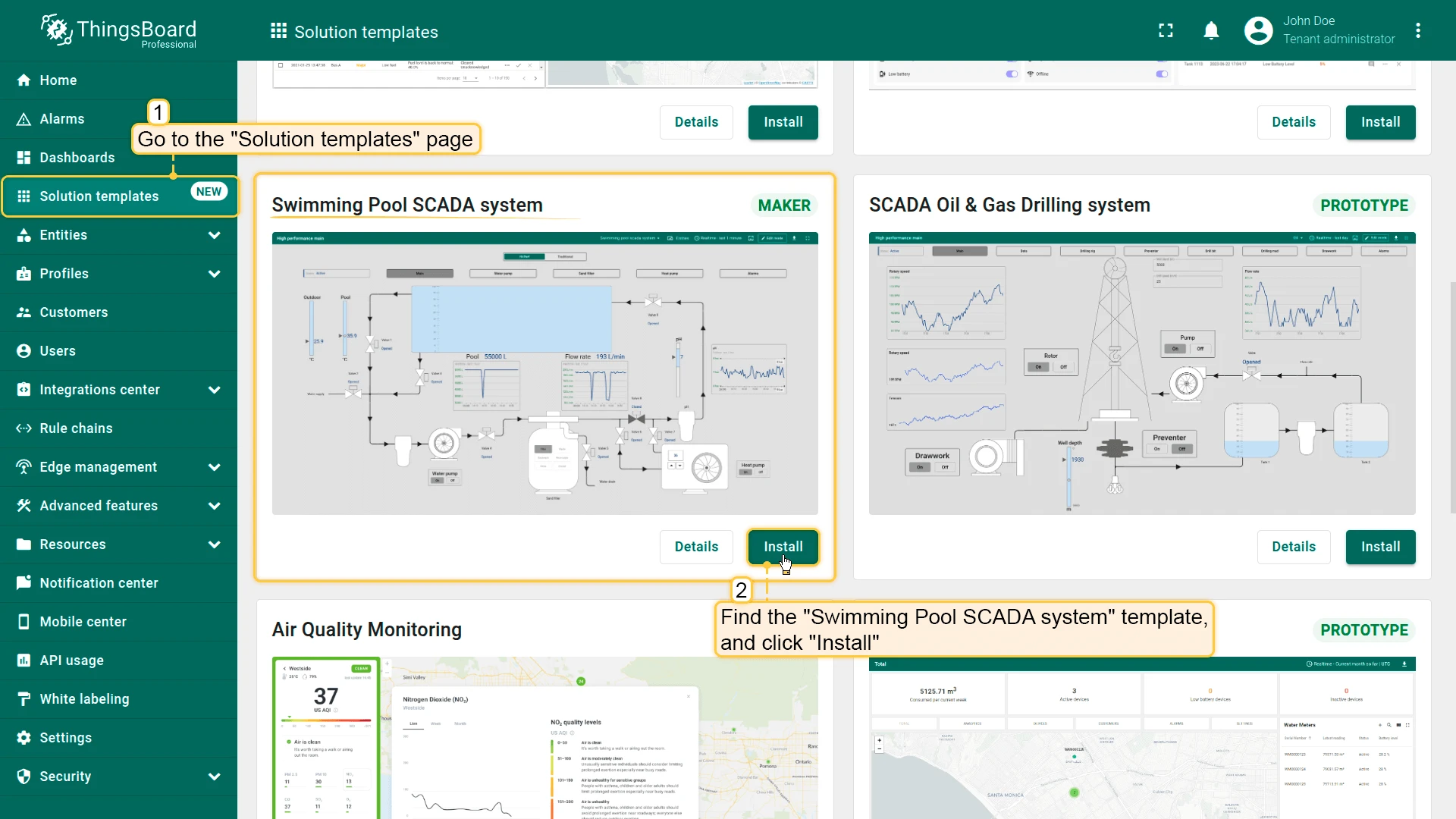
- Go to Solution templates in the main menu.
- Find Swimming Pool SCADA system and click Install.
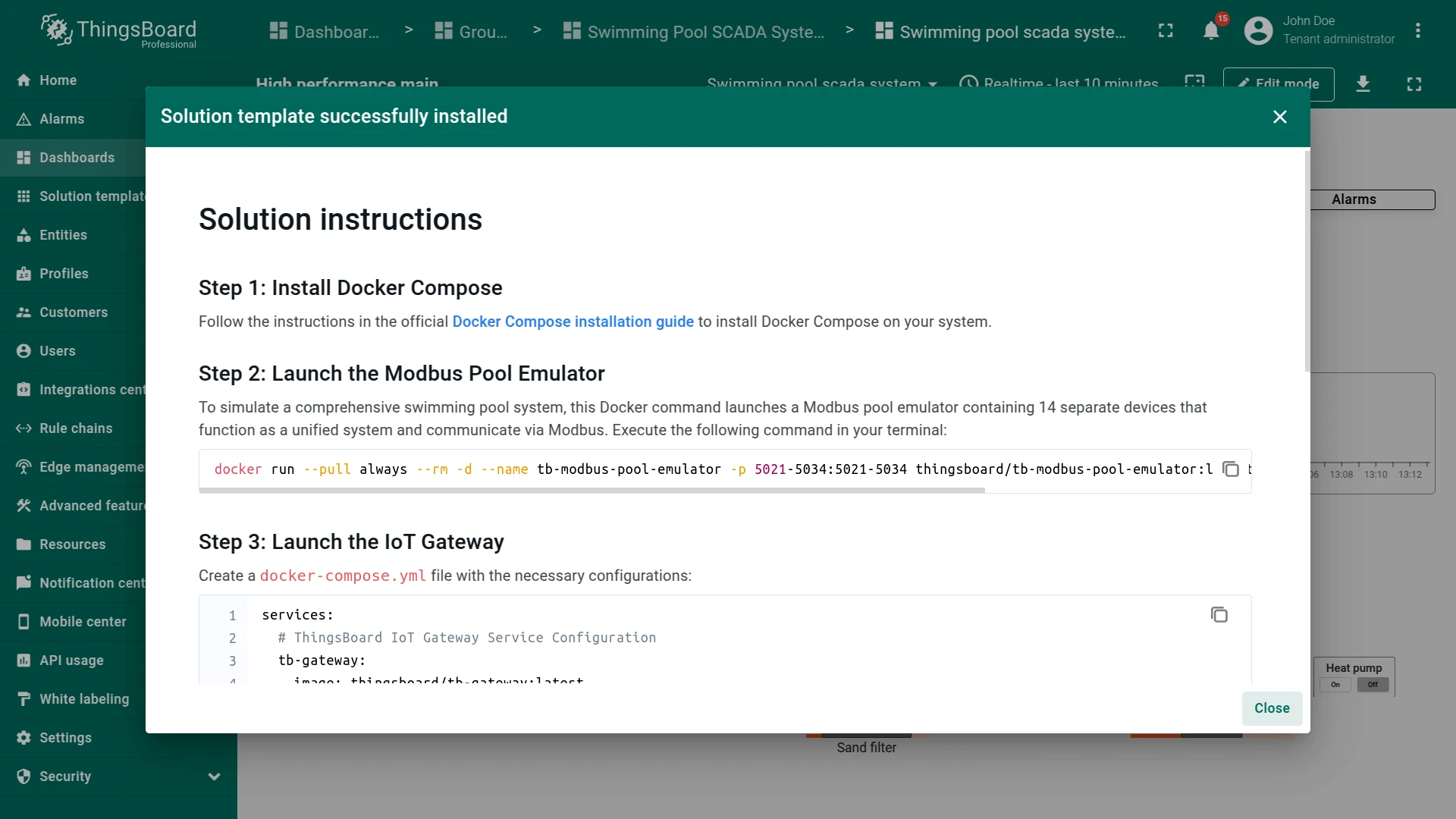
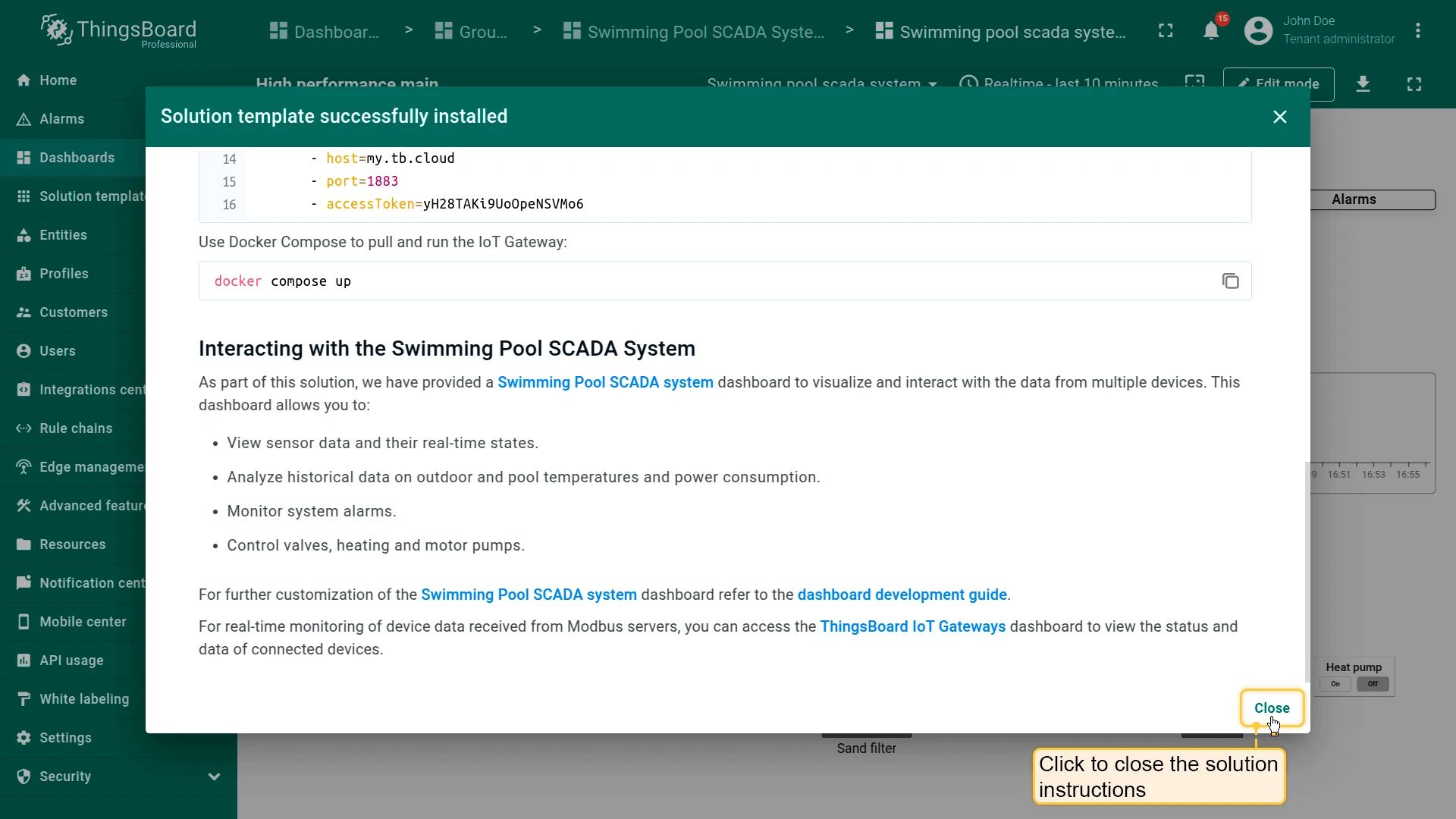
- Follow the provided configuration instructions and click Close.
- The Swimming Pool SCADA system dashboard opens automatically.
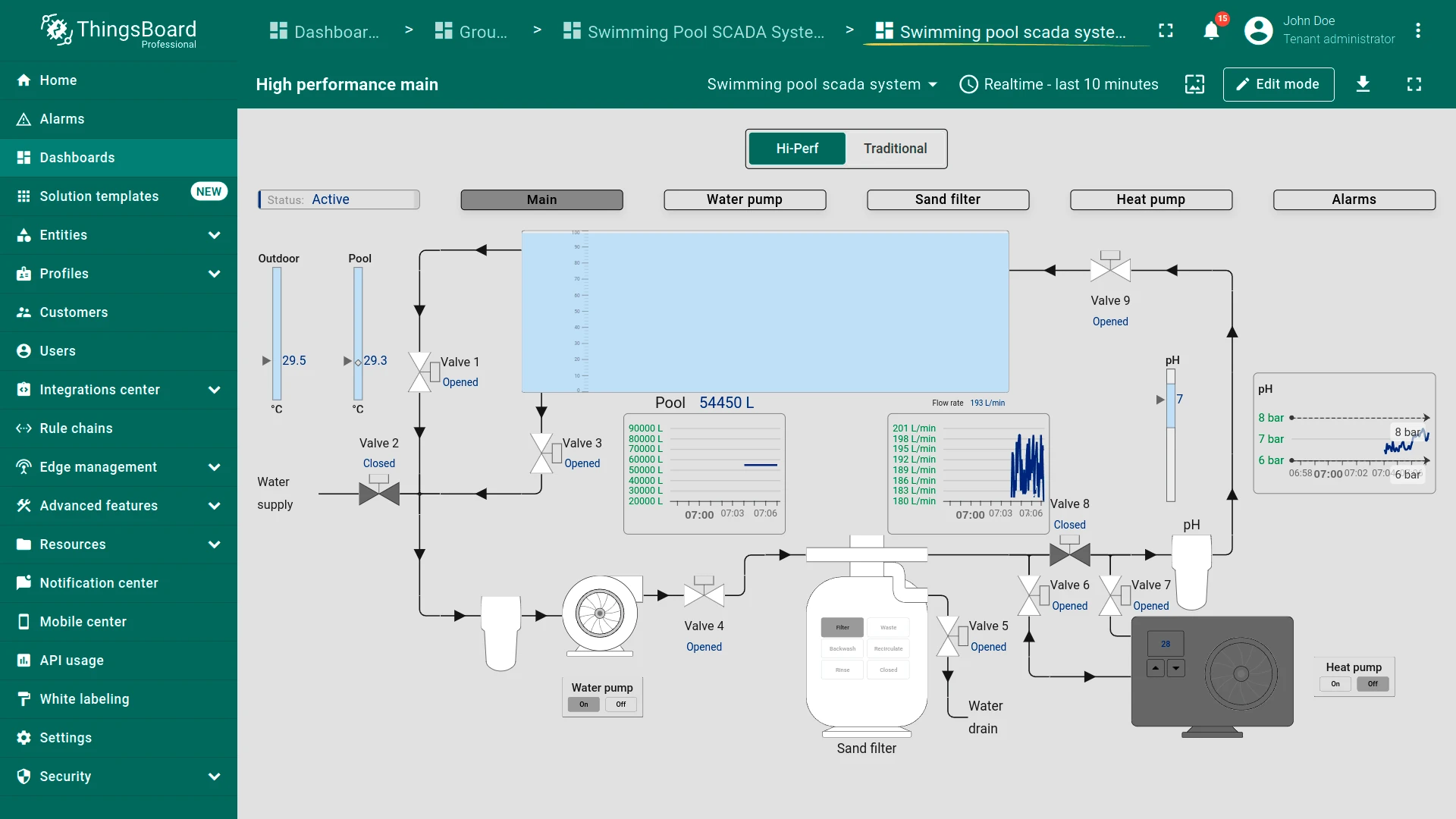
Dashboard
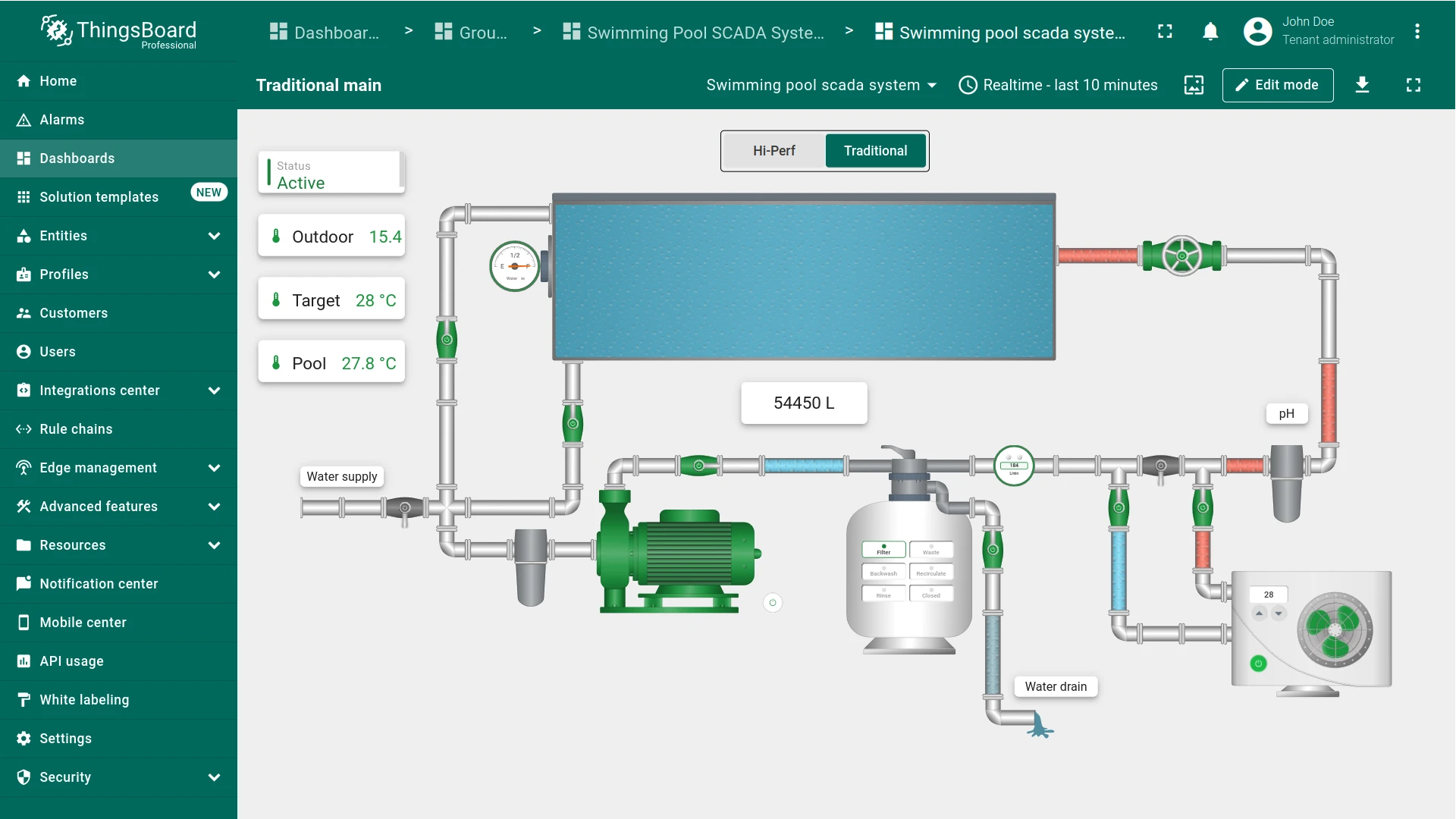
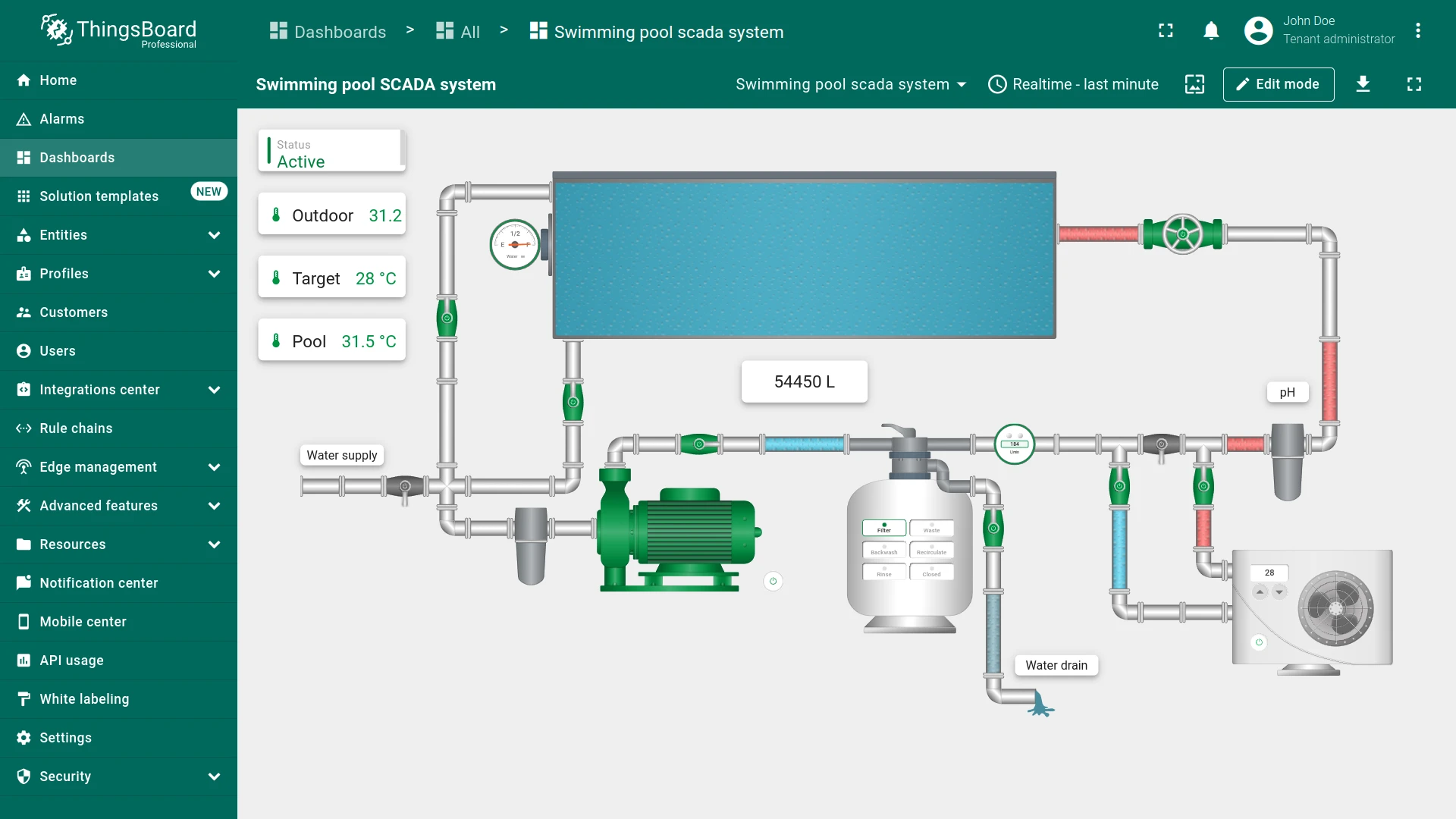
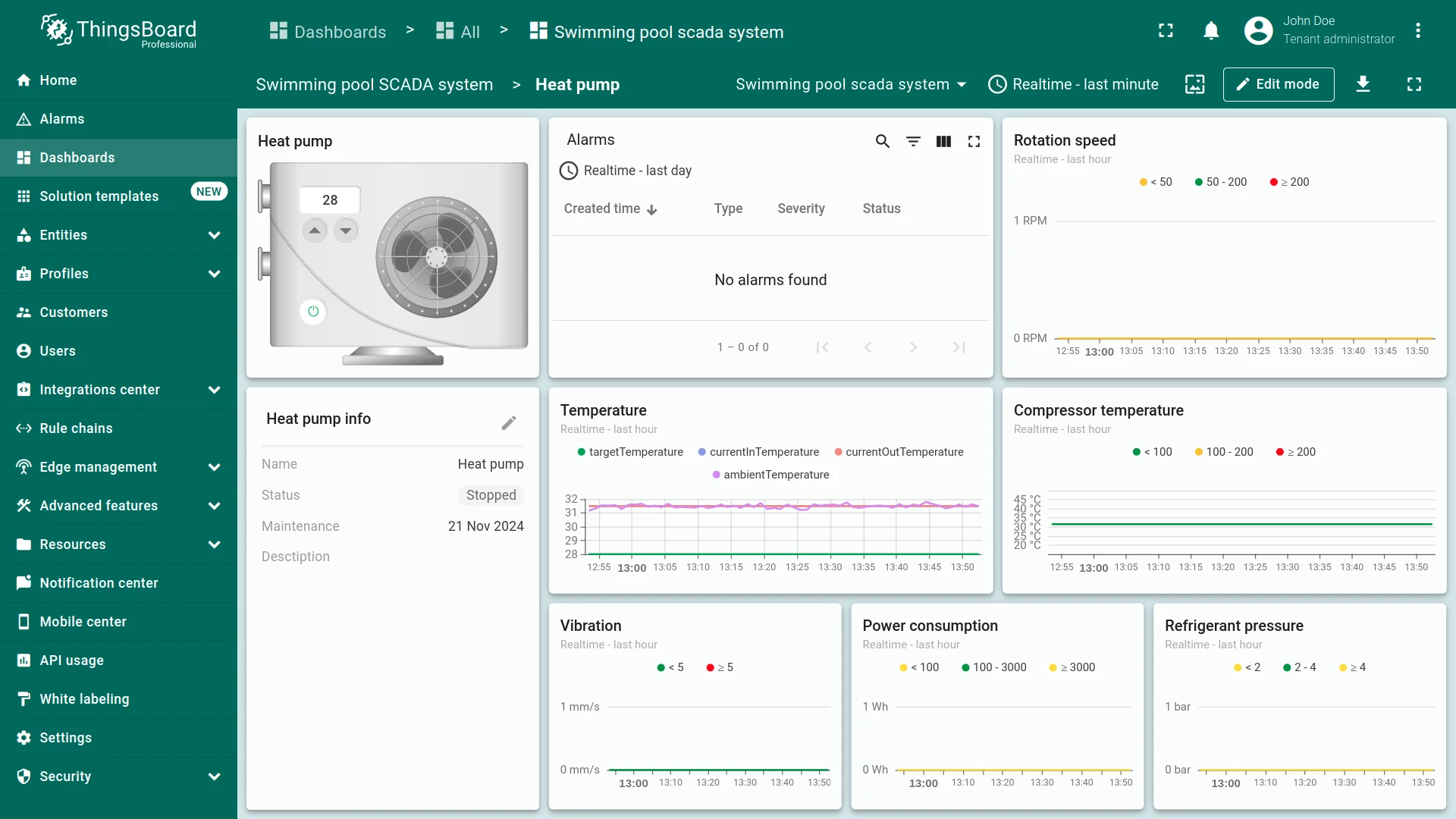
Section titled “Dashboard”The Swimming Pool SCADA system dashboard allows you to visualize, interact with, and control real-time data from multiple devices. The dashboard displays critical information for water management, temperature control, and equipment performance. It allows operators to interact with various system components for real-time control and monitoring from any device.
Key features:
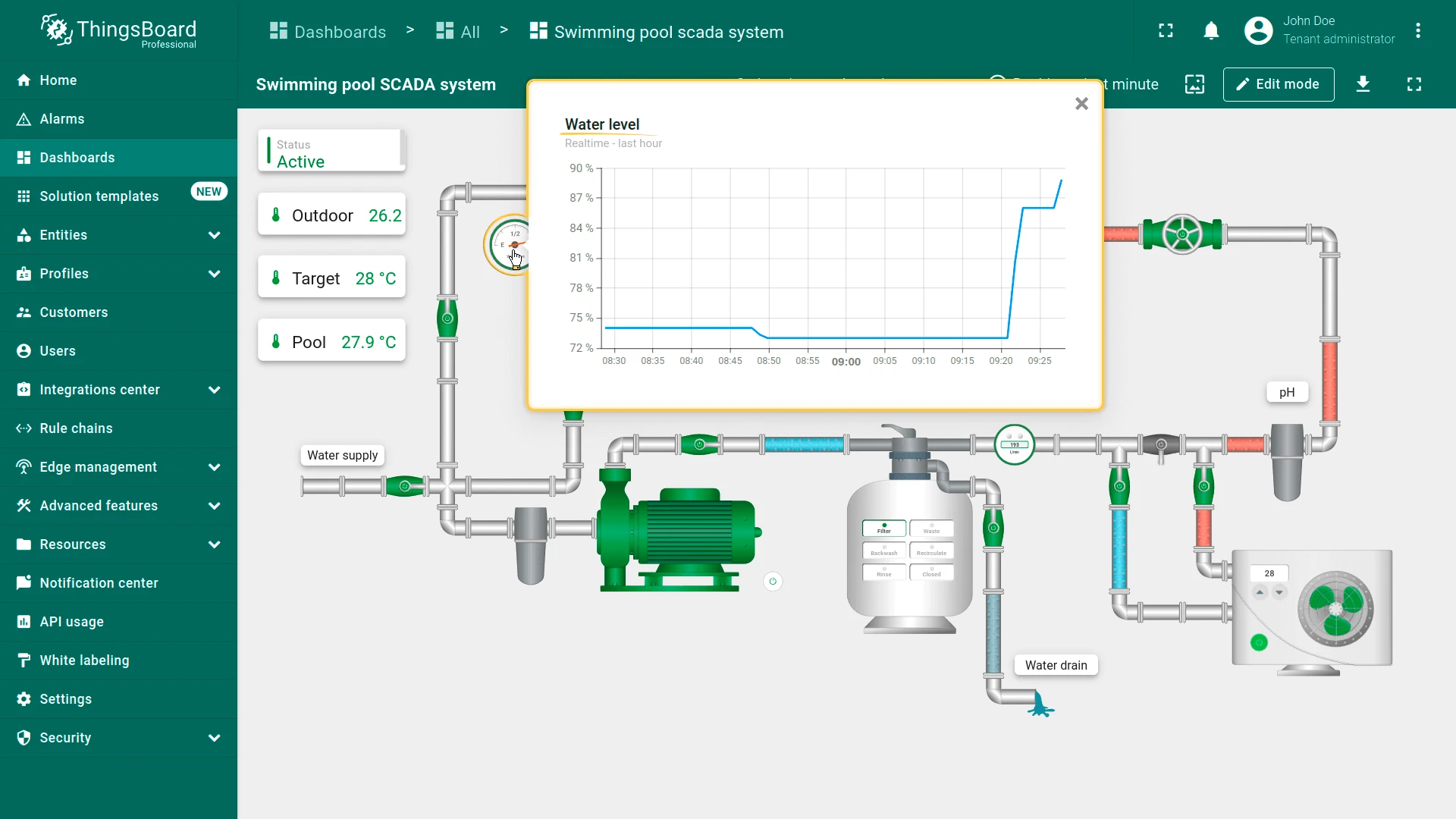
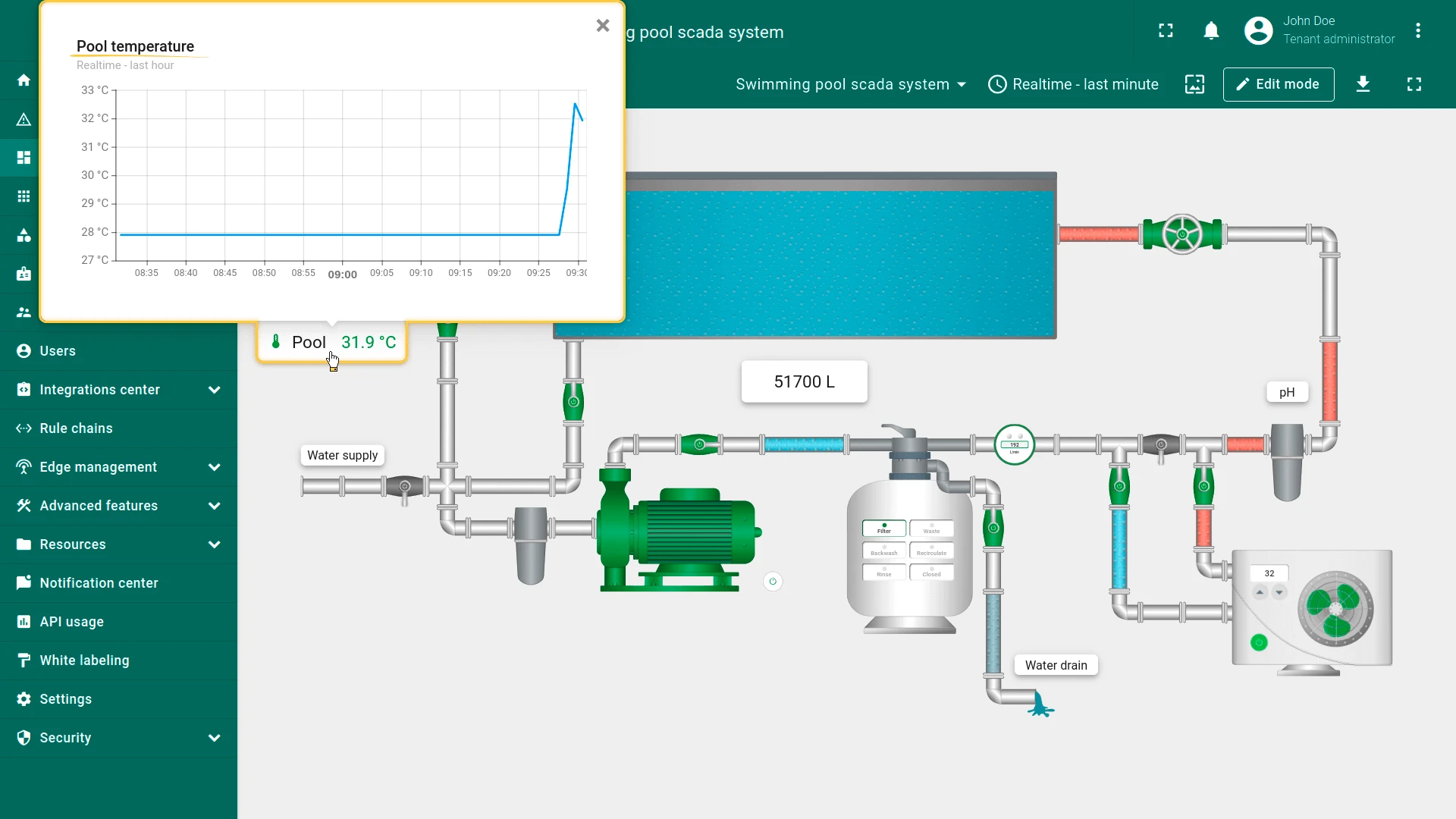
- Interactive states: Navigate the system by clicking on individual devices to access detailed metrics of specific states, streamlining your workflow
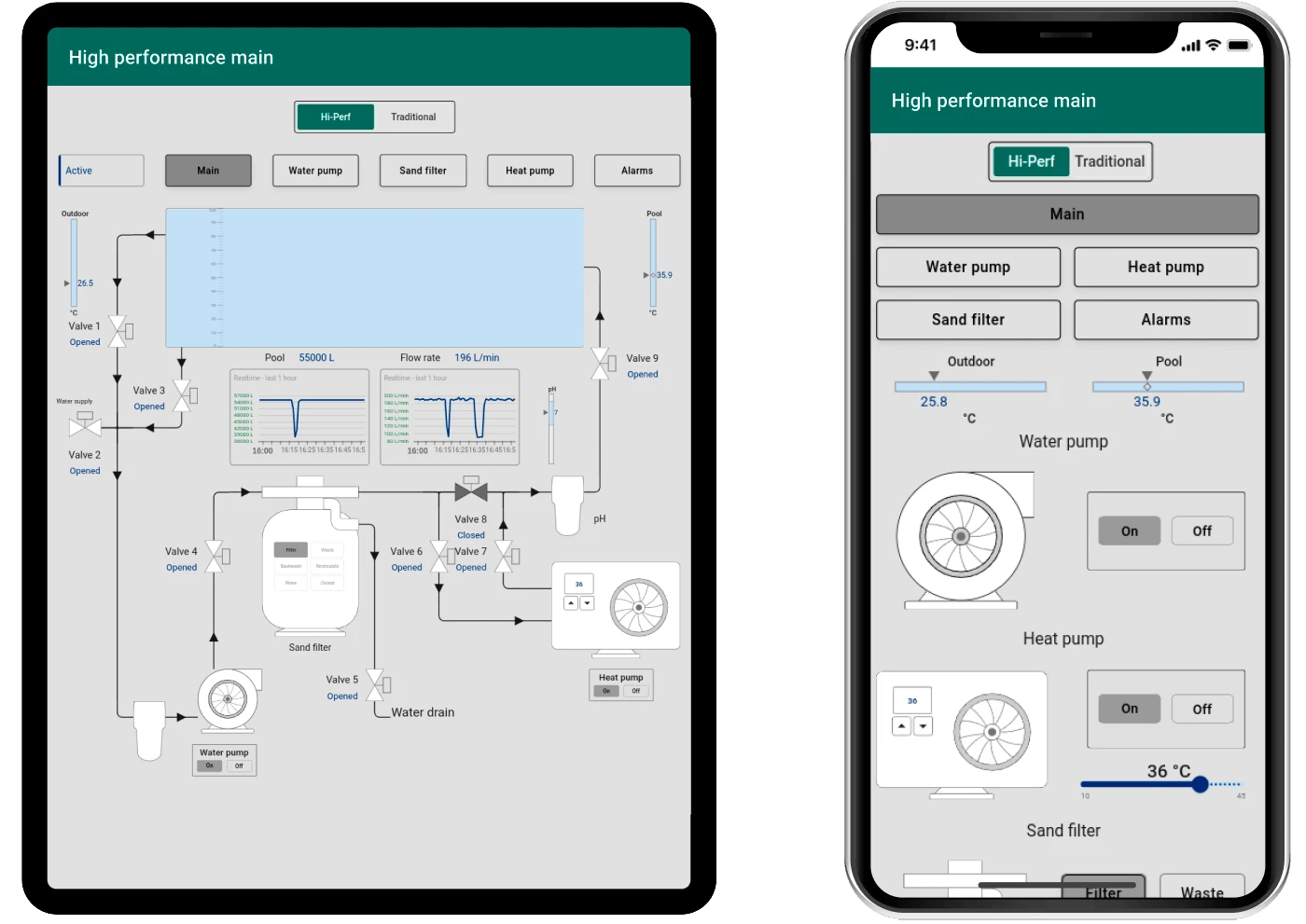
- Flexible layouts for multi-device access: Whether you are using a desktop, tablet, or smartphone, the dashboard adaptive design ensures operation and accessibility to your pool system anytime, anywhere
- Water quality management: Keep your pool in optimal condition by monitoring water levels and pH data. The system helps maintain balance and prevents water quality issues
- Temperature control: Use outdoor temperature and pool temperature sensor data for intelligent heat pump control. The system ensures that the water temperature is maintained efficiently according to predefined targets
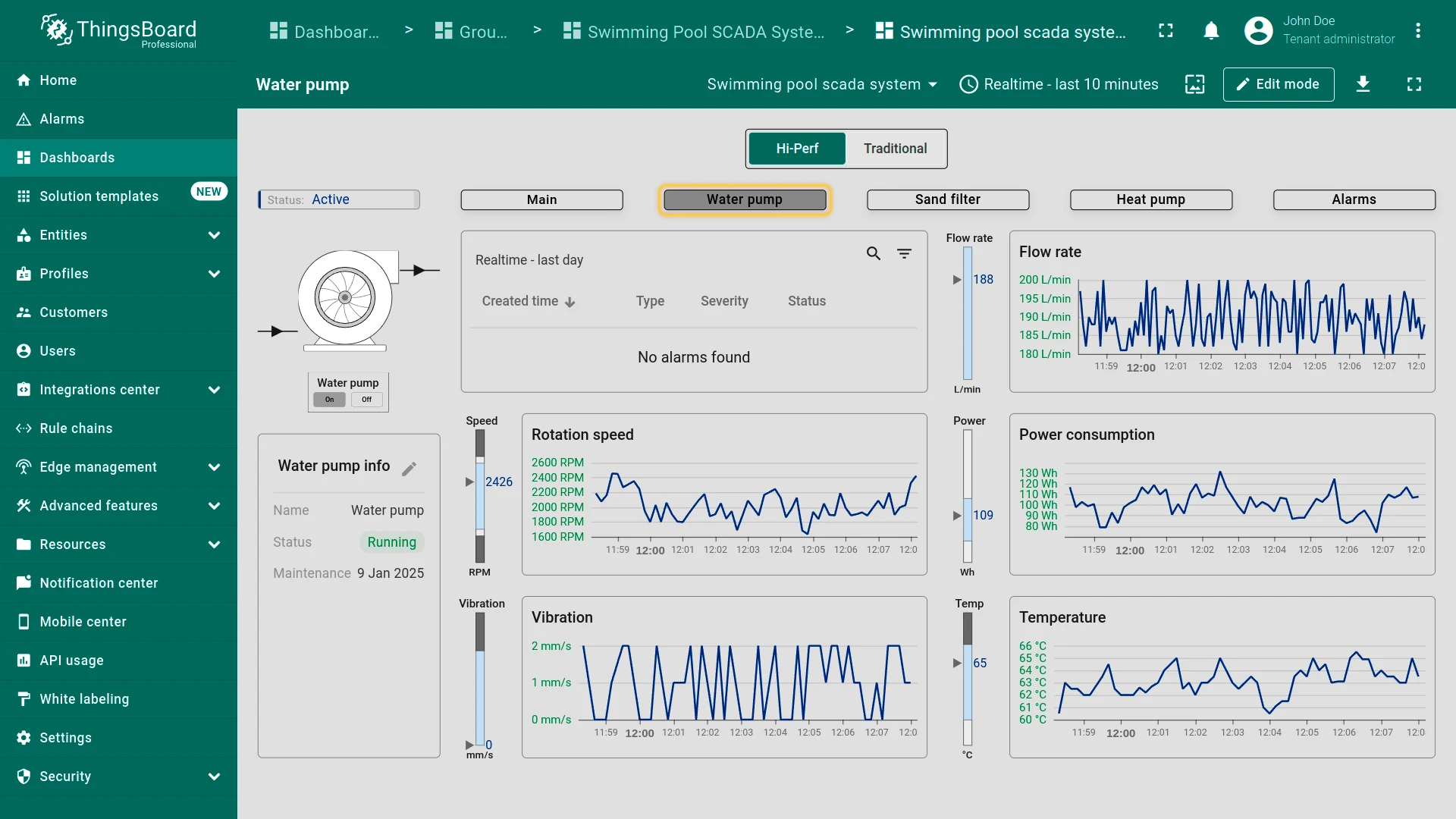
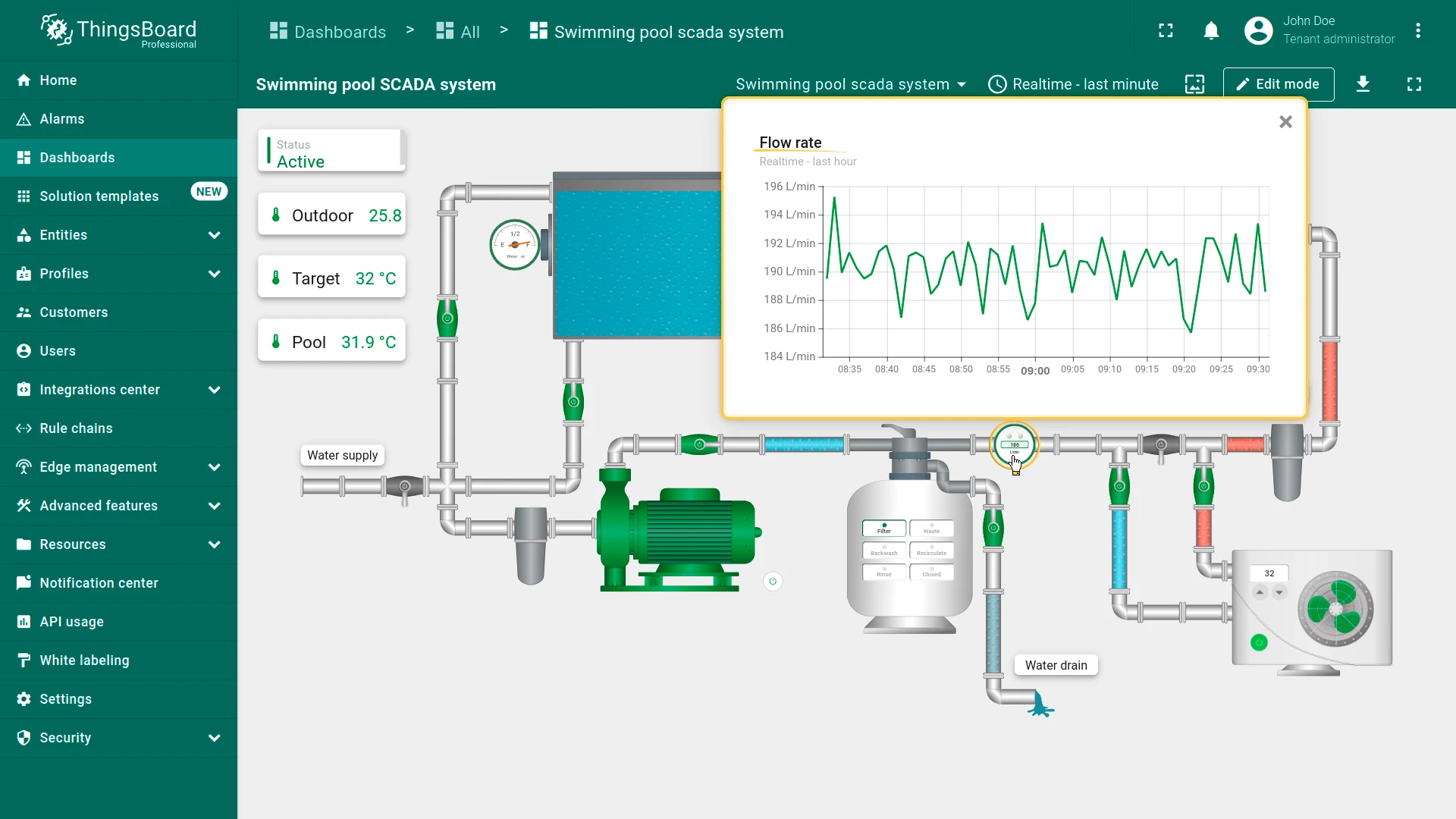
- Equipment monitoring: Monitor the performance of pumps, sand filters, and other critical equipment. The dashboard provides insights into rotation speed, vibration, flow rates, power consumption, etc. to monitor operational efficiency
- Valve control: Remotely control water flow across different segments of the system by controlling valves. You can interact with the valves directly through the dashboard to turn them on or off as needed
- Energy management: Track energy usage for heat pumps, filtration systems, and other devices. Use this data to optimize energy efficiency and reduce costs
- Remote system management: Take full control of your swimming pool system from anywhere. Operate pumps, switch between modes, and manage valves remotely
SCADA systems are divided into two types:
- High-performance SCADA systems emphasize simplified interfaces, faster decision-making, and improved information perception efficiency
- Traditional SCADA systems focus on basic monitoring and control
Choose the SCADA system type that suits you best:
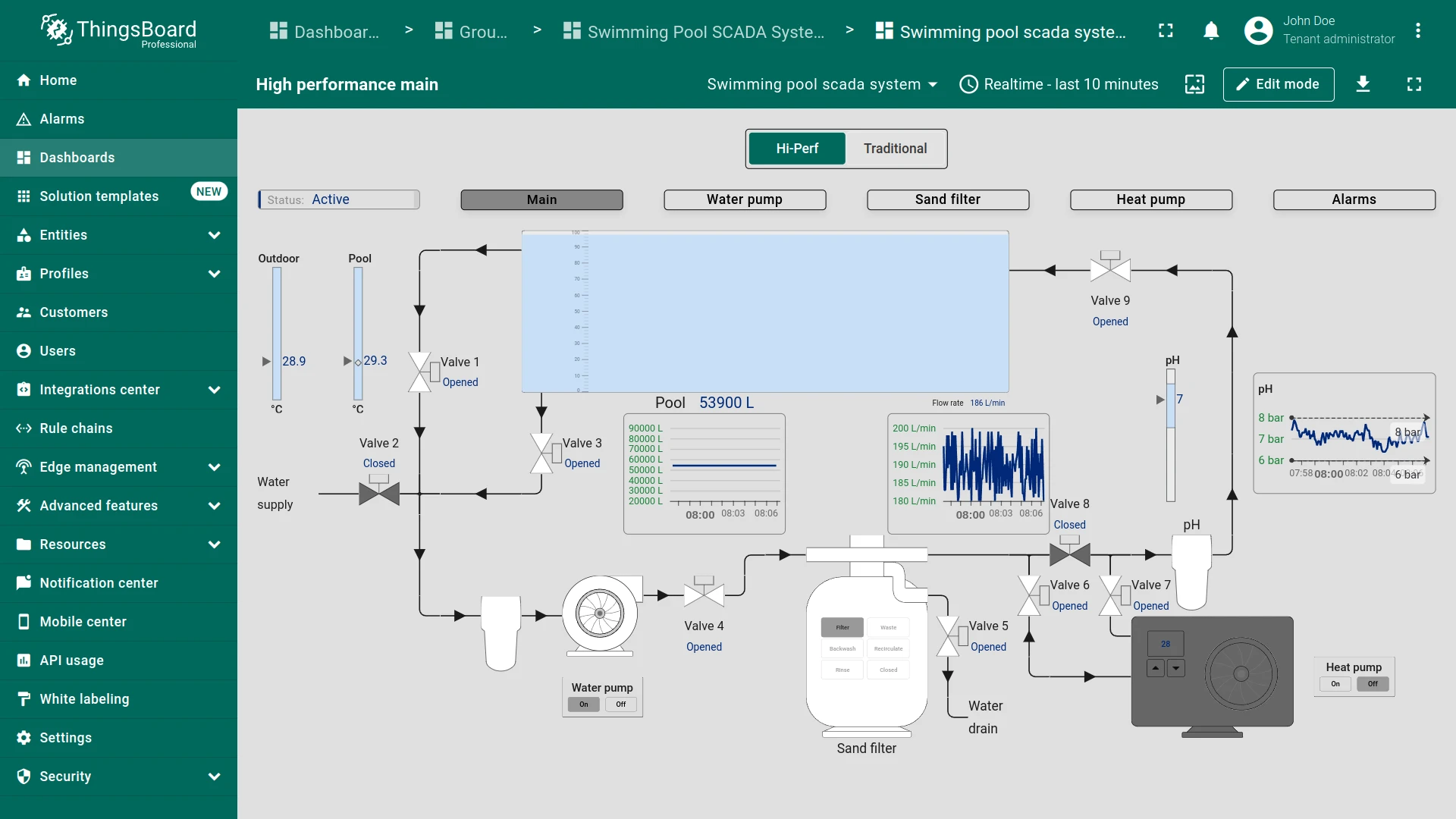
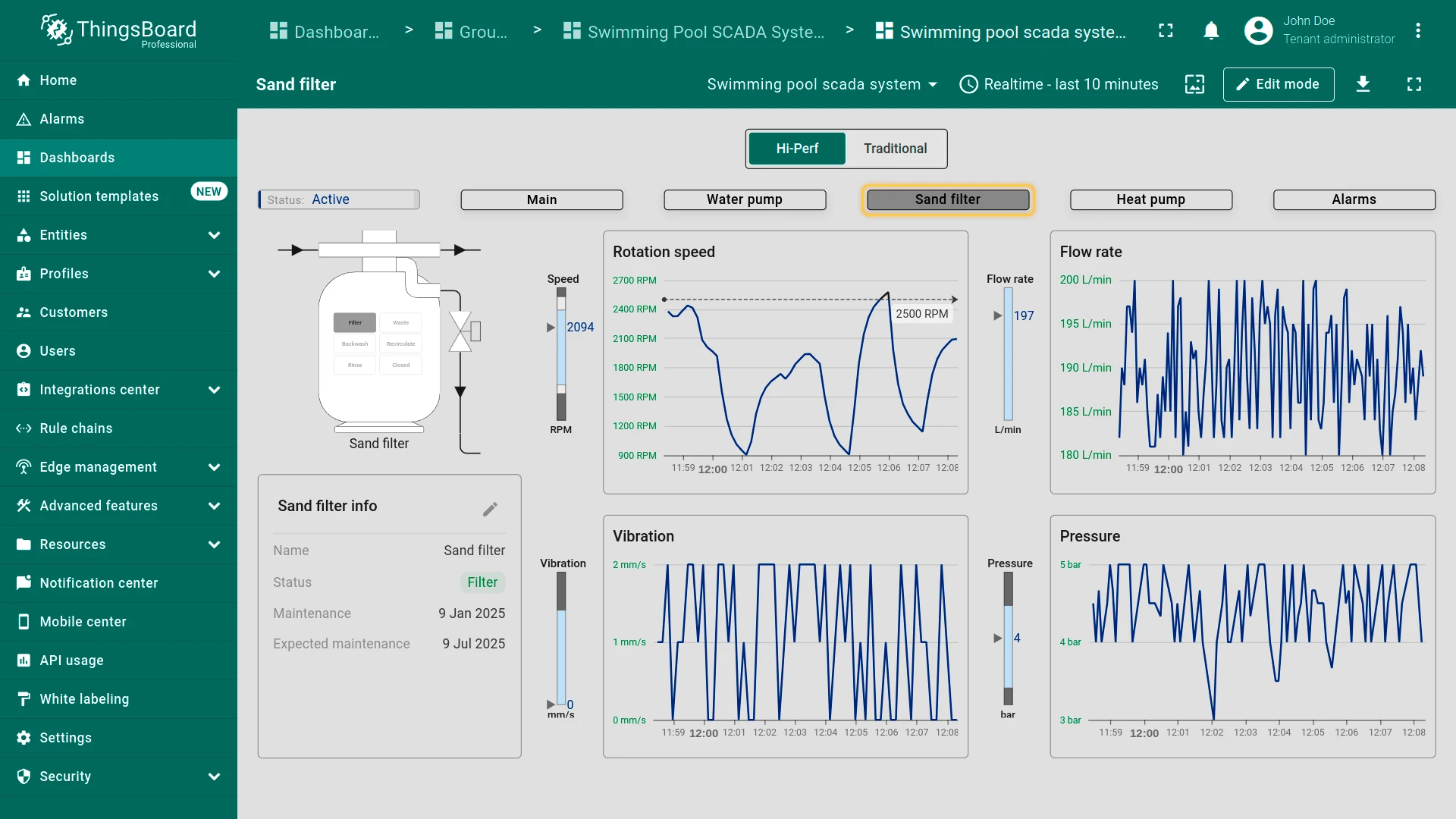
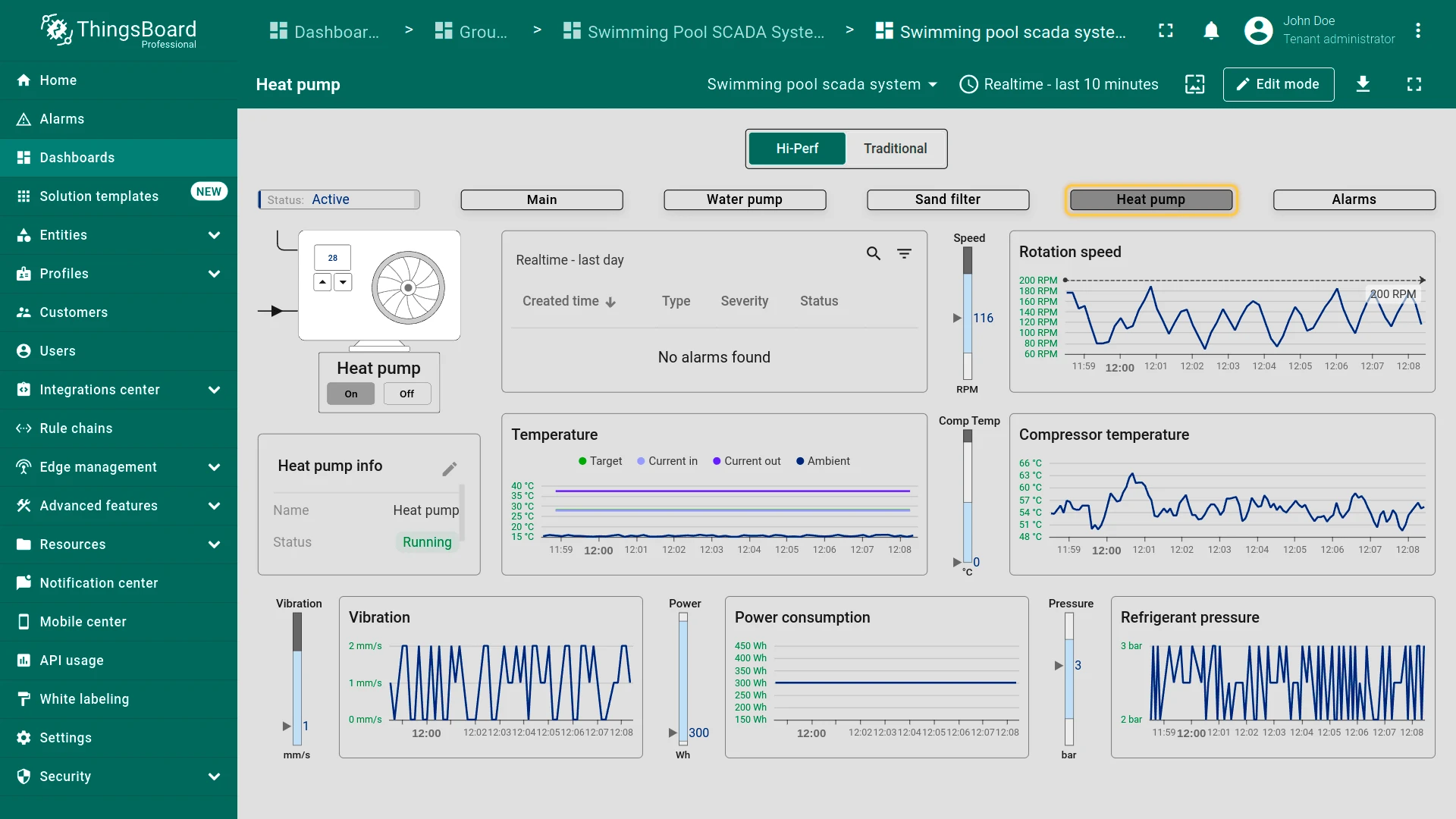
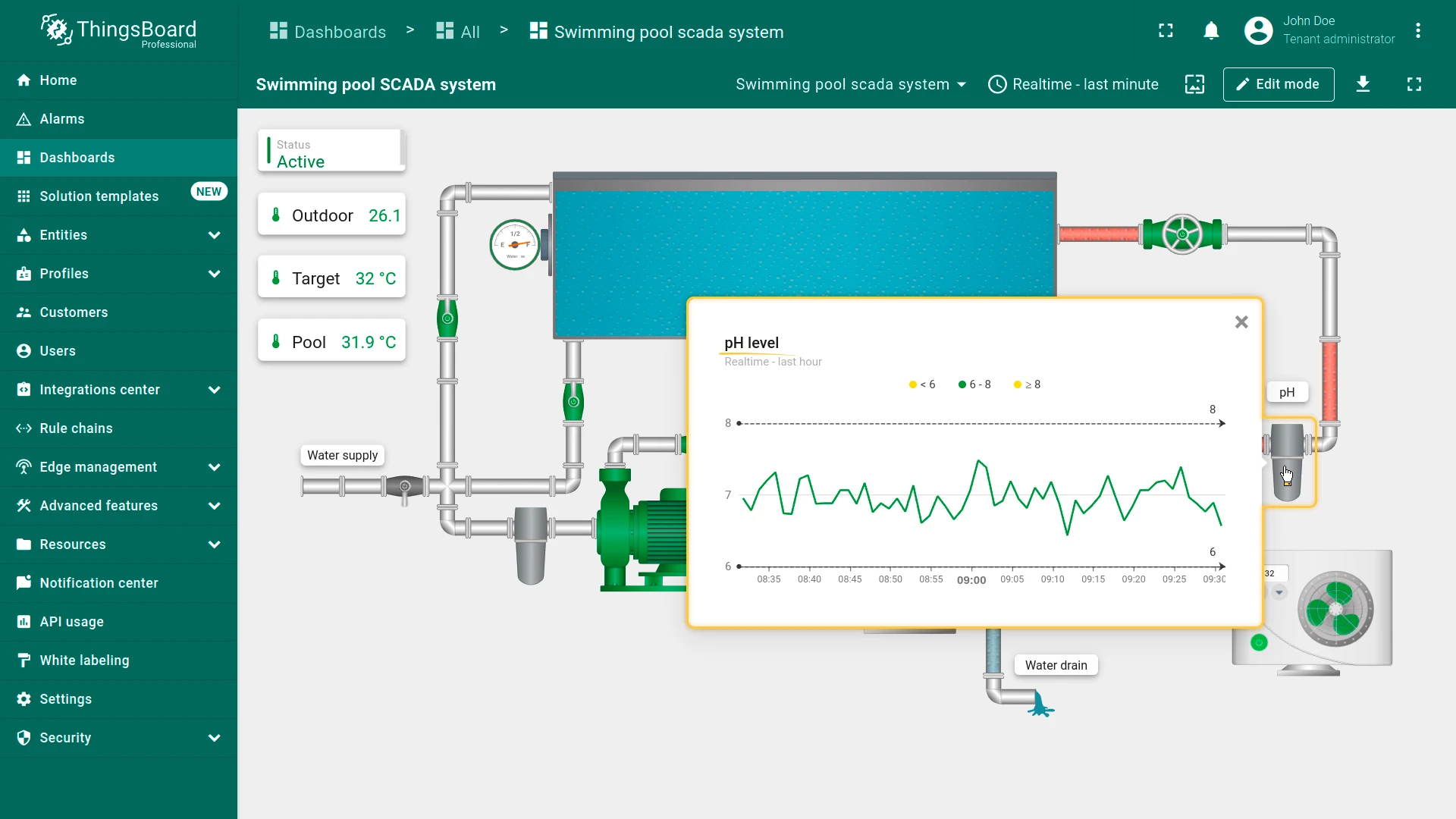
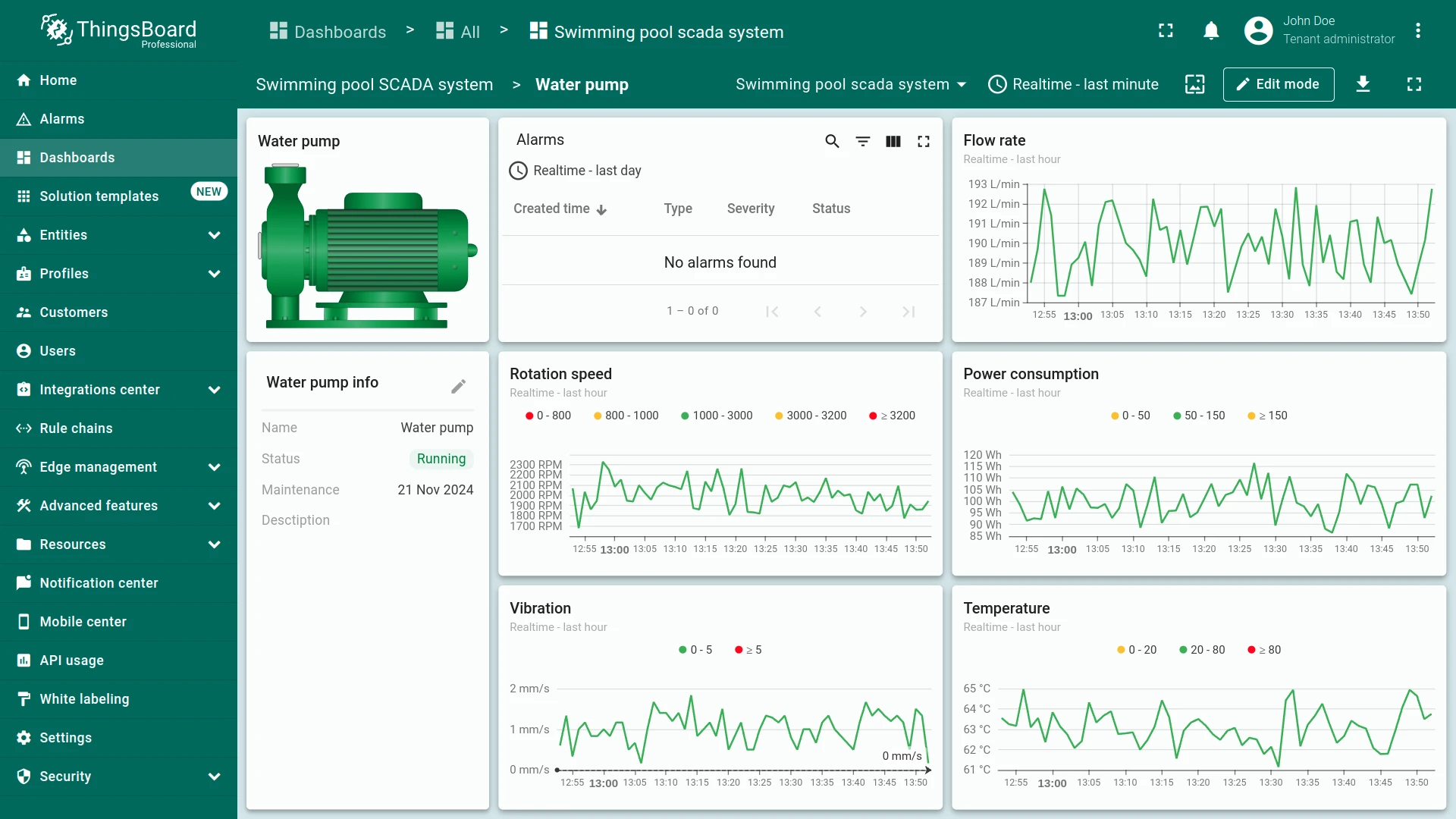
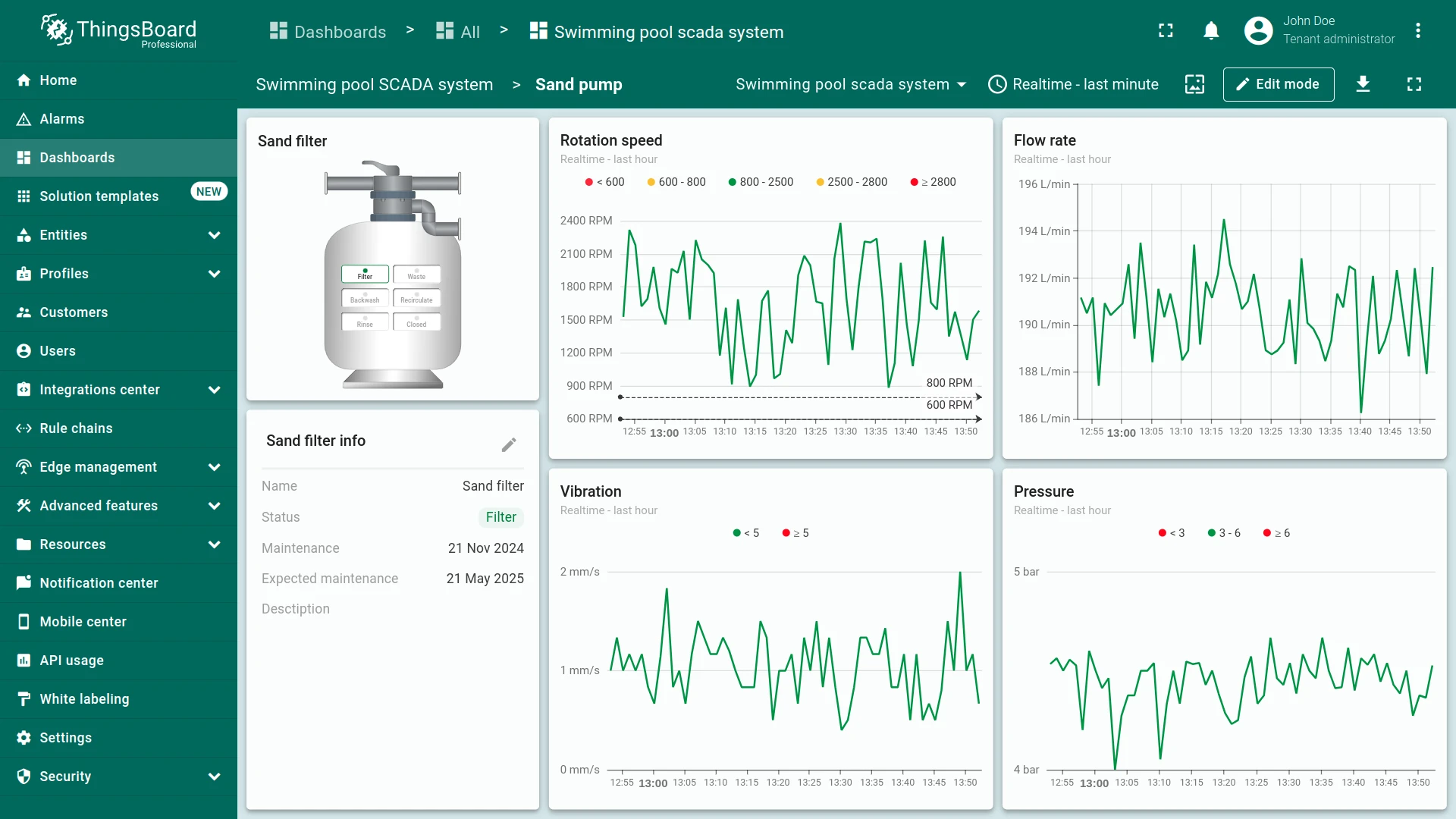
Clicking on different devices provides detailed metrics and controls for each component.
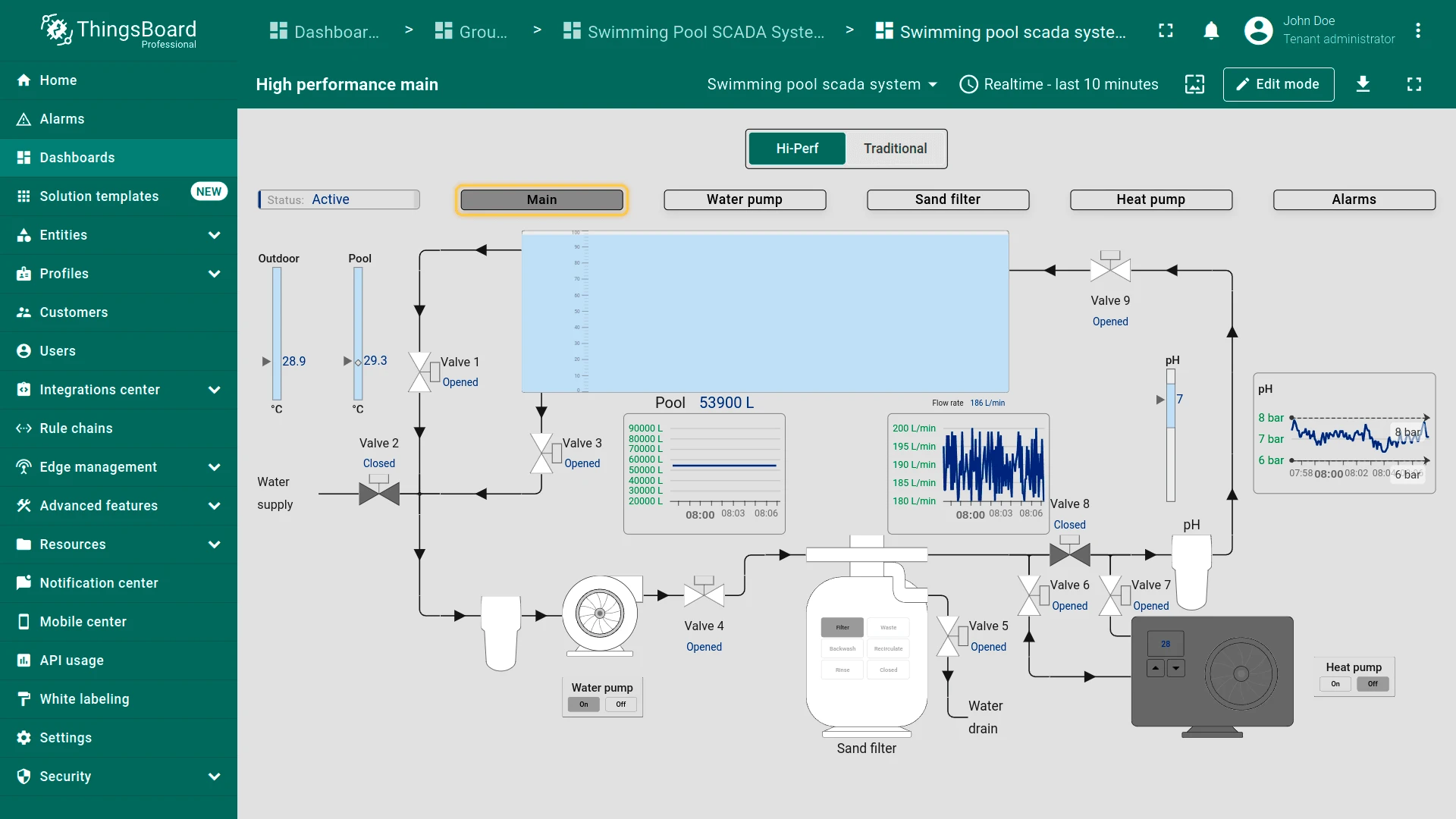
The dashboard supports responsive layouts for tablets and smartphones.
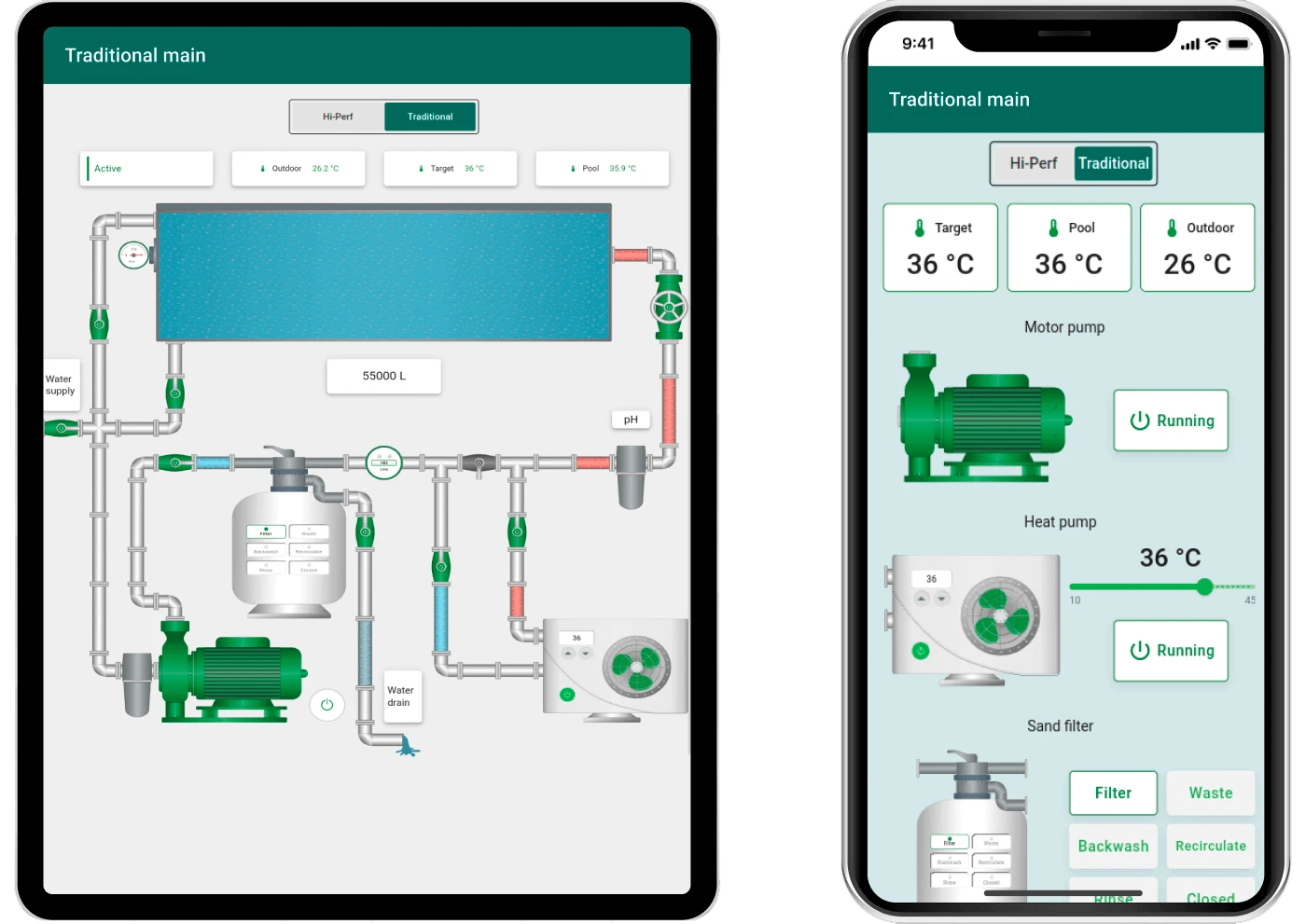
The dashboard can be fully customized using the dashboard development tools.
System components
Section titled “System components”The SCADA Swimming Pool system includes:
- 14 operational devices: Sensors, valves, pumps, and filters for monitoring and controlling pool components
- Asset: A central asset named “SCADA Swimming Pool system” that gathers data from connected devices and stores it as attributes for monitoring and control
- Gateway: The Pool System Gateway transmits data from devices to ThingsBoard via Modbus, ensuring device connectivity and data transfer
Devices
Section titled “Devices”The system includes 14 operational devices. The heat pump controls the pool temperature and operates automatically based on predefined temperature settings. Depending on temperature readings, the heat pump automatically turns off if the pool temperature exceeds the target, or turns on if both pool and outdoor temperatures fall below their target values.
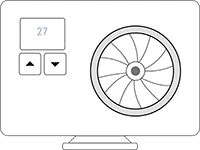
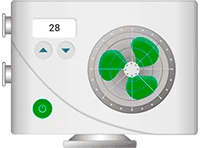
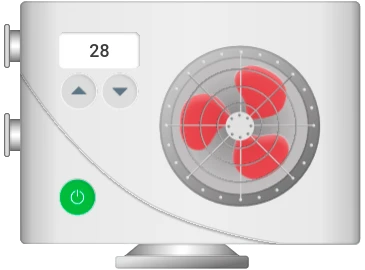
- Heat pump: Controls pool temperature automatically based on predefined settings. Available controls: turn on/off, change temperature, set status warnings, enable critical state animations, adjust propeller speed
- Water pump: Manages water circulation throughout the pool

- pH filter: Manages water pH levels. Clicking opens the pH filter diagram in a popup
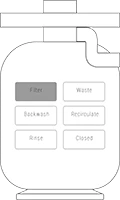
- Sand filter: Supports filtration, wasting, backwashing, recirculation, and rinsing — all controllable remotely
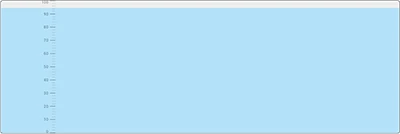
- Water level meter: Measures pool water level to maintain optimal levels and detect leaks
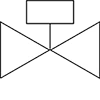
- Valves: Control water flow between different sections. Clicking a valve opens or closes it
- Heat pump: Controls pool temperature automatically based on predefined settings. Available controls: turn on/off, change temperature, set status warnings, enable critical state animations, adjust propeller speed
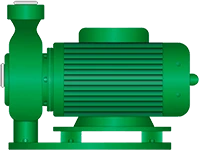
- Water pump: Manages water circulation throughout the pool
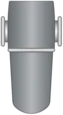
- pH filter: Manages water pH levels. Clicking opens the pH filter diagram in a popup
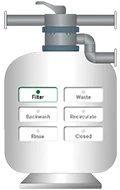
- Sand filter: Supports filtration, wasting, backwashing, recirculation, and rinsing — all controllable remotely
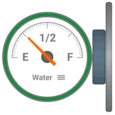
- Water level meter: Measures pool water level to maintain optimal levels and detect leaks
- Valves: Control water flow between different sections. Clicking a valve opens or closes it
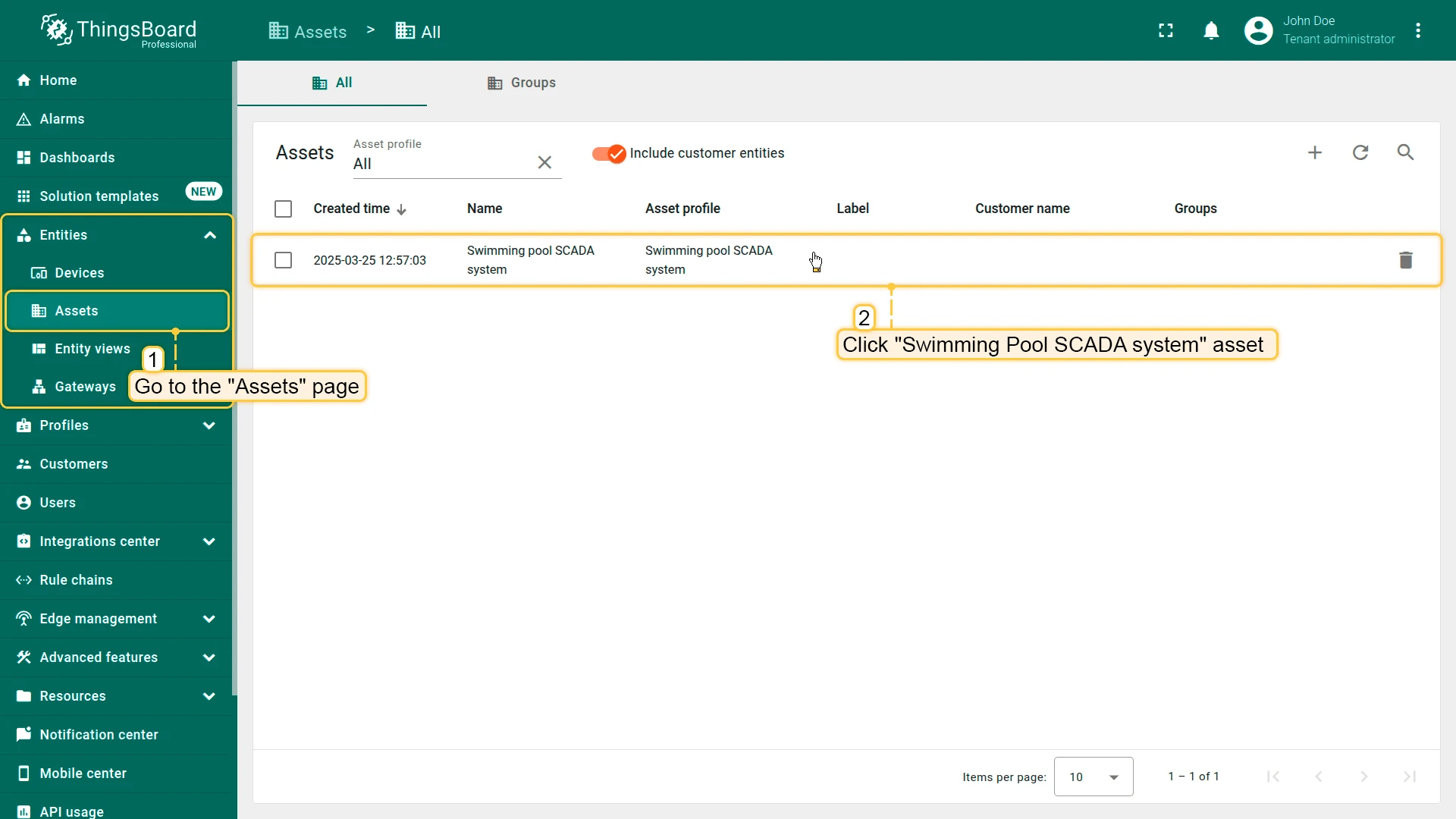
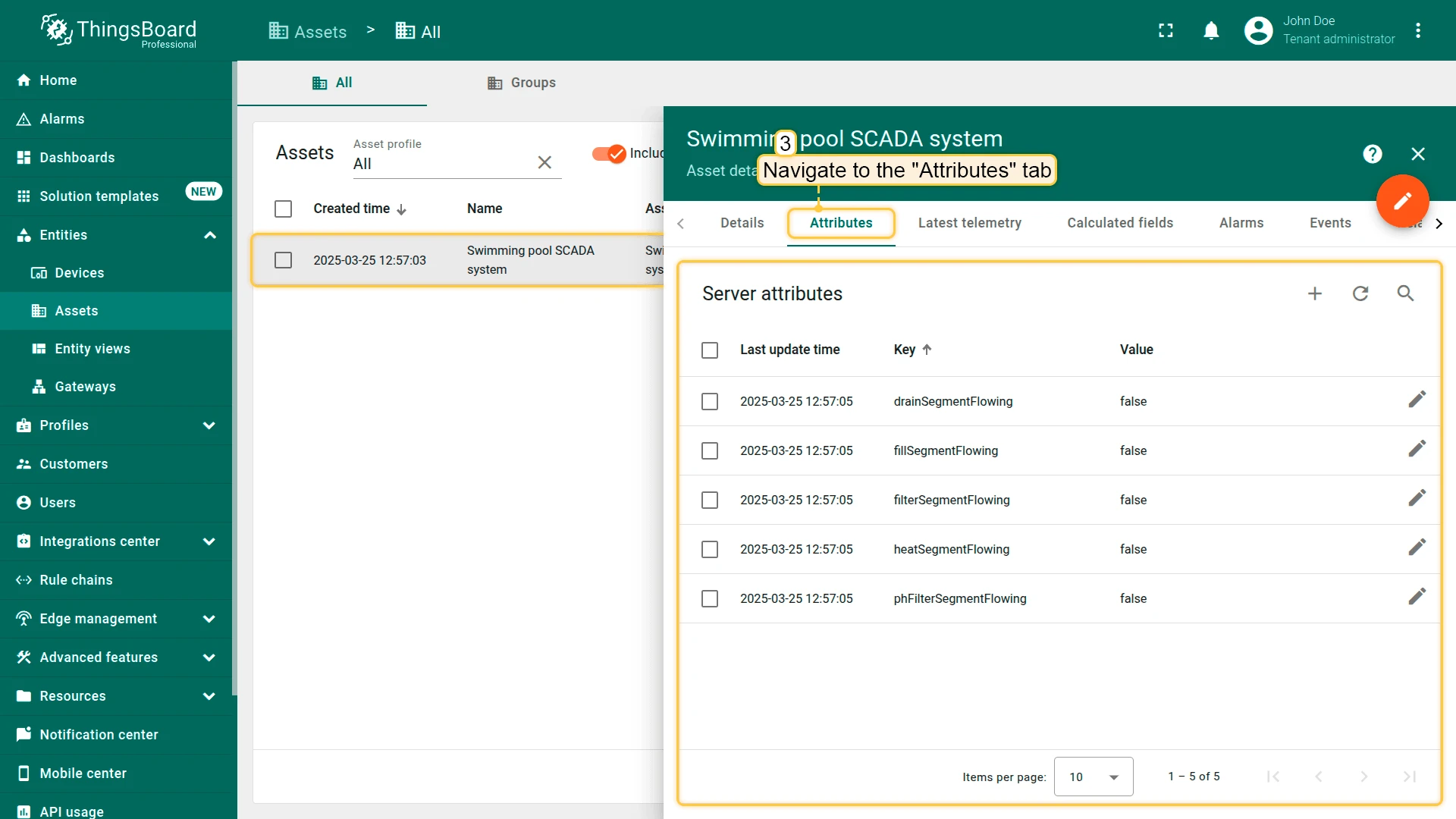
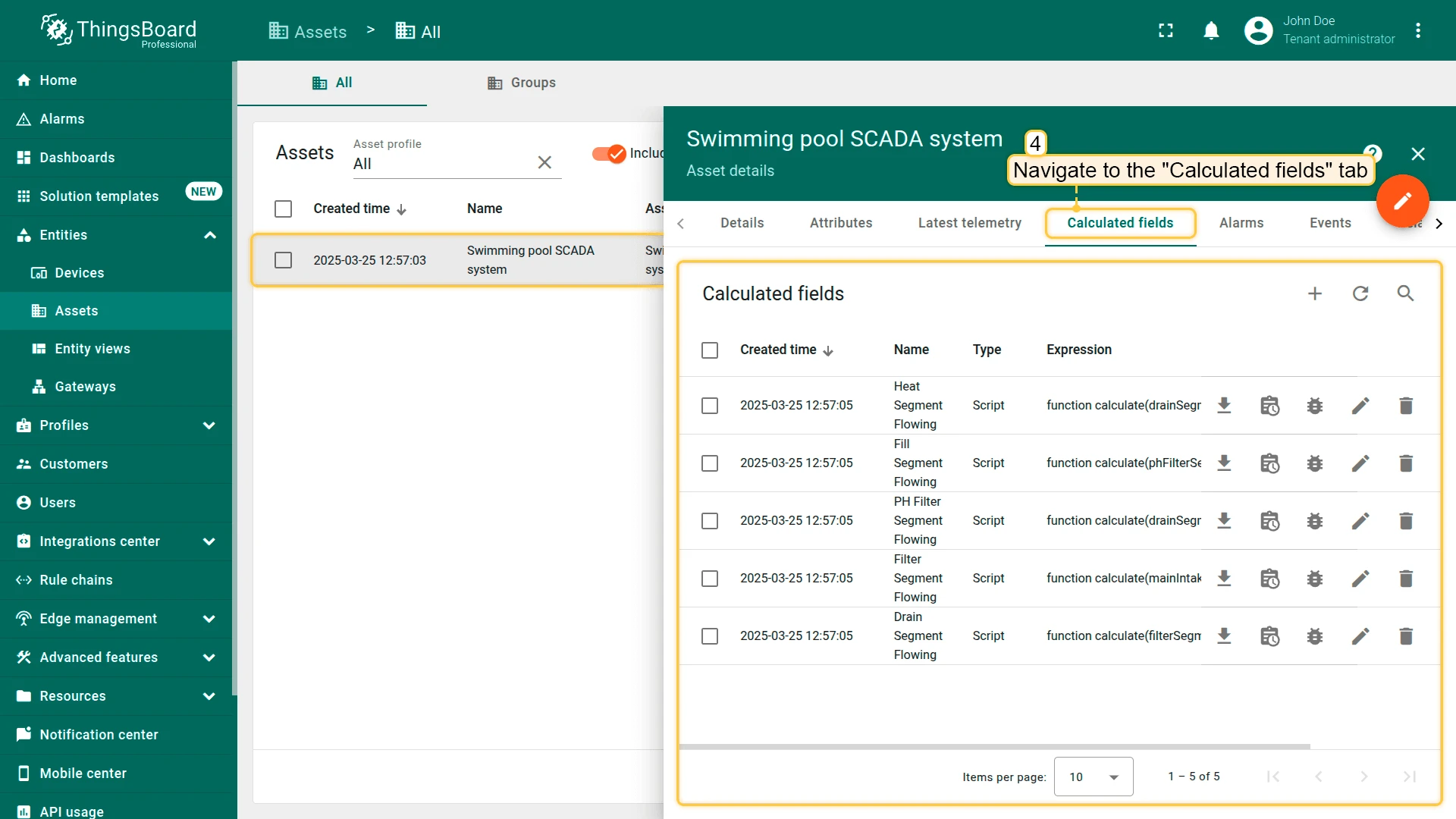
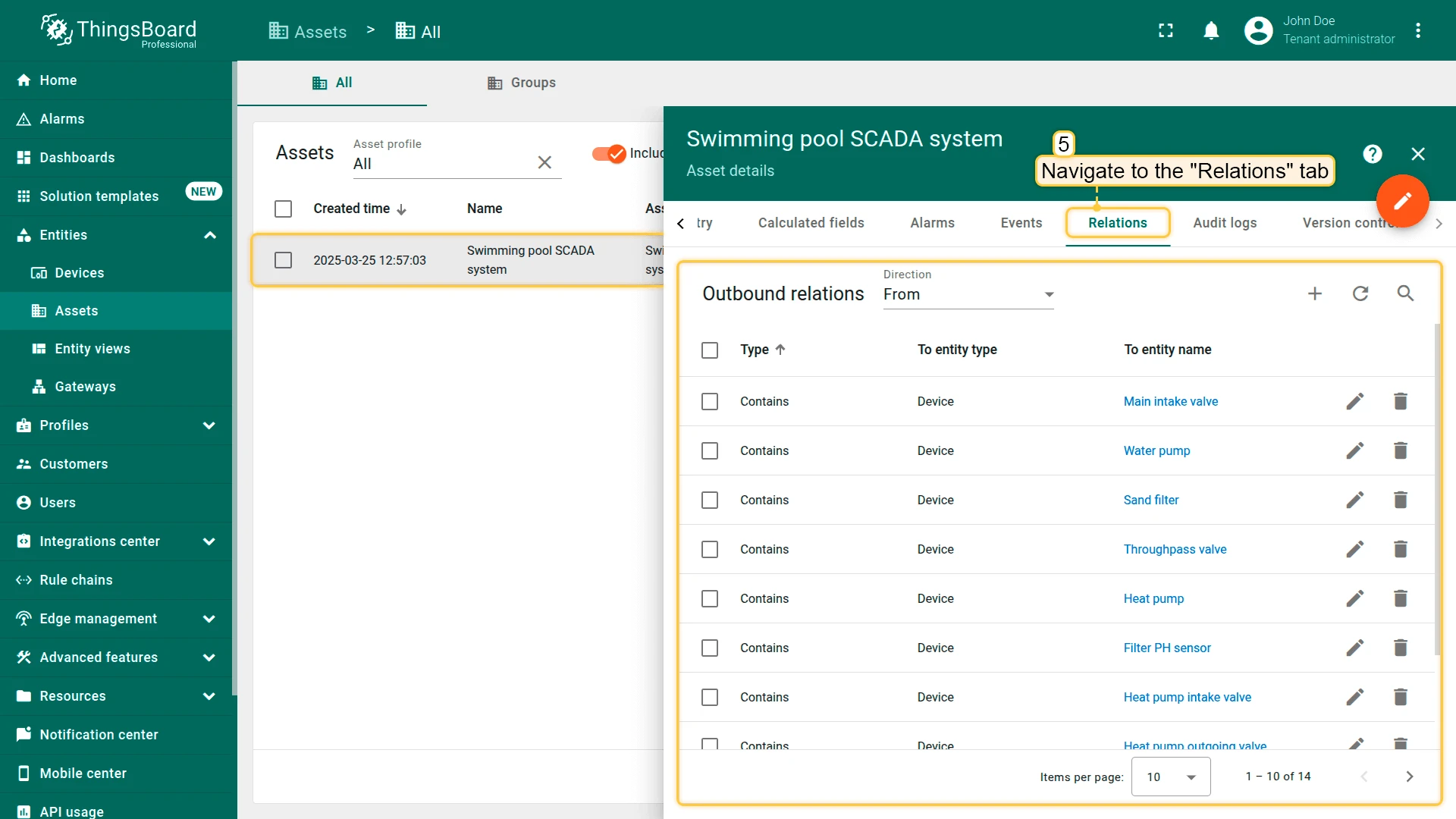
The Swimming Pool SCADA system includes a single asset named SCADA Swimming Pool system. This asset serves as the central hub for collecting and processing data from all connected devices. The data collected by the asset is processed using calculated fields and used for monitoring and controlling various system components, including calculations that determine the status of each pipe segment — indicating whether water is flowing or not.
Gateway
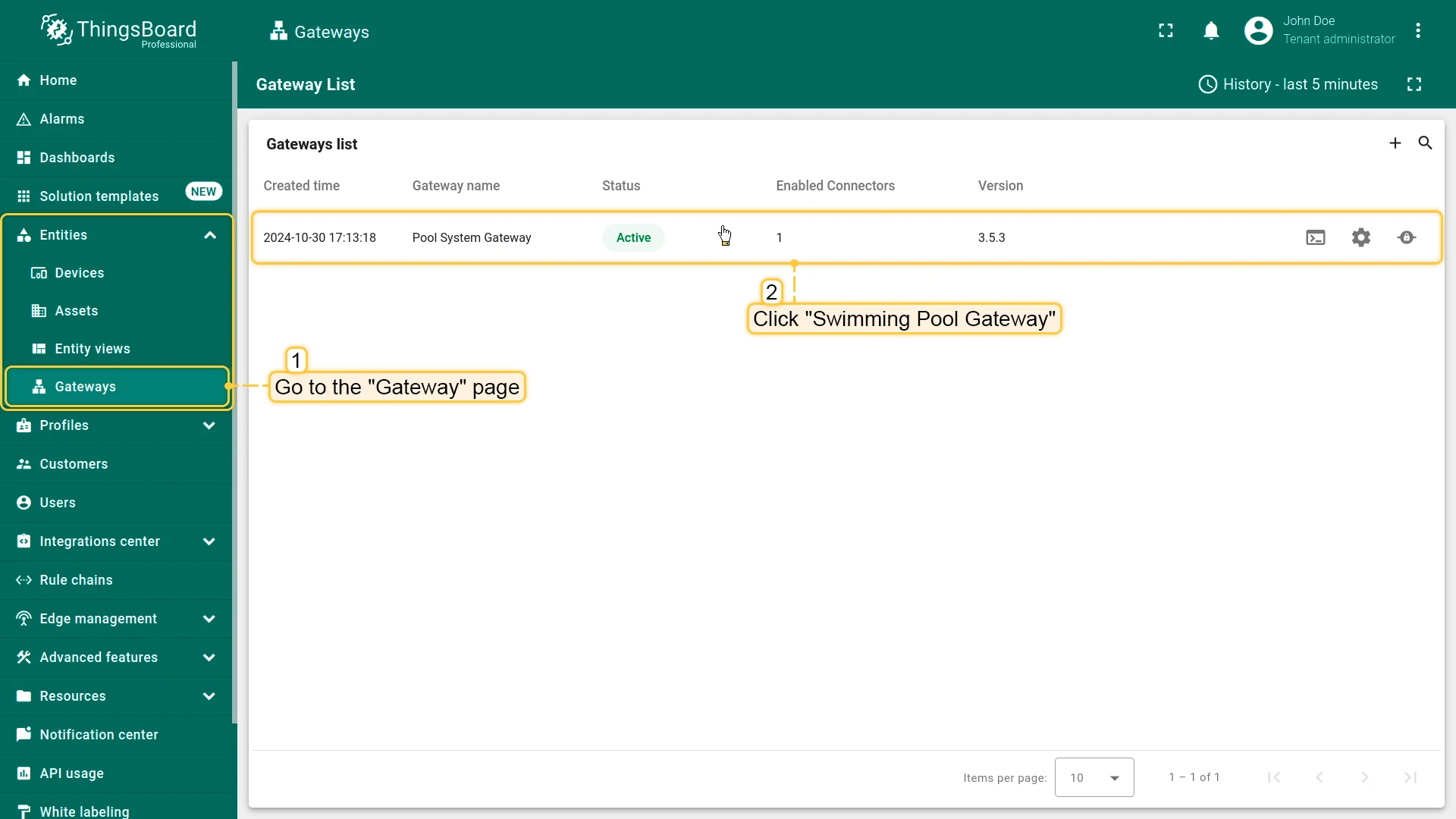
Section titled “Gateway”The ThingsBoard IoT Gateway integrates devices into the SCADA system, ensuring connectivity and data transmission. The “Pool System Gateway” configuration is accessible on the Gateways page in the Entities section.
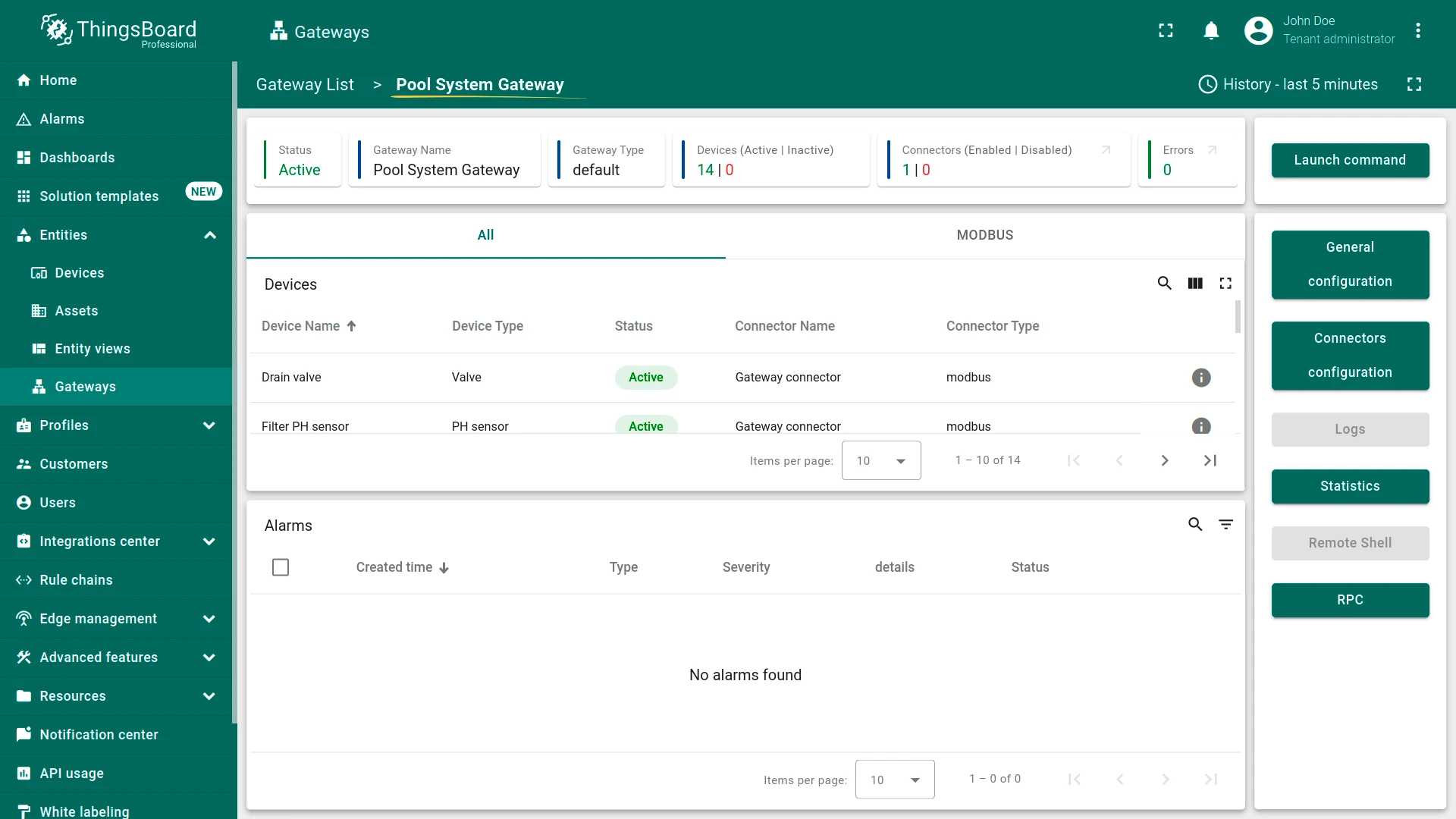
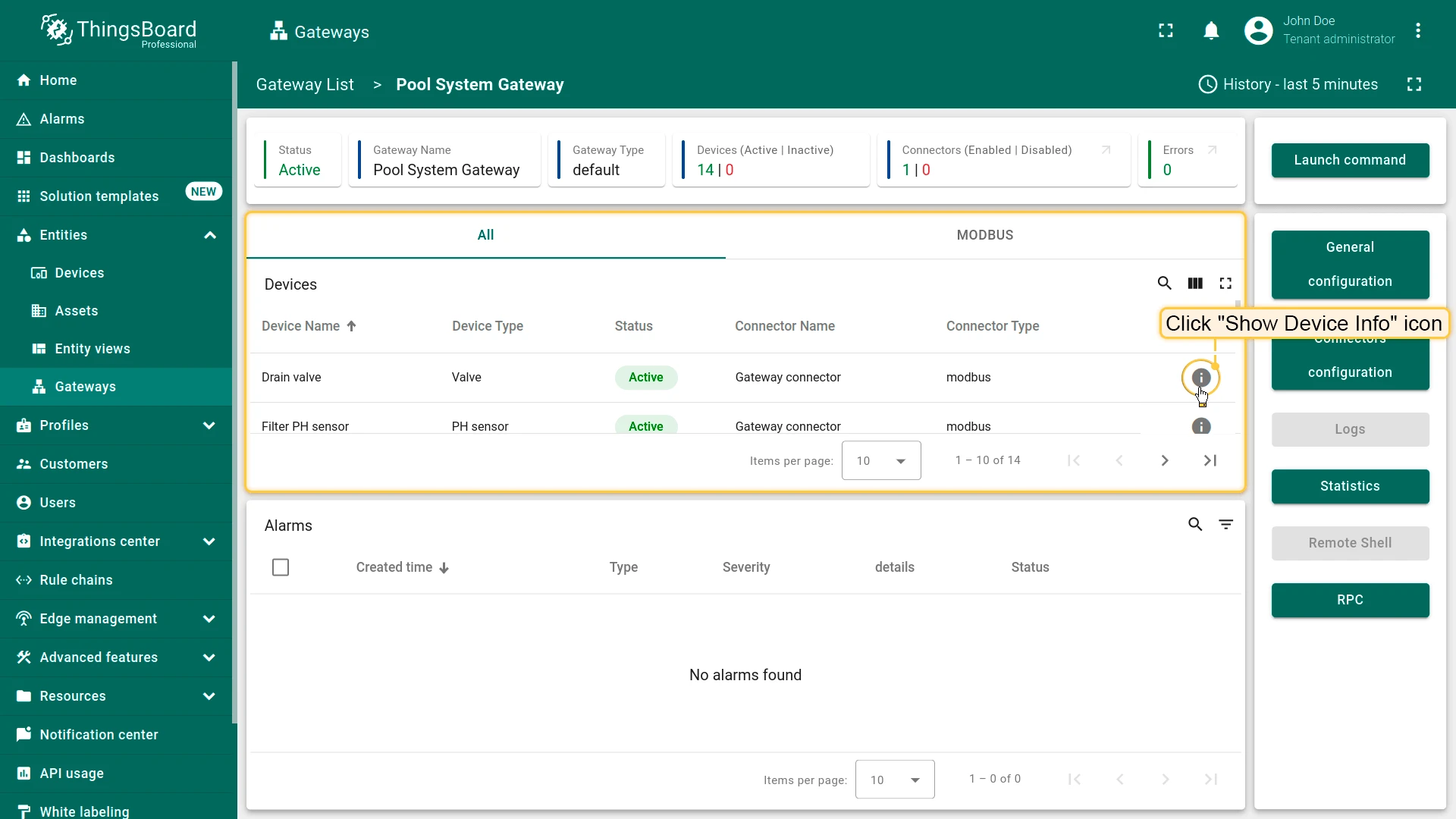
The Pool System Gateway displays connected devices and their status. Click Show Device Info next to a device to view detailed information.
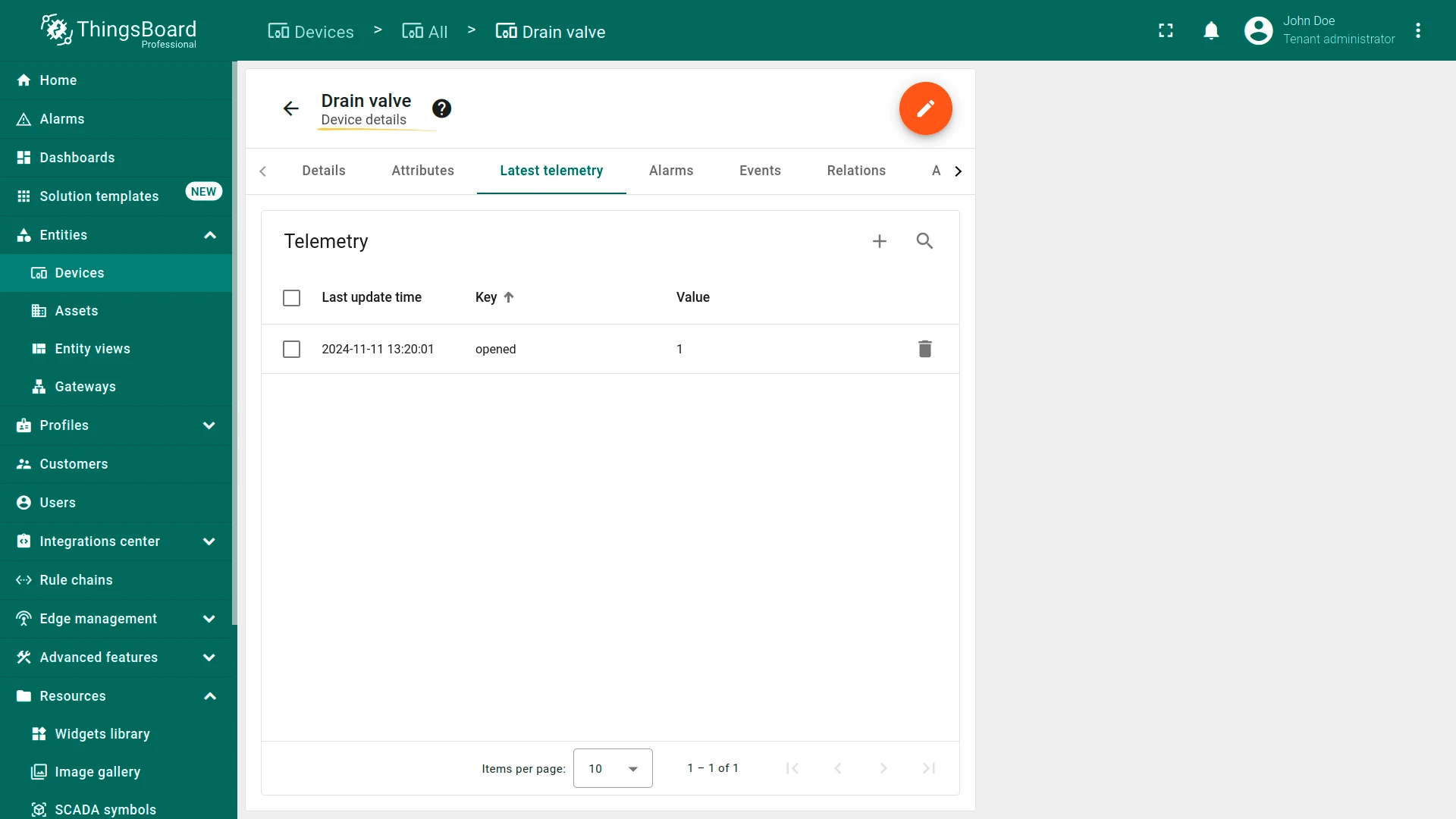
Connector configuration
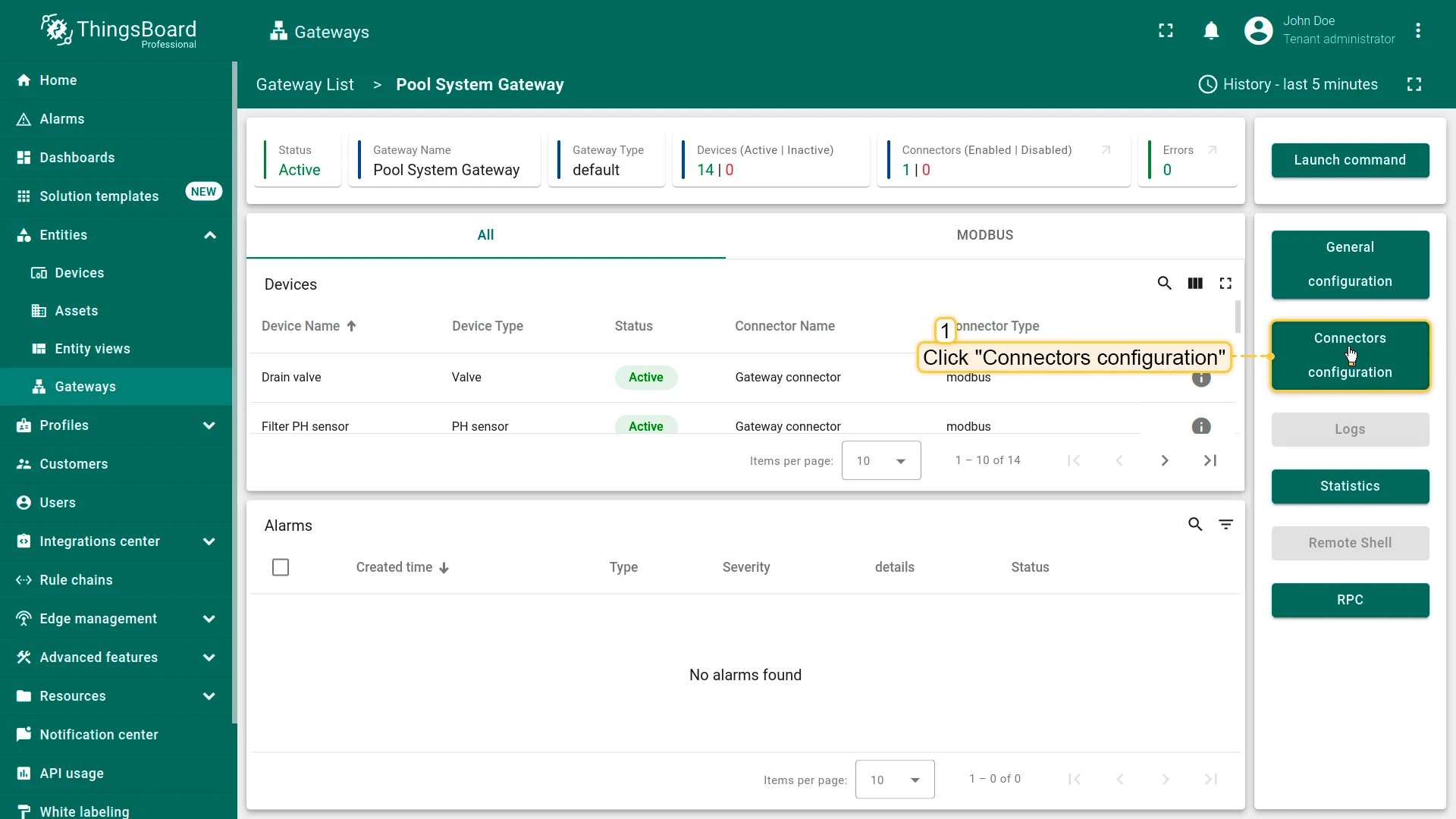
Click Connectors configuration to display available connectors. Click Pool Connector to open its configuration settings. Navigate to the Master Connections tab for connection parameters and data processing settings for each device.
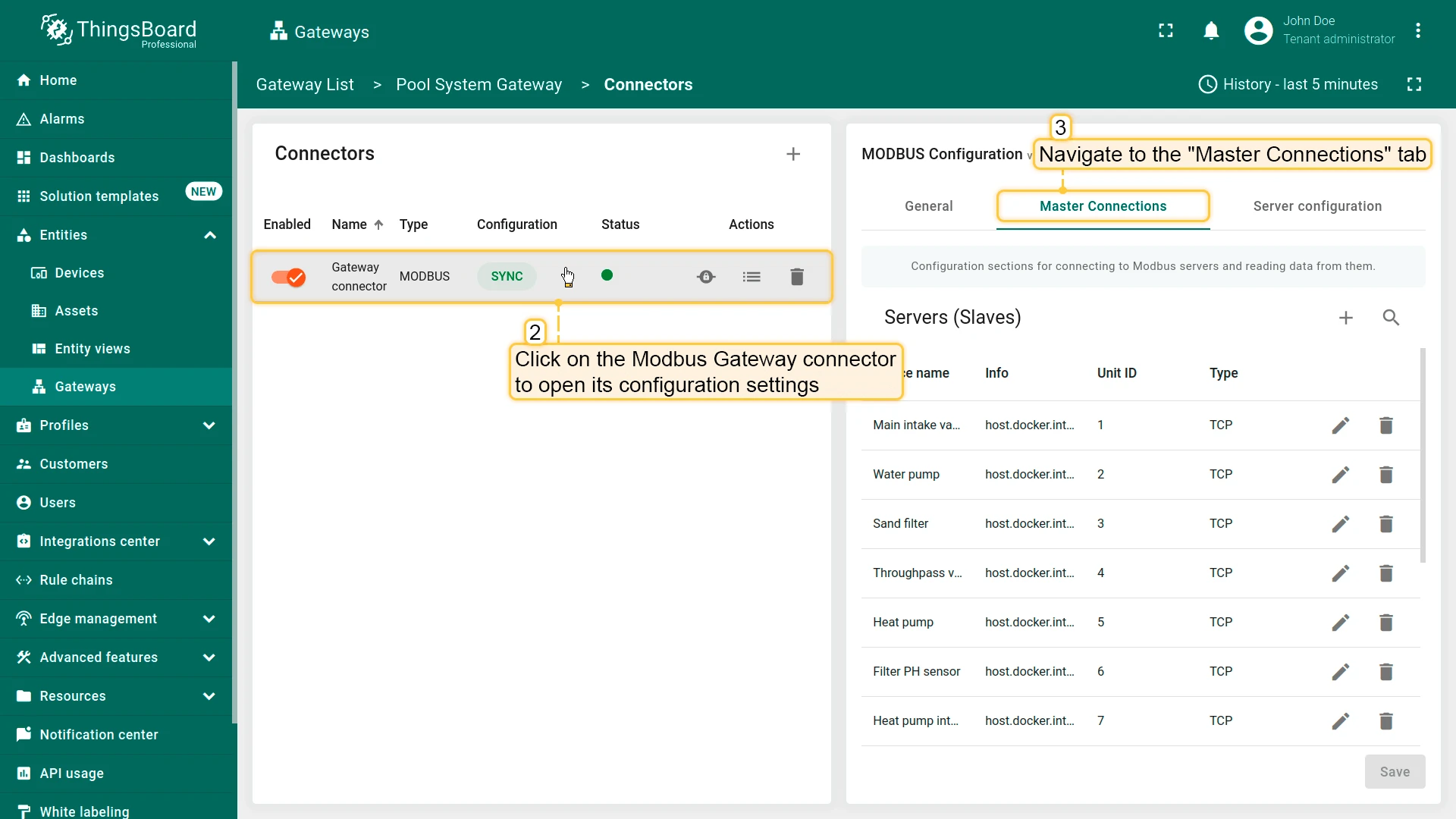
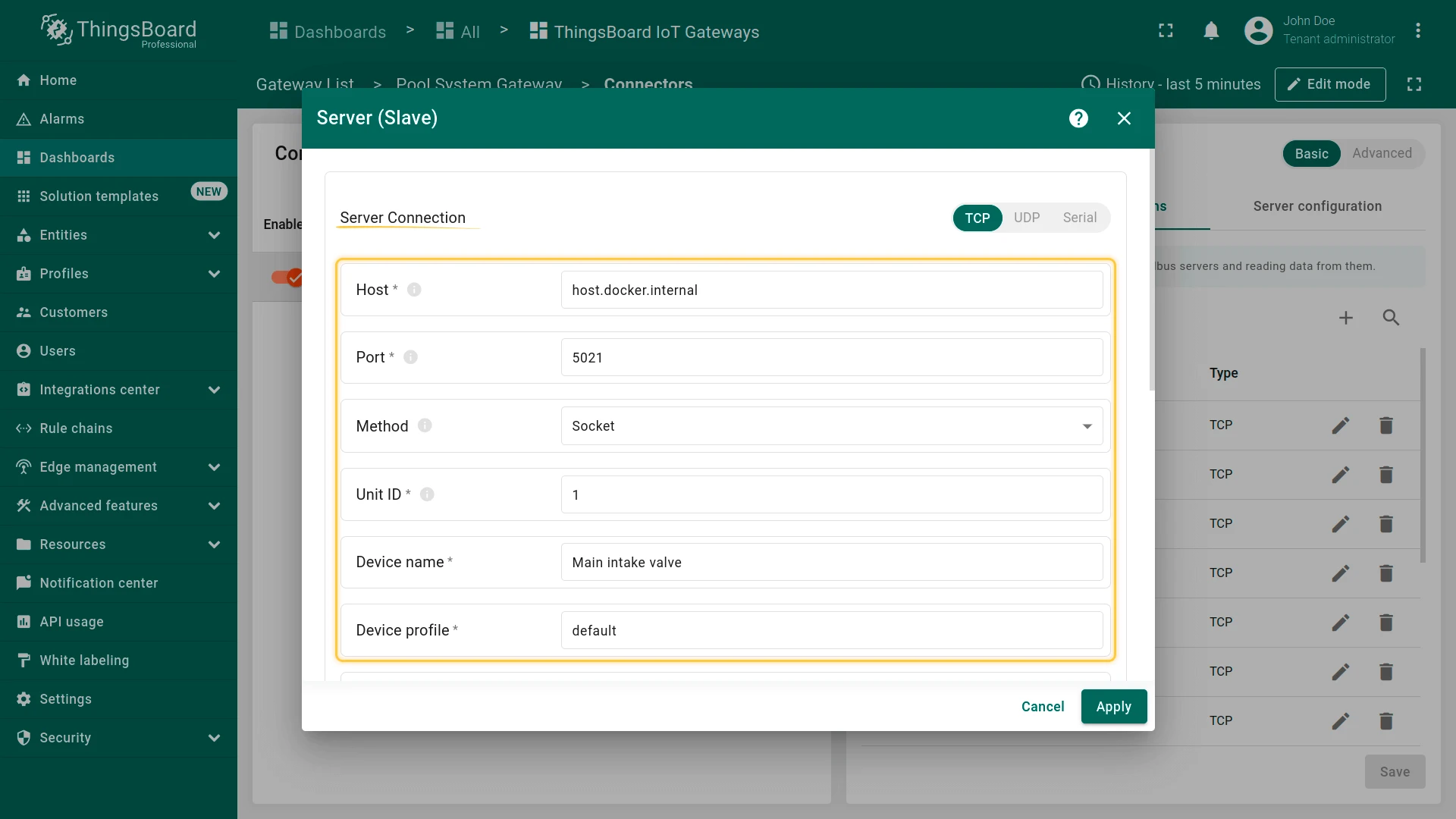
Using the “Main intake valve” device as an example — click the pencil icon next to the device name to open its settings. The host host.docker.internal and port 5021 are specific to the Modbus emulator. To connect actual devices, replace the host and port values with the real ones. For details on other parameters, see the Modbus connector configuration page.
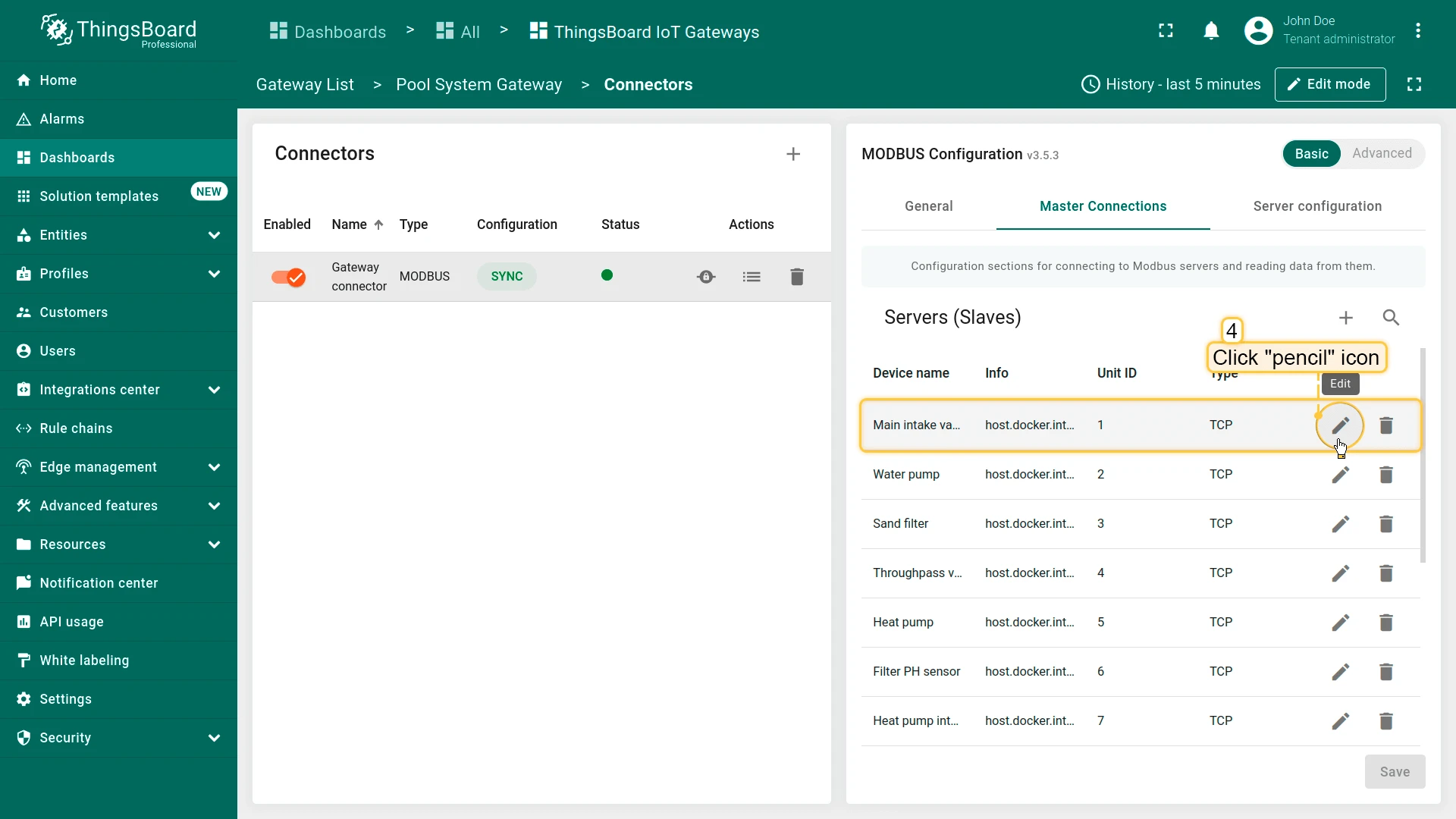
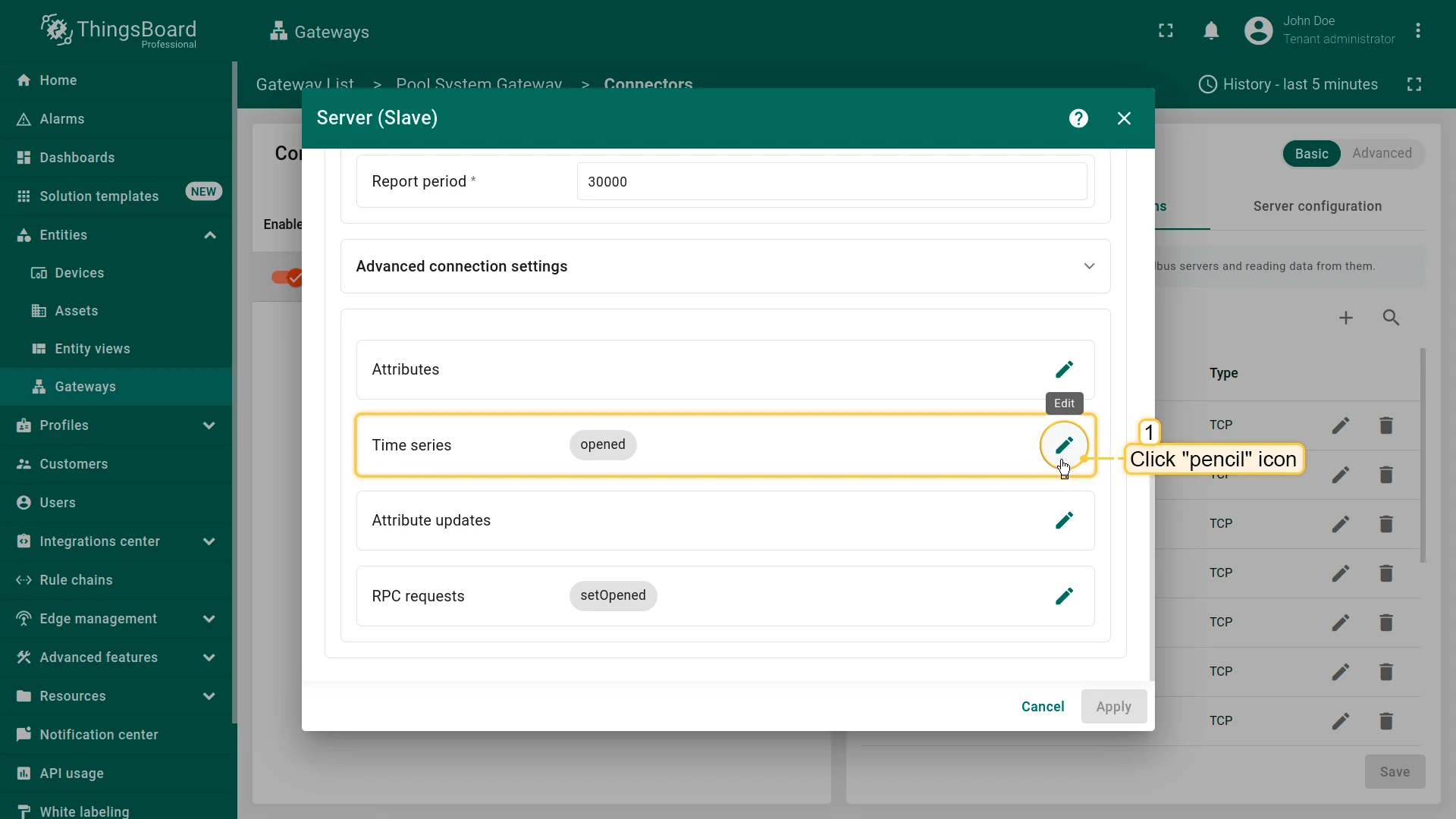
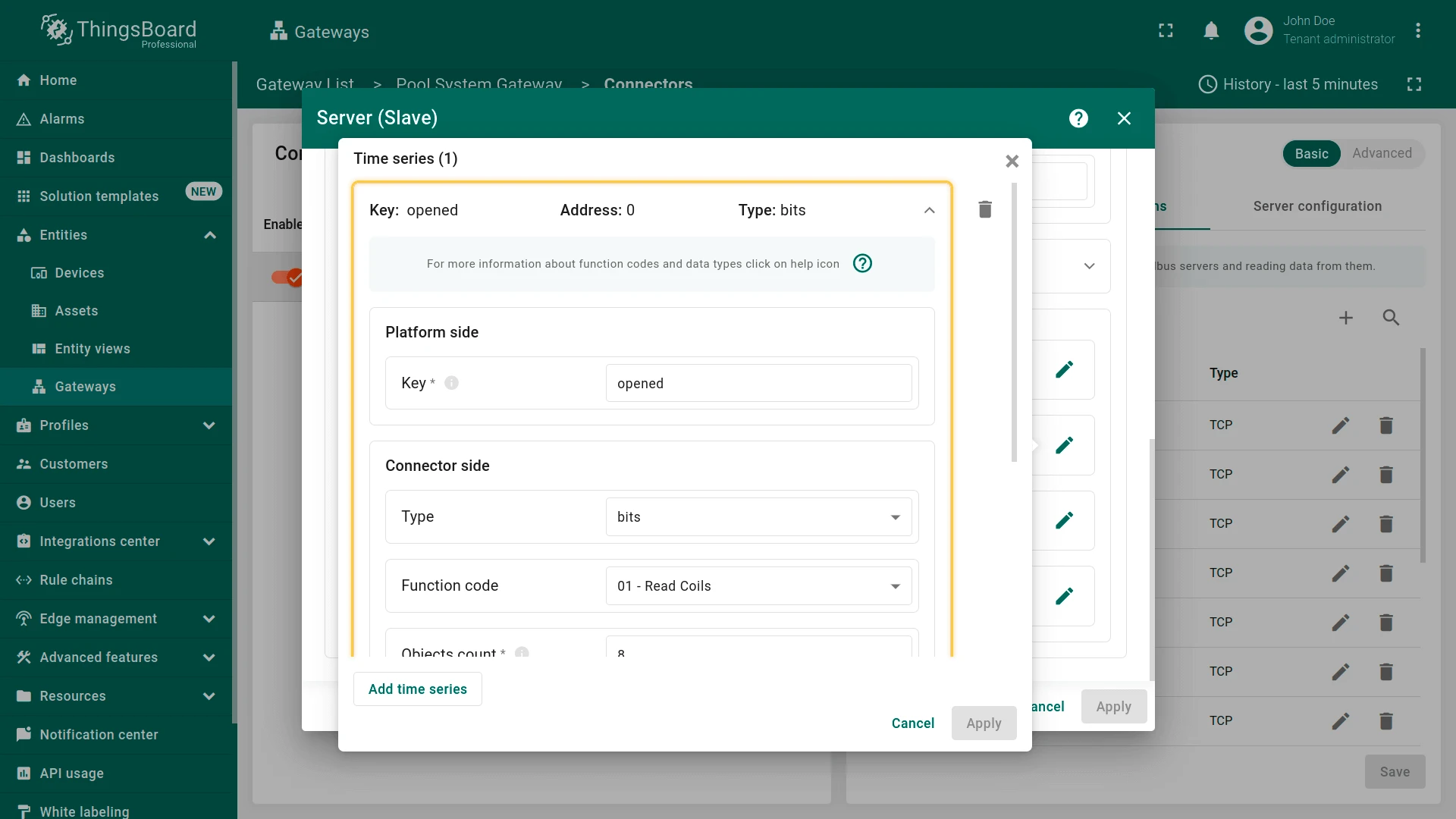
In the Time series section, you can configure the processing of incoming data. These settings are interpreted in ThingsBoard as device telemetry data.
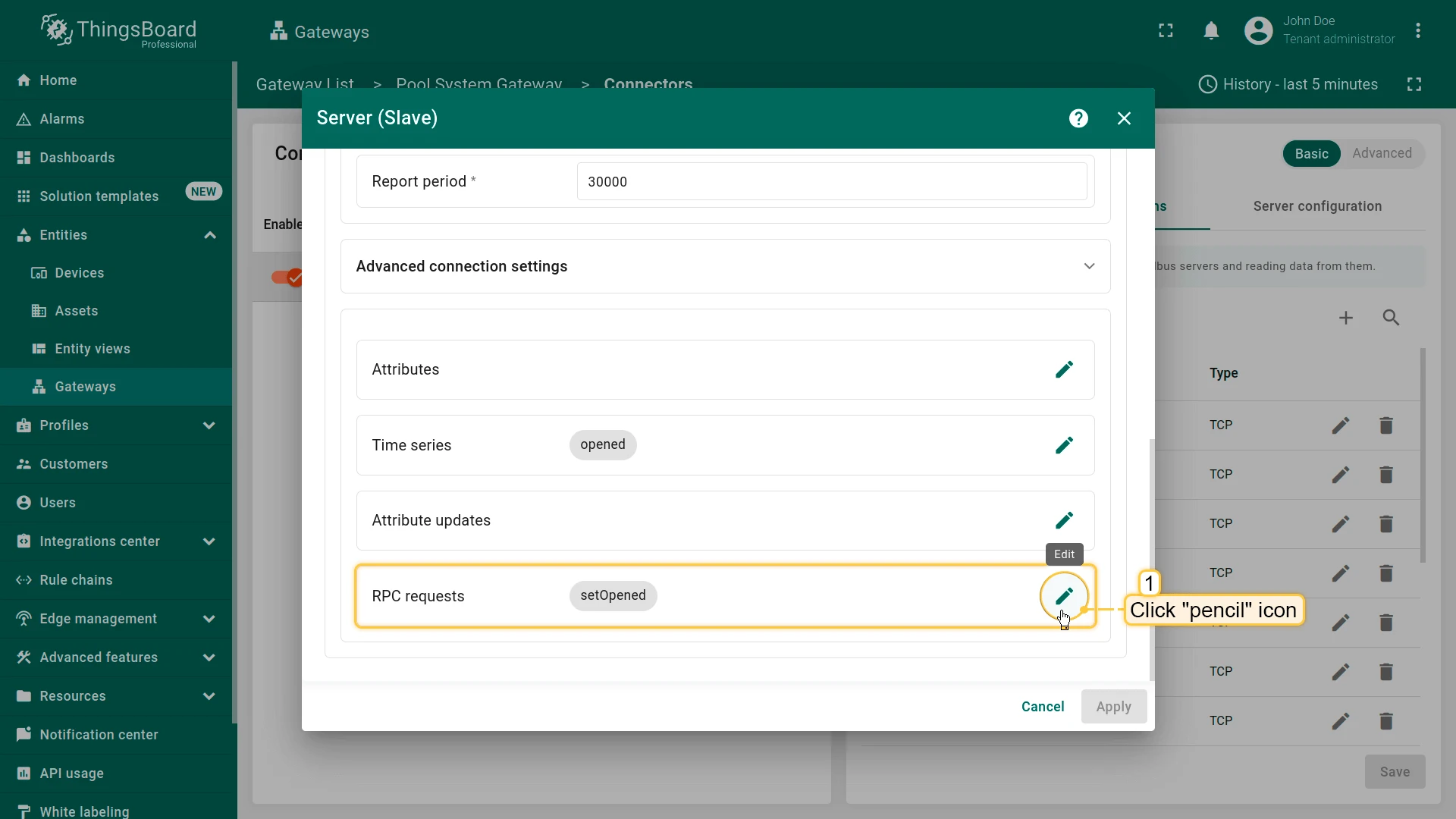
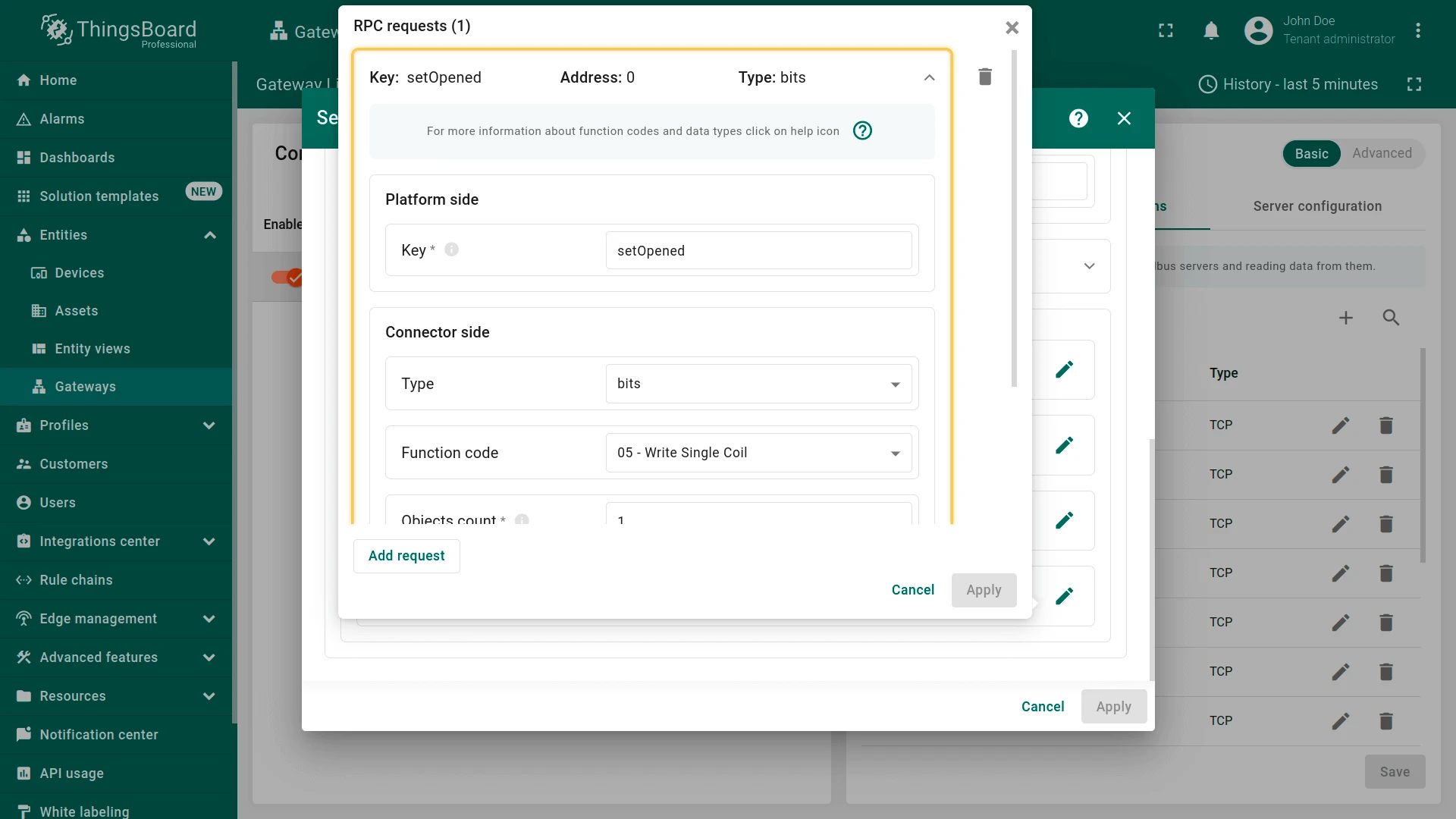
In the RPC Requests section, you can configure parameters for remote procedure calls from ThingsBoard to the device. This section is used for sending commands and receiving responses from devices.
Rule chain
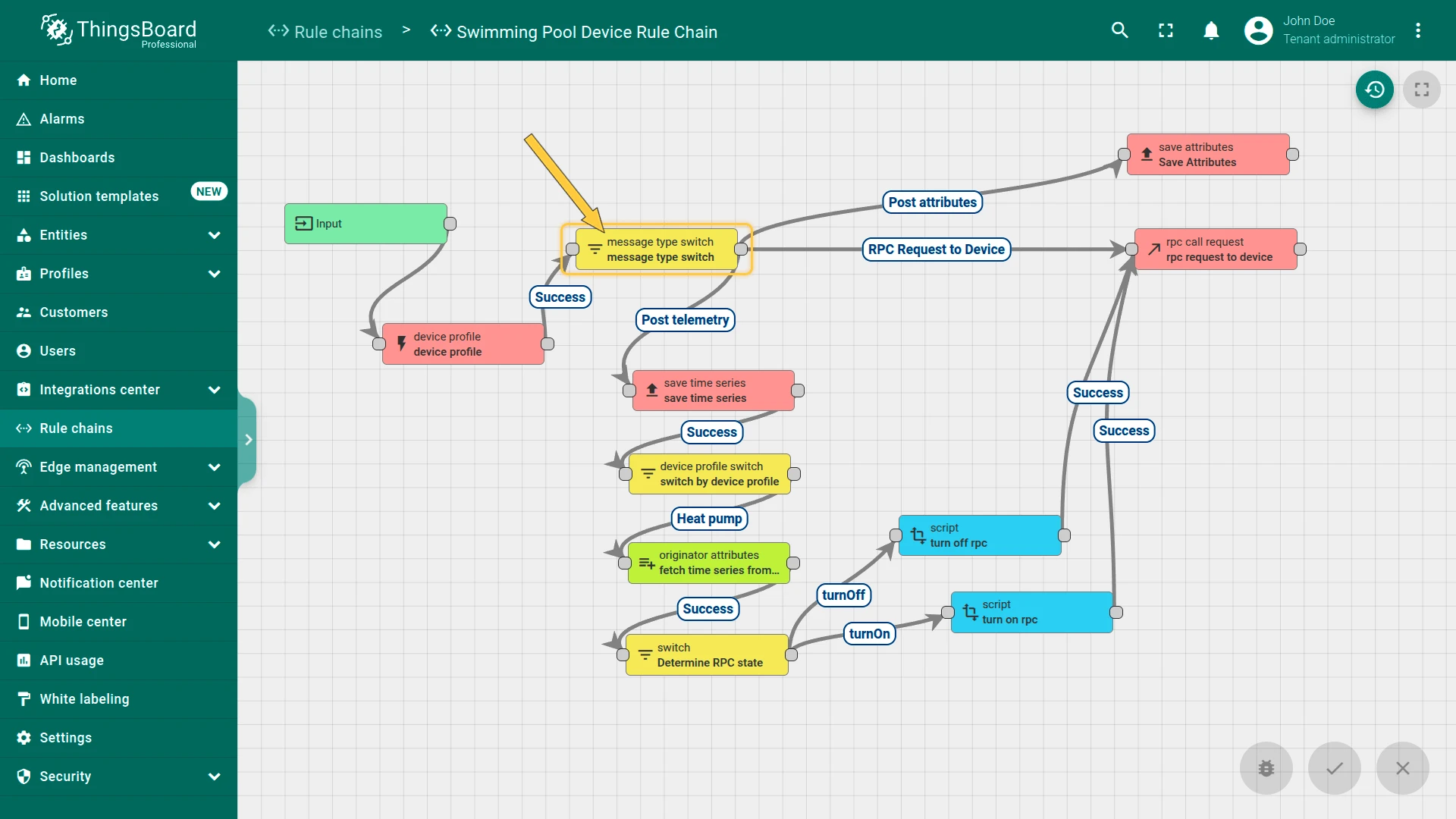
Section titled “Rule chain”Each message passes through the Swimming Pool Device Rule Chain. Here, telemetry, attributes, and RPC requests are saved, alarms are generated, and control of the heat pump is performed.
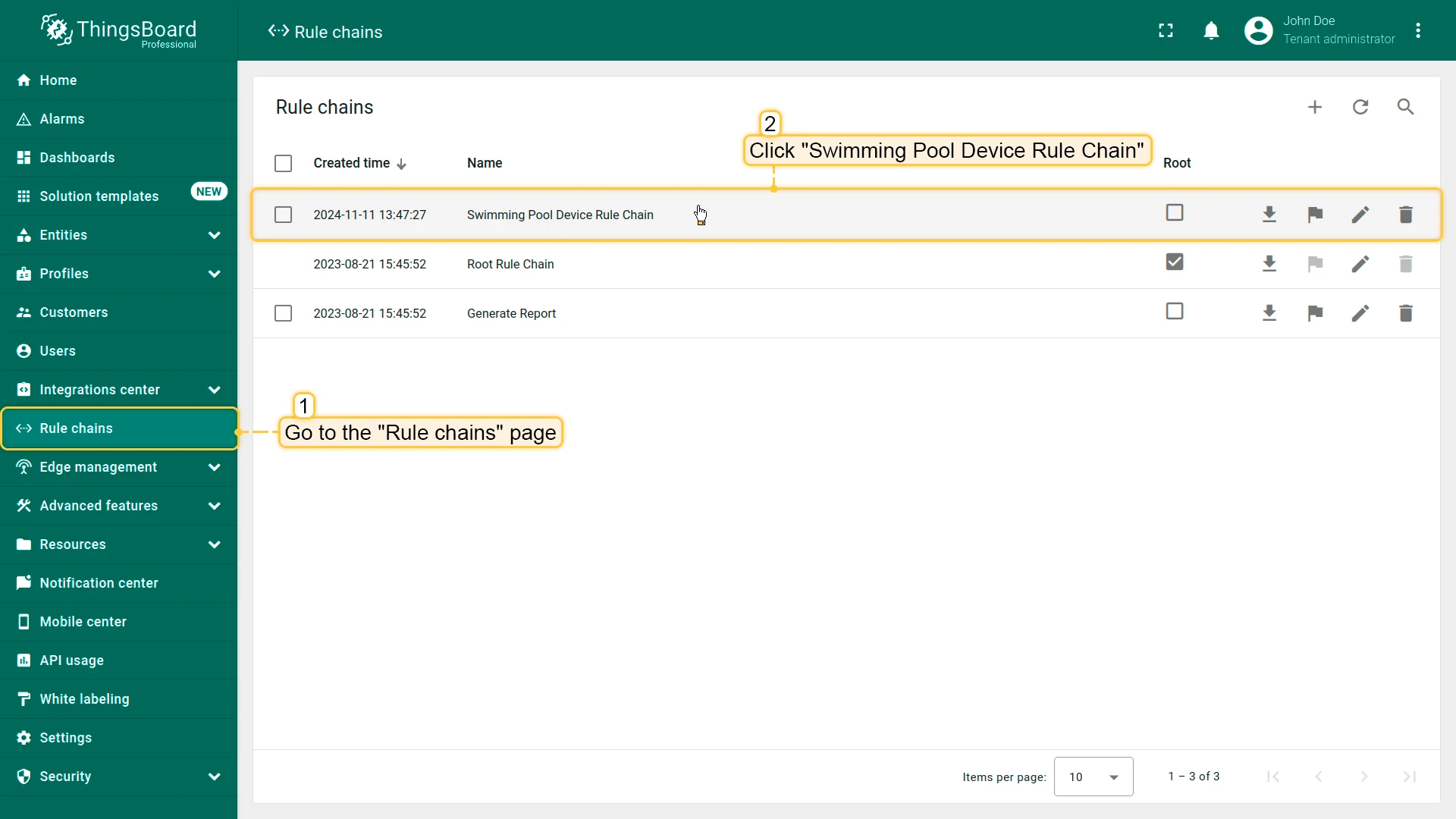
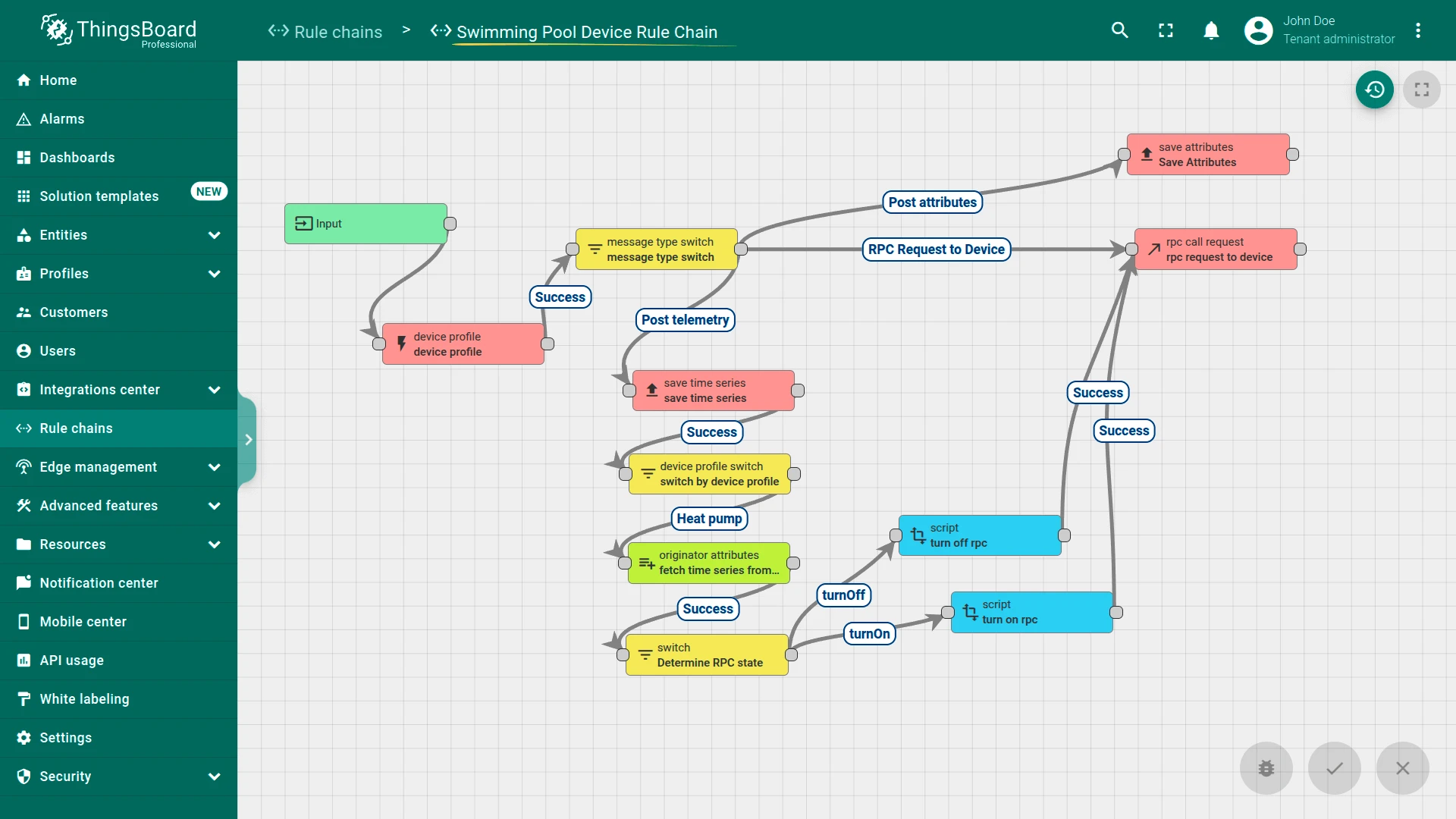
Message processing flow:
- Alarm generation: Every message first passes through the device profile node. This step generates alarms based on conditions defined in the device profiles (heat pump, water pump, sand filter). If telemetry exceeds the set thresholds, alarms are triggered and displayed on the dashboard
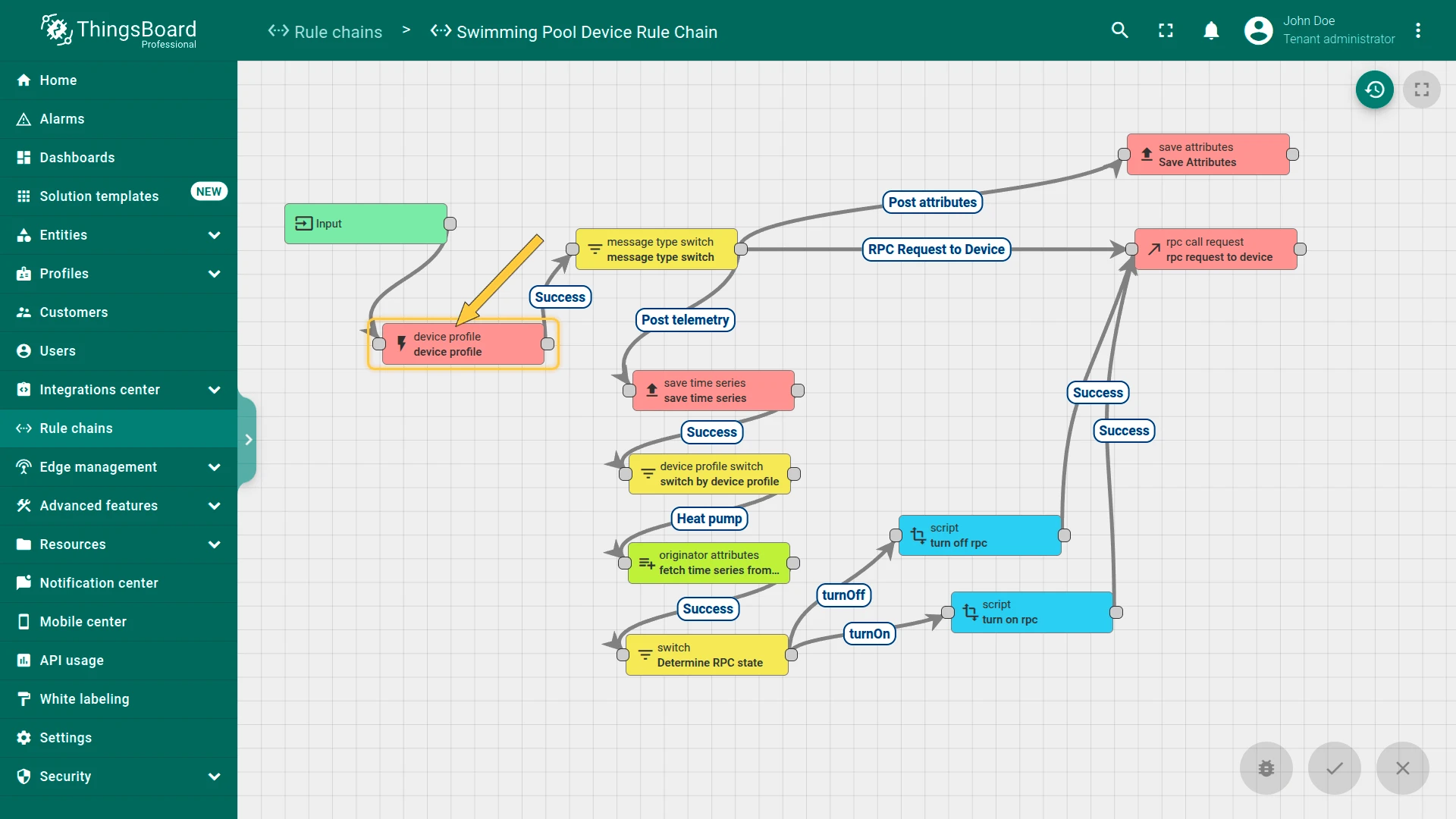
- Message type switch: After the initial profile processing, the message moves to the message type switch node. This node routes messages based on their type (telemetry data, attribute updates, or RPC requests)
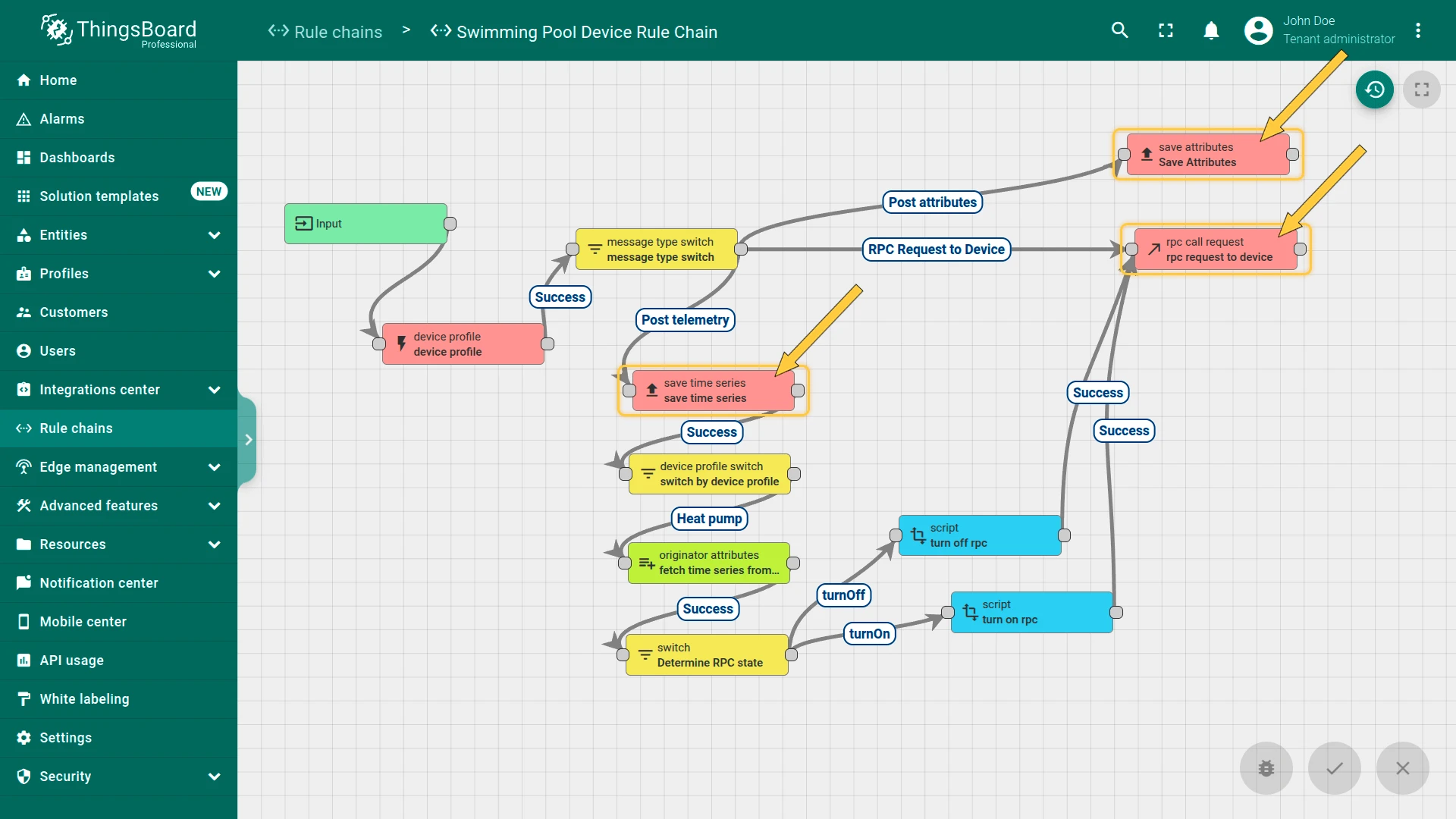
- General logic: Independent of message type, the system saves attributes, time series data, and processes RPC requests for all devices
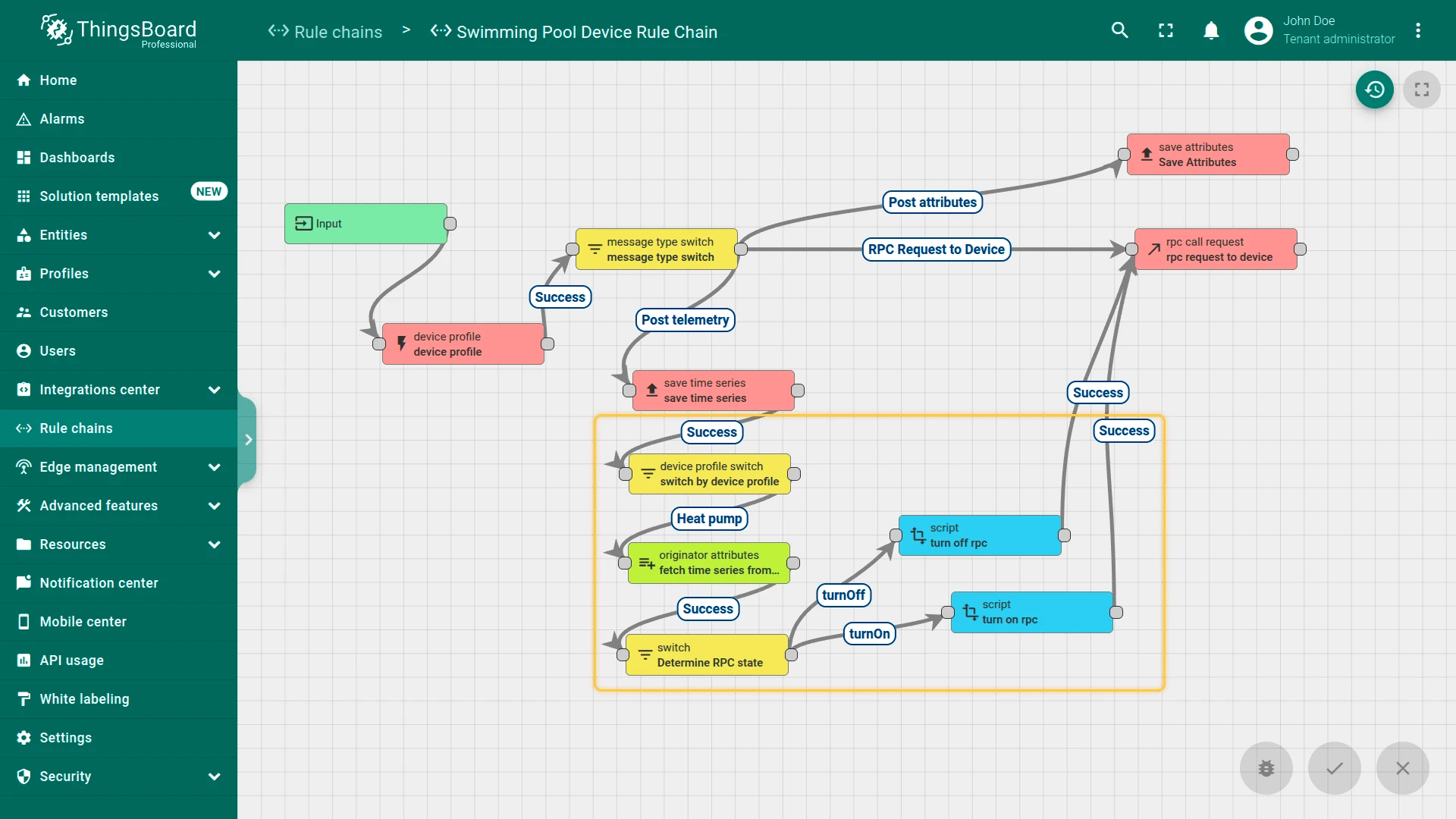
- Heat pump control: When telemetry from the heat pump is detected, the system checks conditions like target temperature, outdoor temperature, and pool temperature. If the conditions meet the thresholds, an RPC request is sent to control the heat pump state
Device profiles
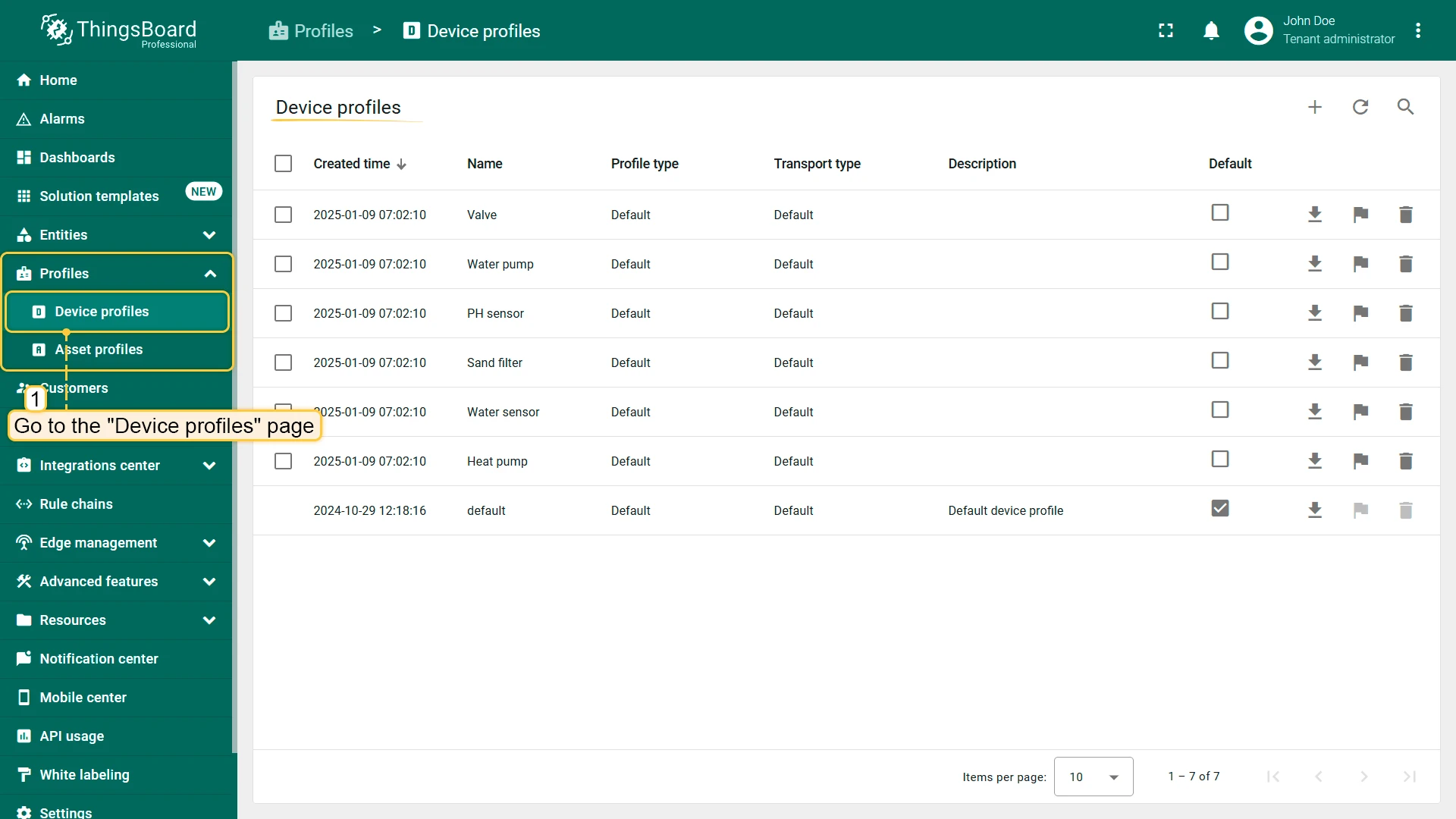
Section titled “Device profiles”For the Swimming Pool SCADA system, six device profiles were created to manage the 14 operational devices. These profiles set the Swimming Pool Device Rule Chain as the default rule chain and define specific alarm rules for each device type.
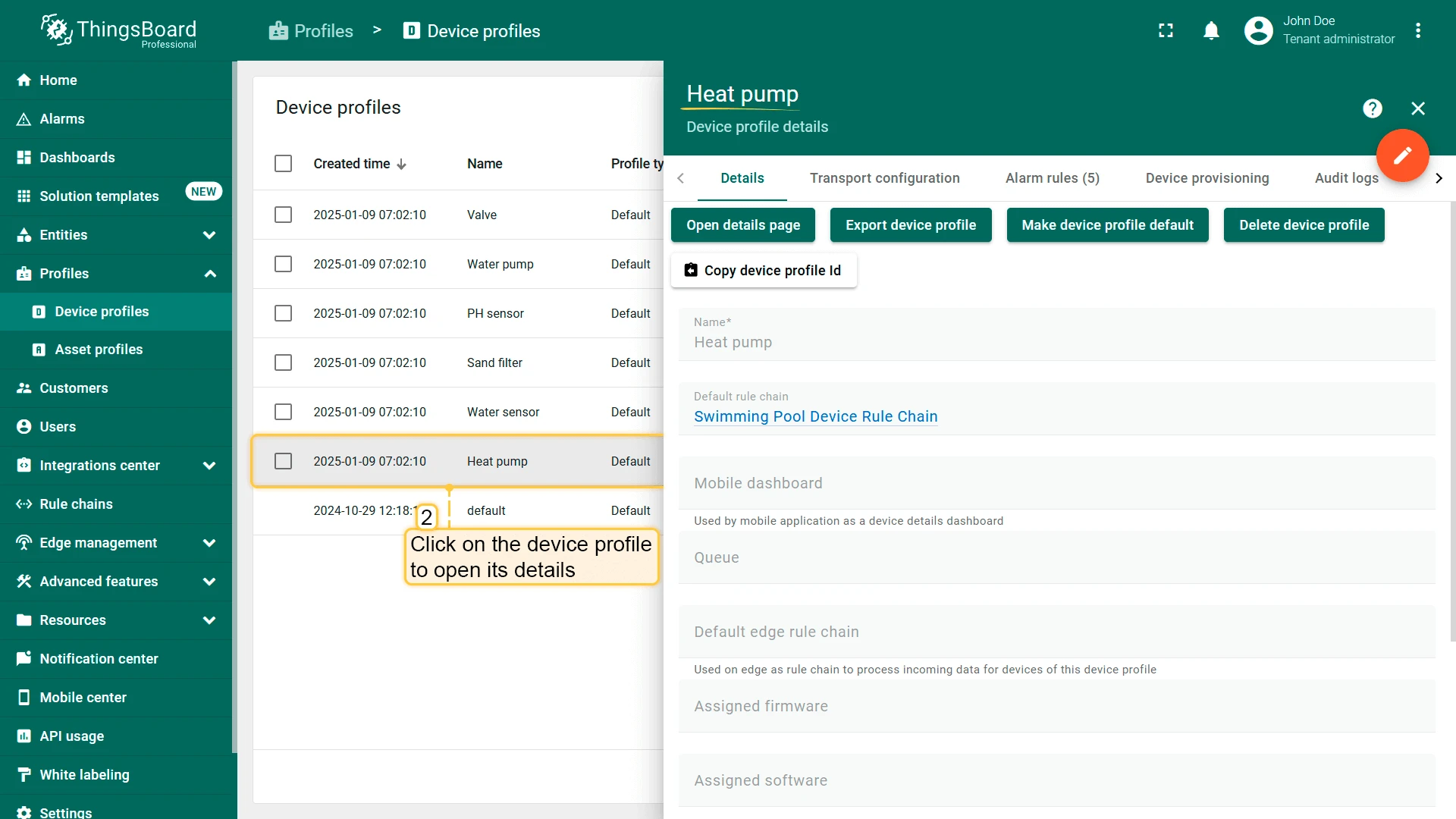
Alarms
Section titled “Alarms”The Swimming Pool SCADA system includes alarm configurations for key devices, allowing operators to monitor critical conditions and respond to potential issues. Alarms are triggered based on predefined thresholds defined in device profiles.
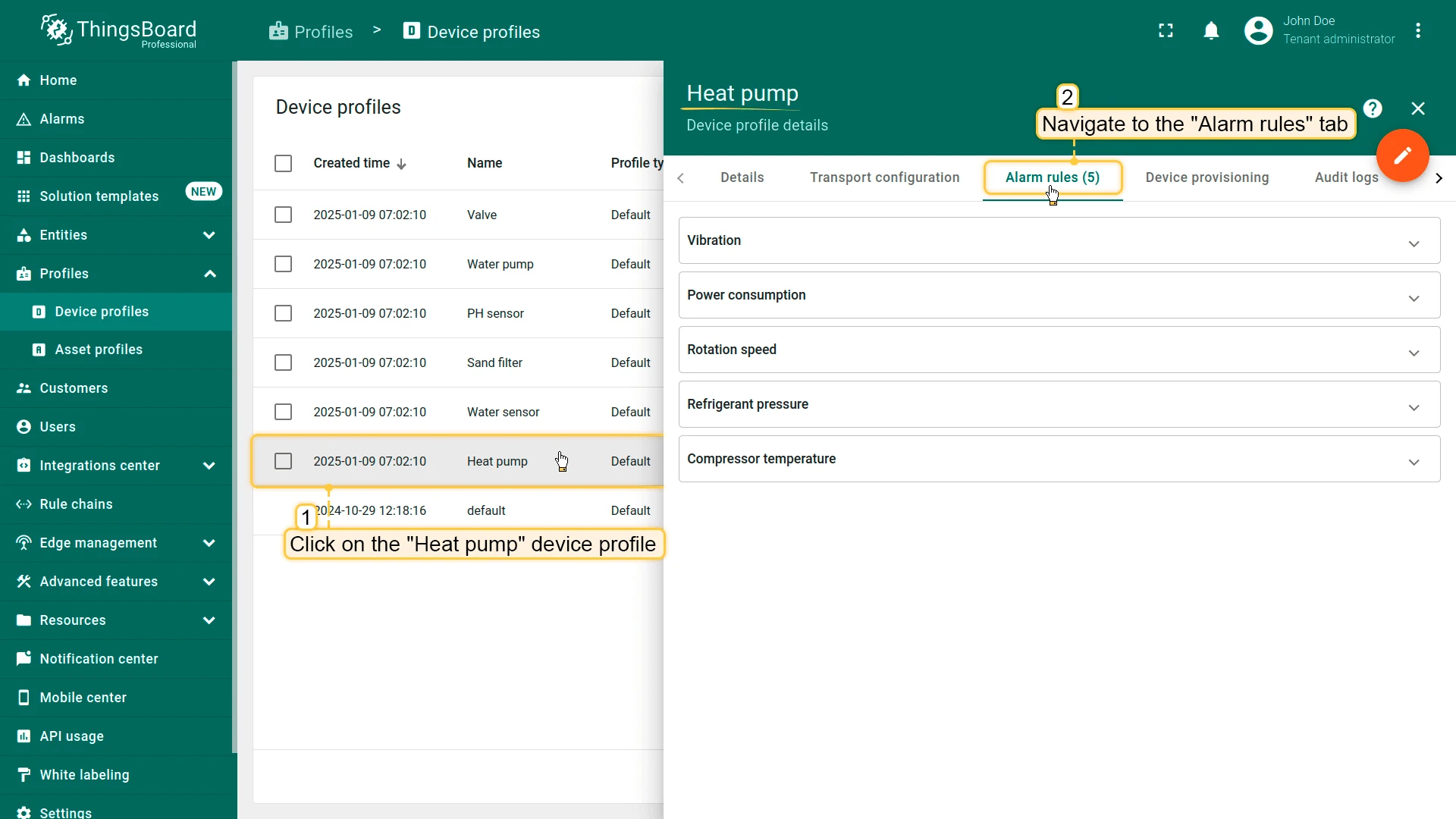
Heat pump: Five alarm rules based on vibration, power consumption, rotation speed, refrigerant pressure, and compressor temperature.
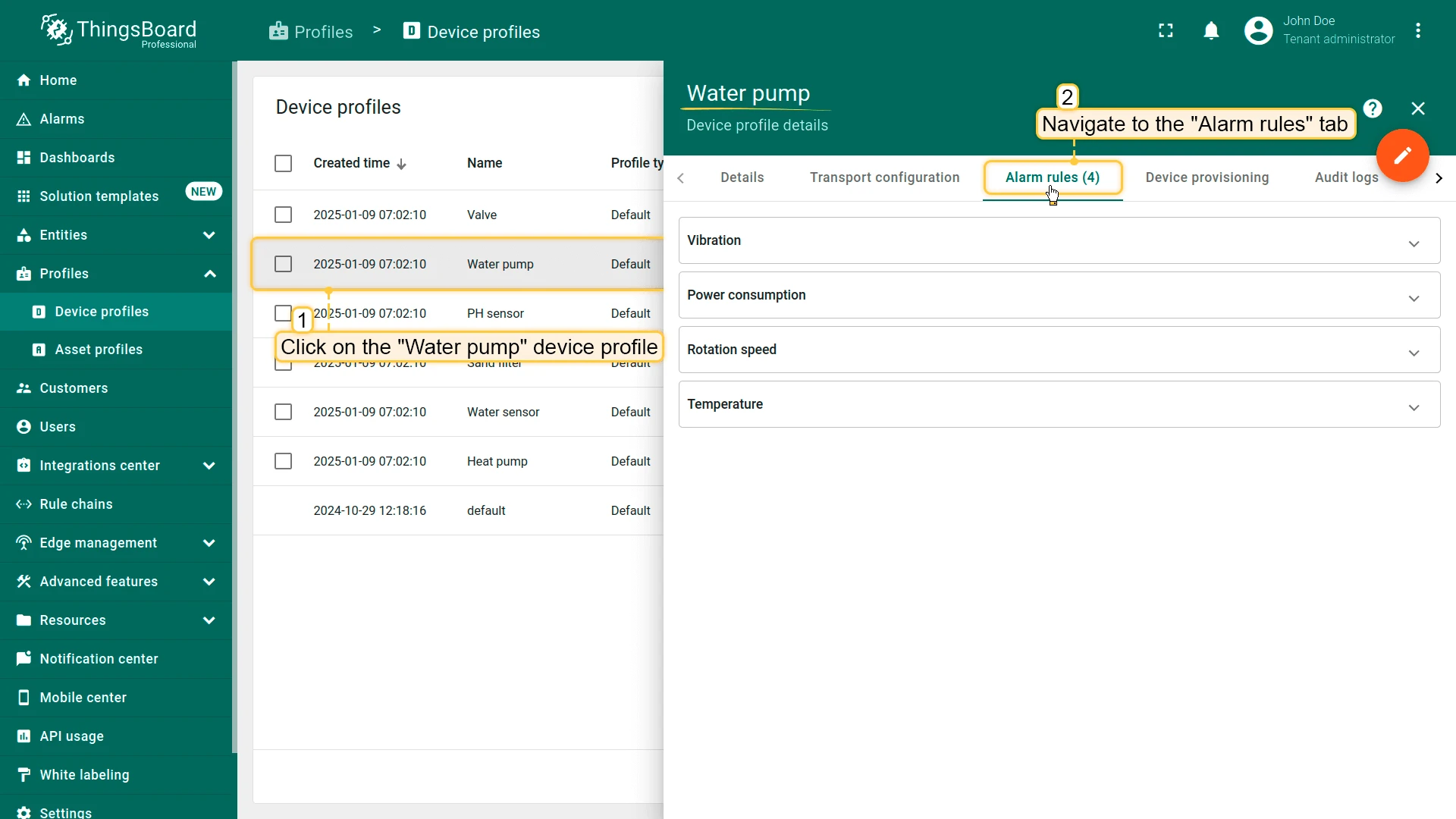
Water pump: Four alarm rules based on vibration, power consumption, rotation speed, and temperature.
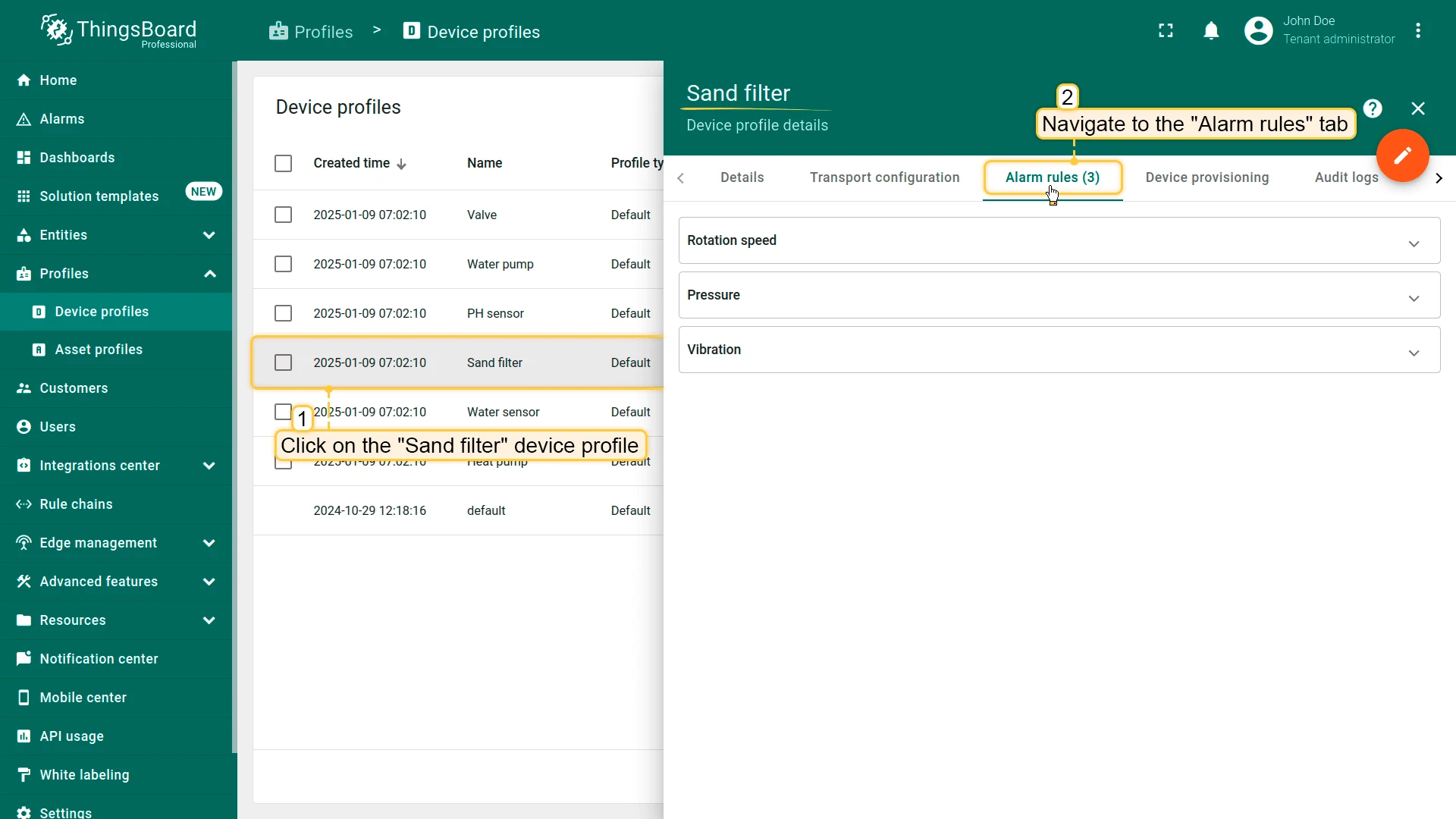
Sand filter: Three alarm rules that track vibration, rotation speed, and pressure.
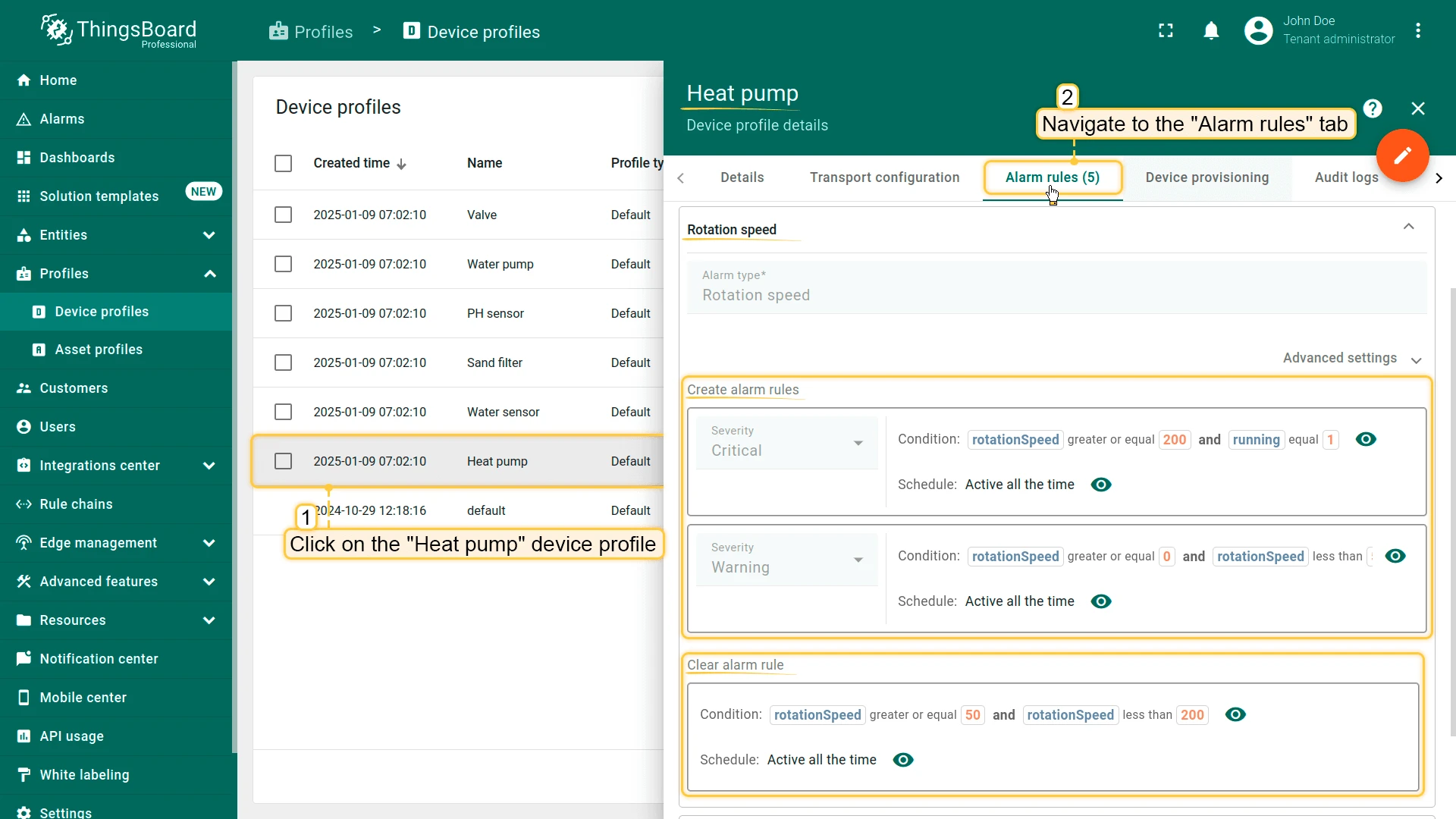
For example, the “Rotation speed” alarm rule for the heat pump has two severity levels:
- Warning: If
rotationSpeedis >= 0 and < 50, andrunningequals 1 - Critical: If
rotationSpeedis >= 200 andrunningequals 1 - Clear: If
rotationSpeedreturns to the range >= 50 and < 200
Alarm visualization on the dashboard
Section titled “Alarm visualization on the dashboard”The dashboard widgets subscribe to the alarm status field and update based on alarm type and severity.
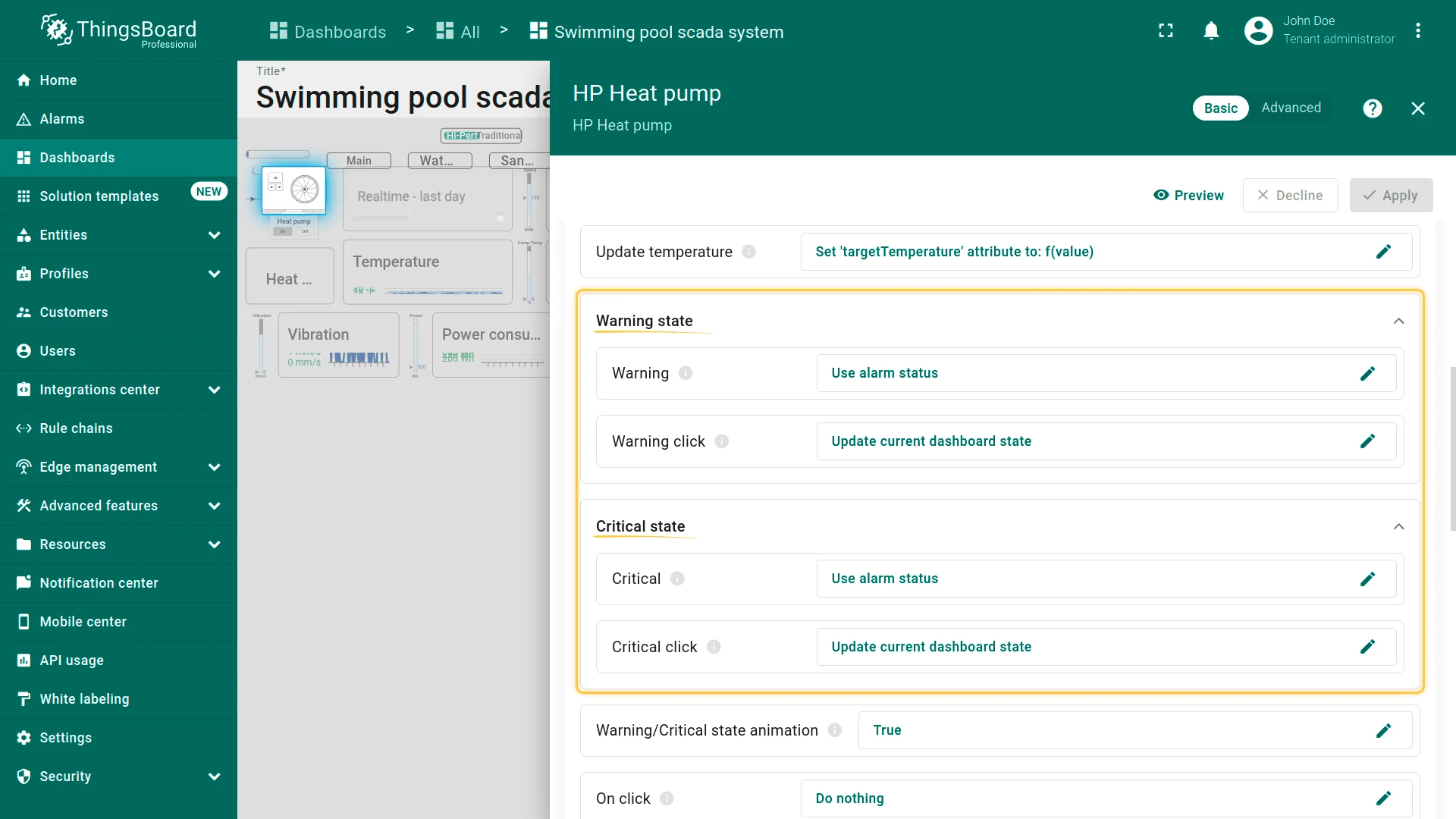
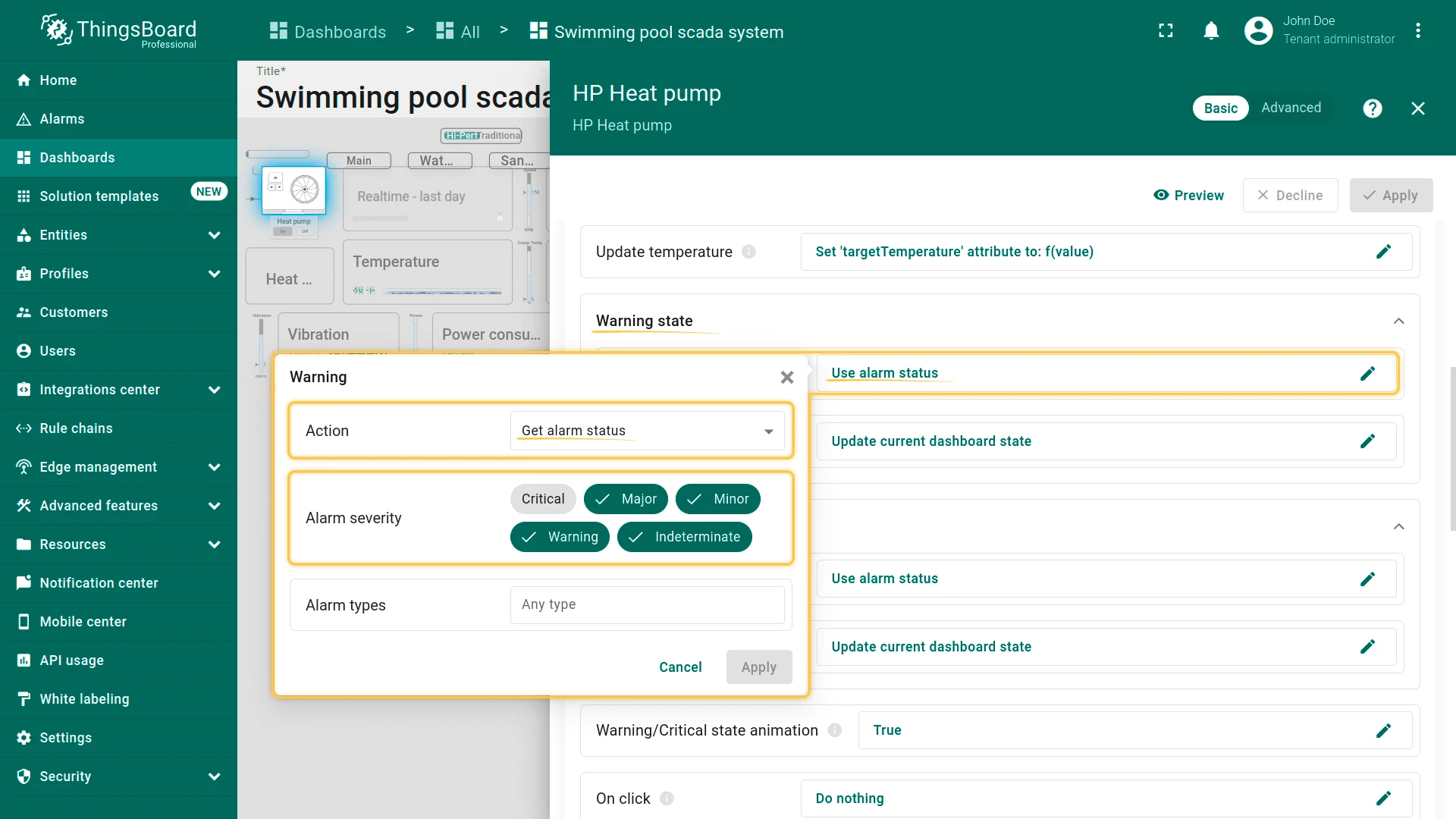
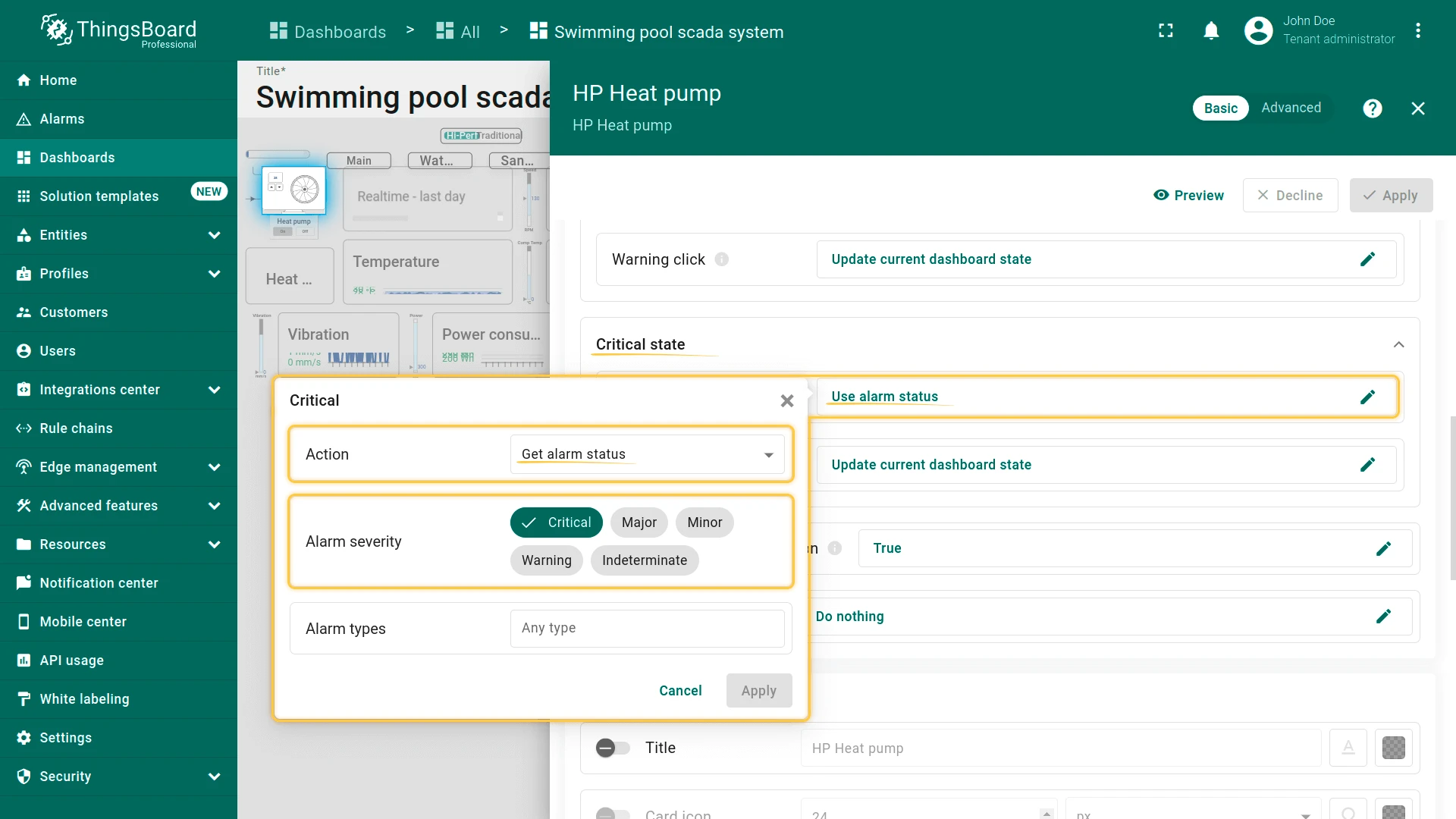
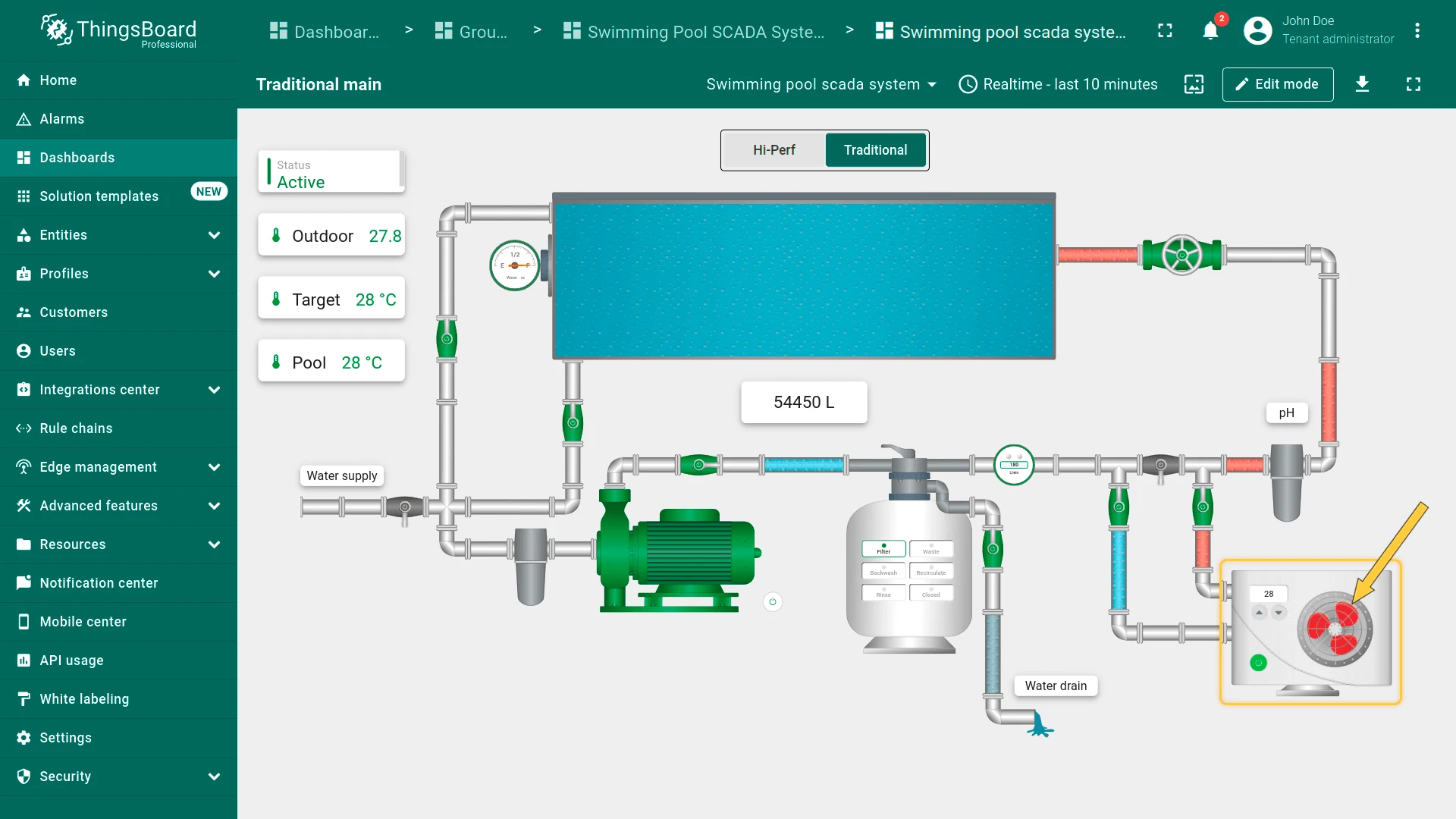
If an alarm rule is executed, a warning icon appears in the bottom left corner of the heat pump. The type of the icon depends on the severity of the alarm. A yellow triangle indicates Warning, Major, Minor, or Indeterminate severity. A red square indicates Critical severity.
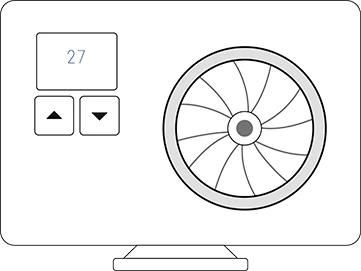
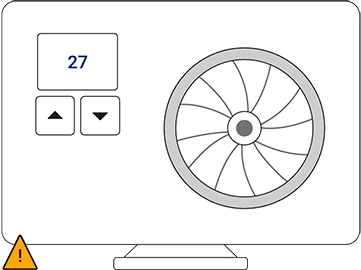
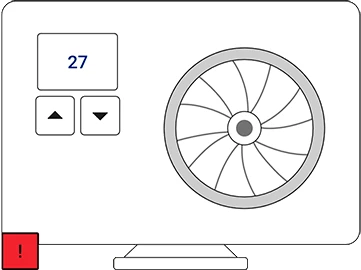
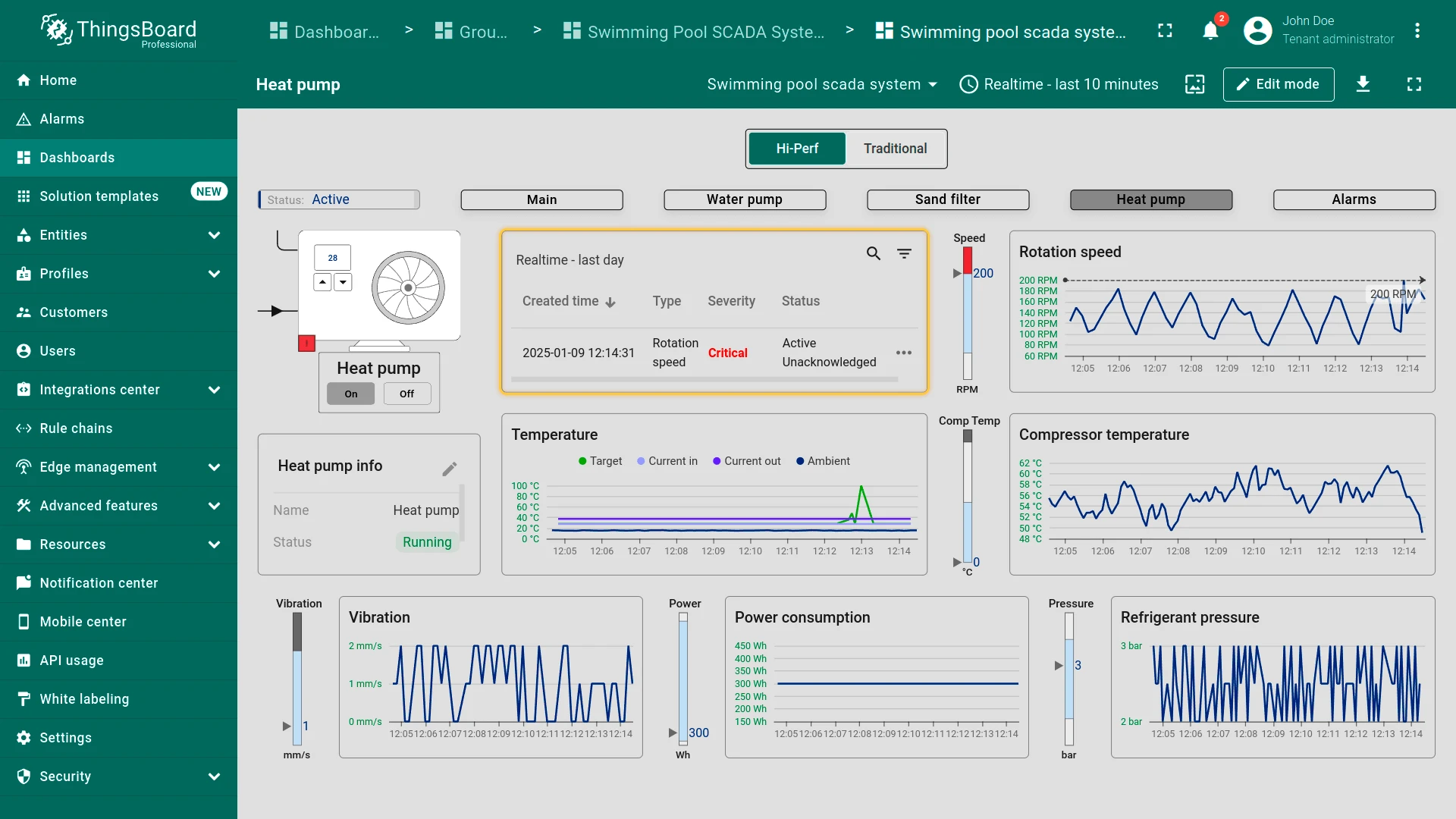
Clicking on the heat pump device opens its state with operational data and active alarms, including rotation speed, power consumption, refrigerant pressure, etc.
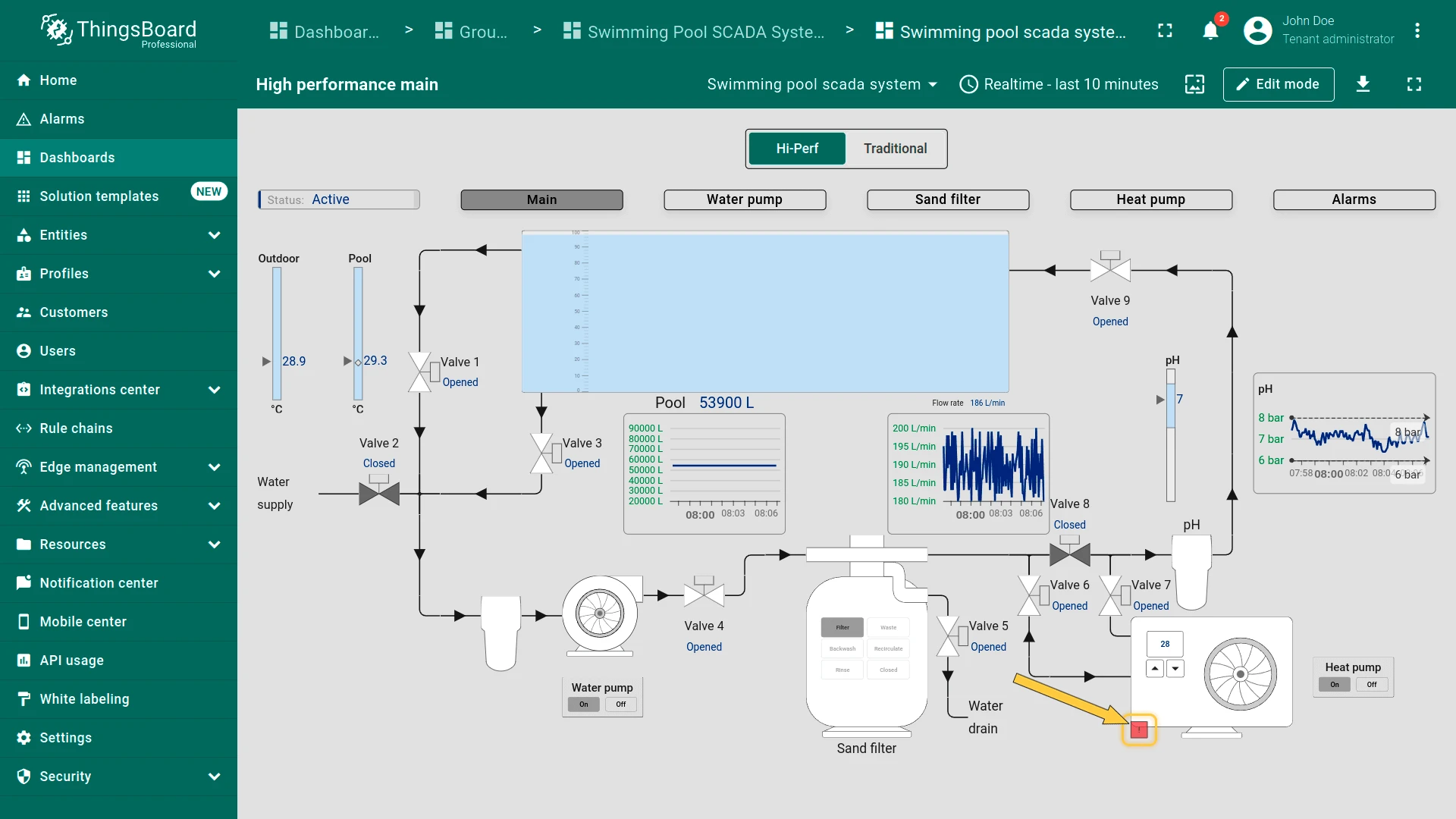
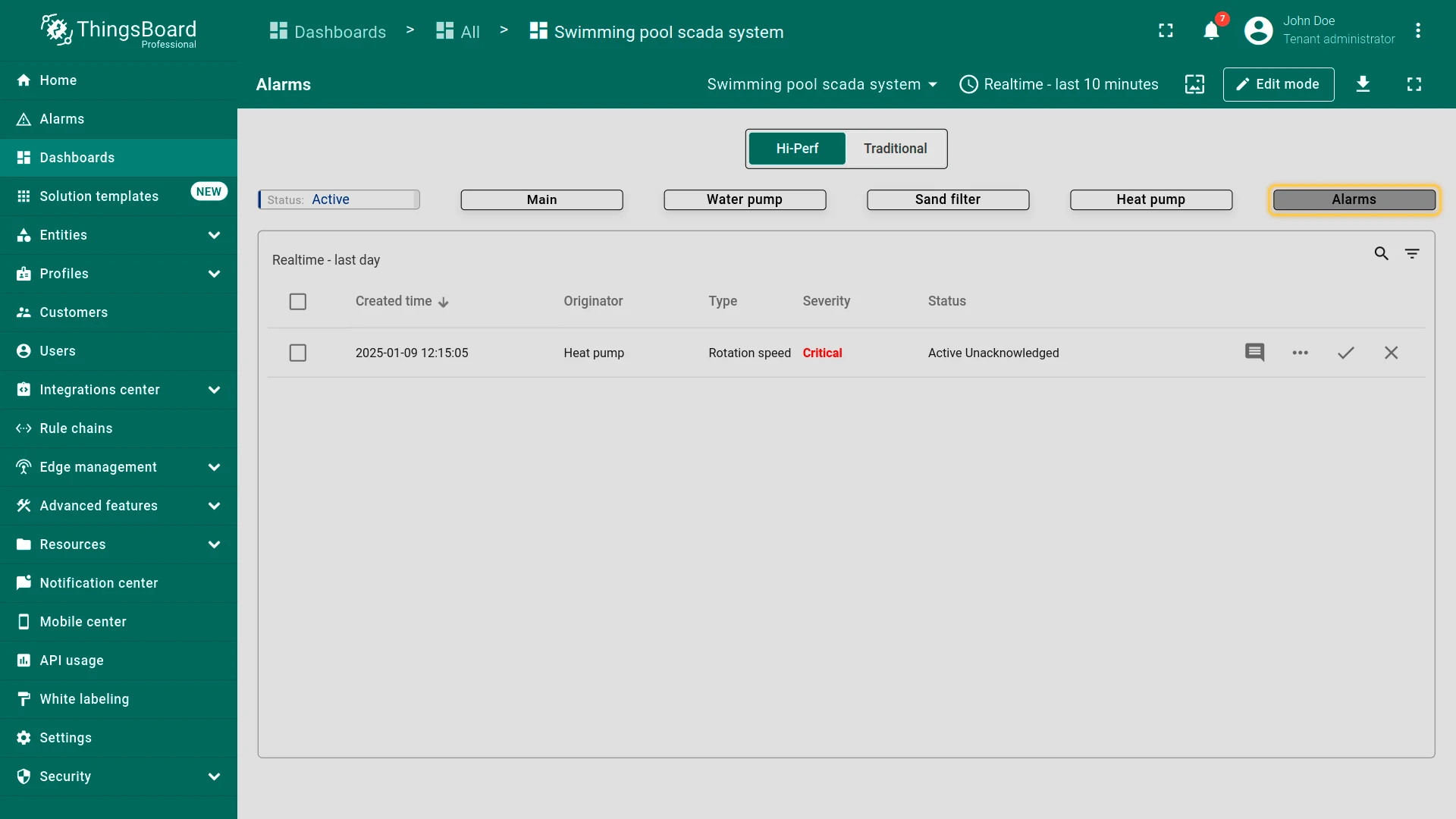
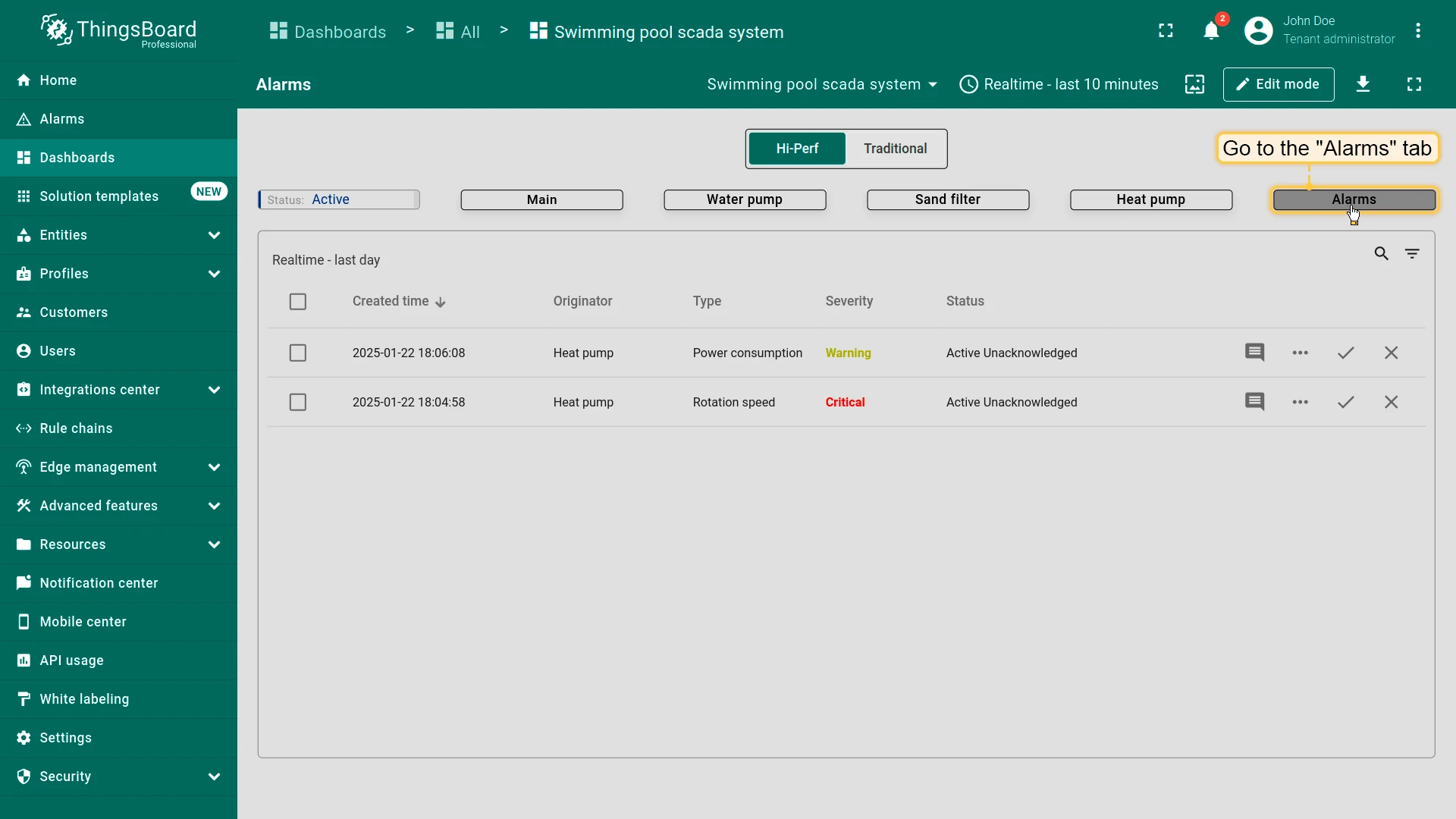
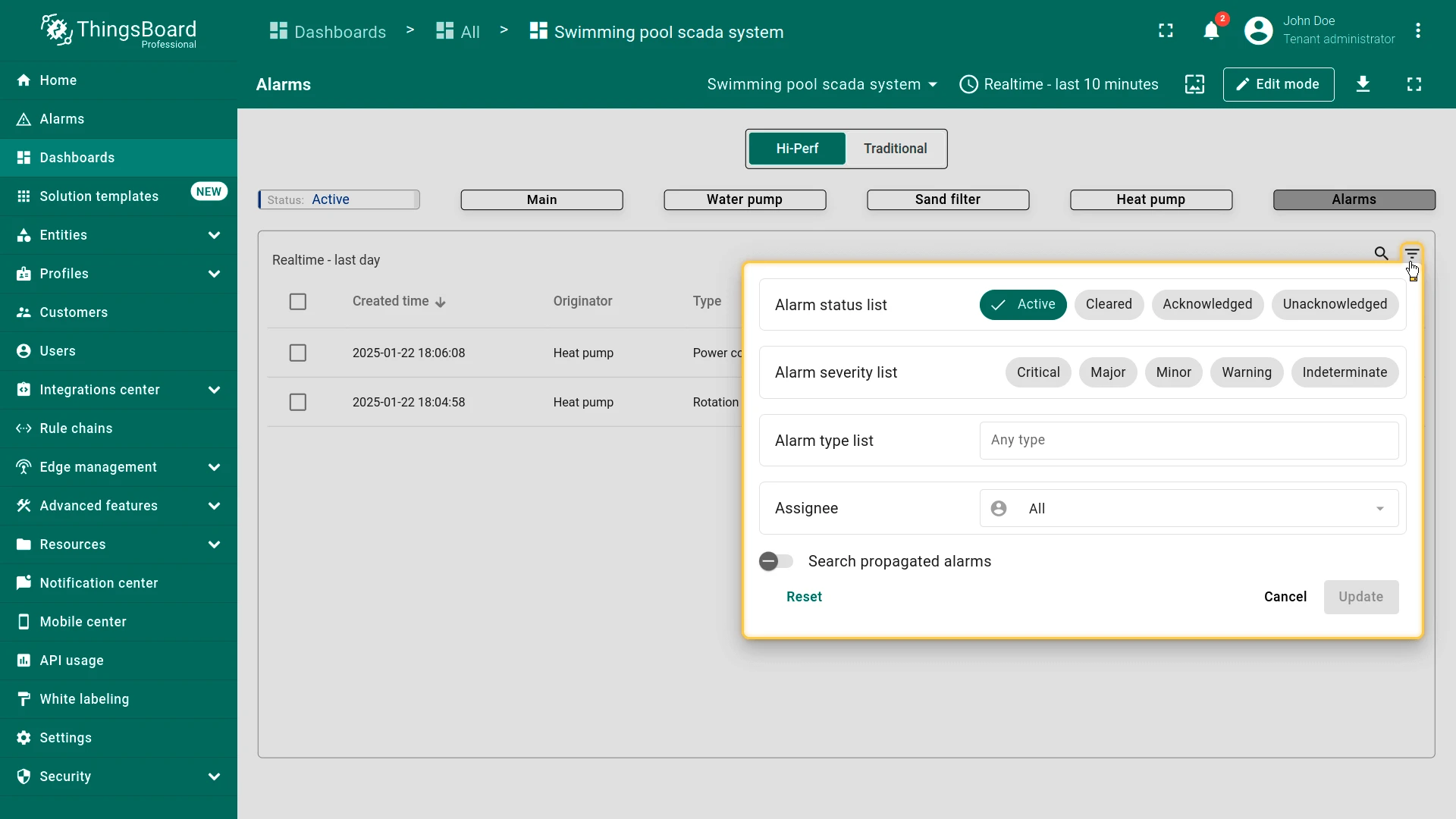
Switching to the Alarms tab displays all active alarms organized by device, alarm type, and severity.
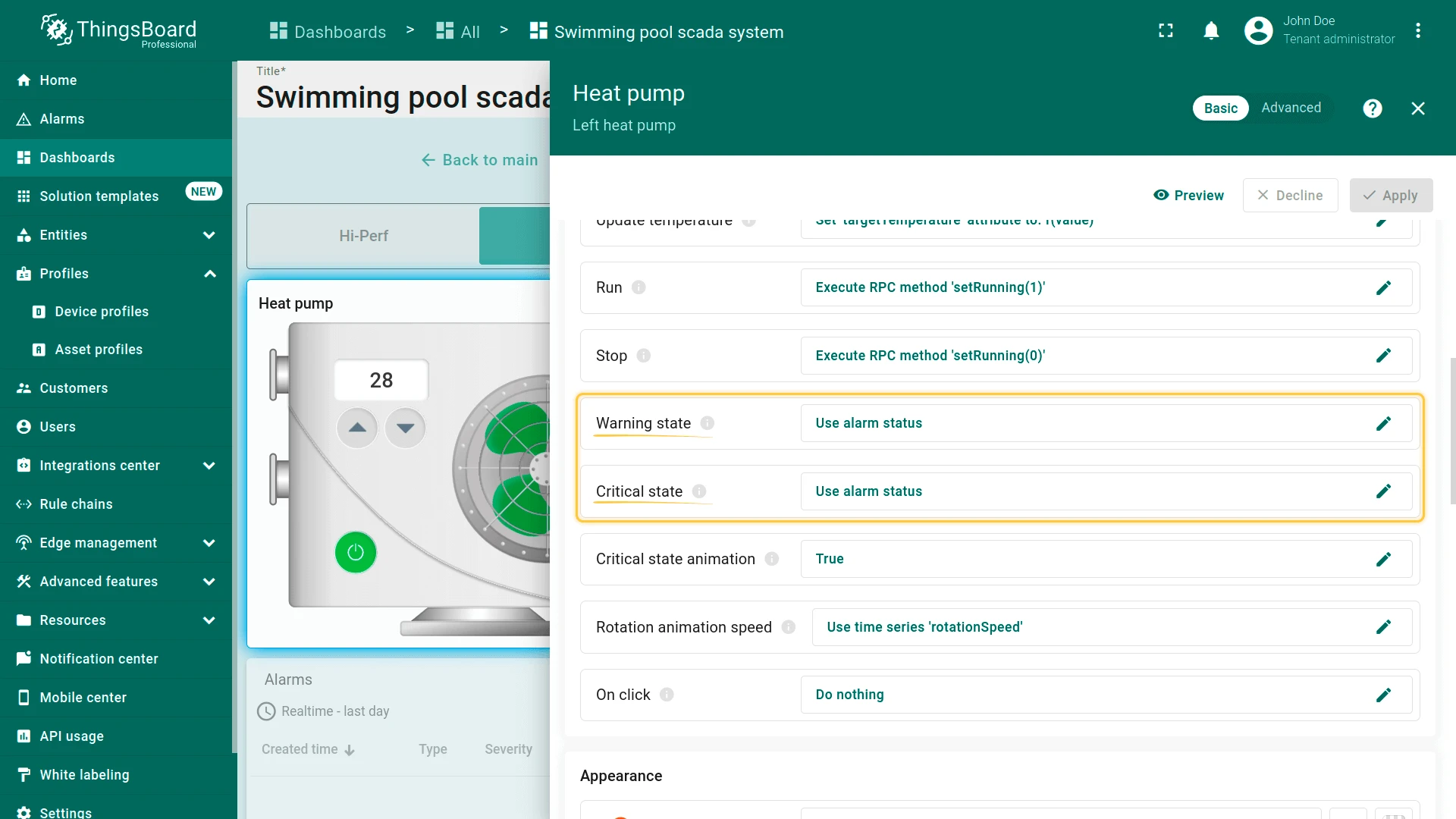
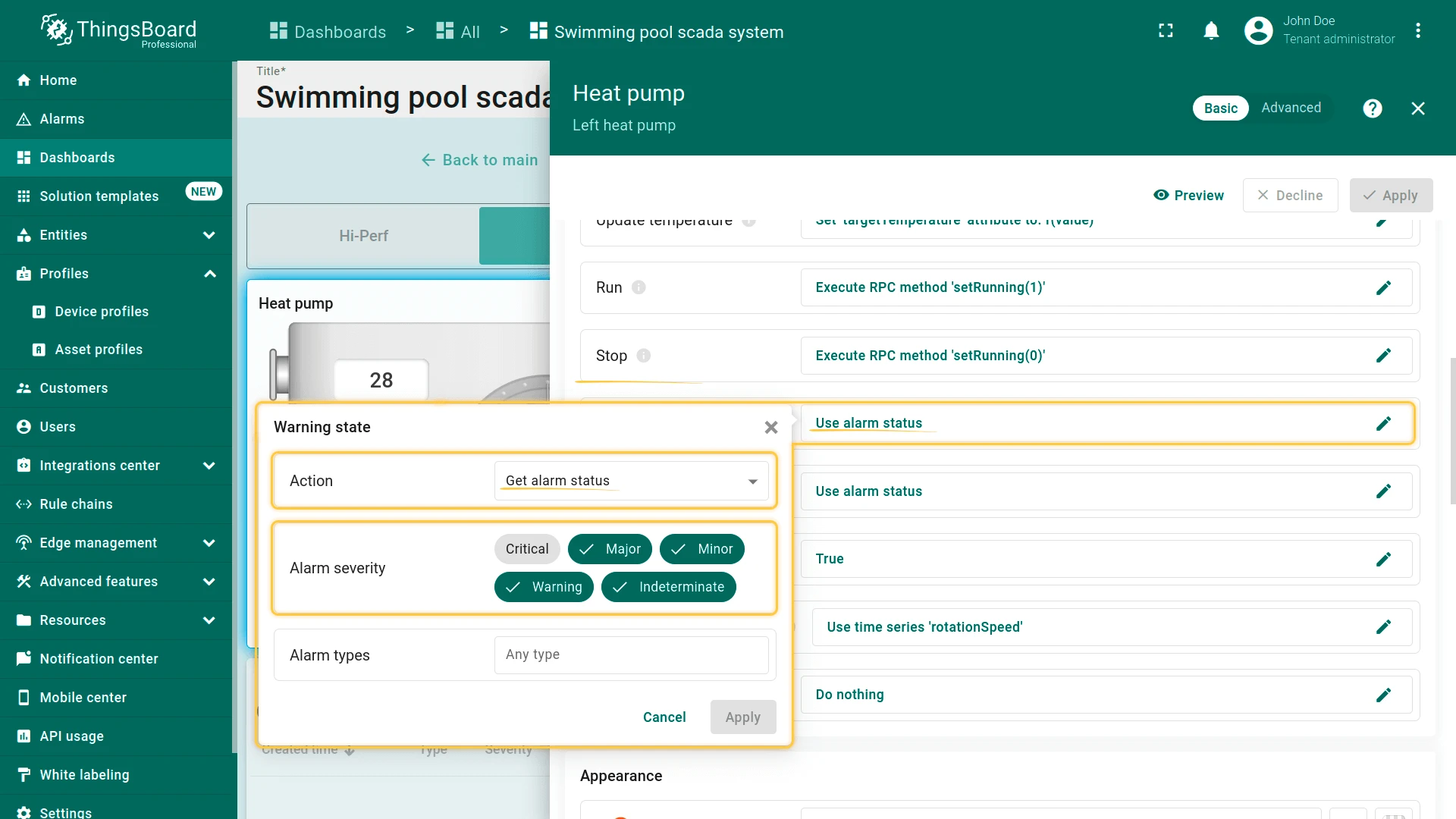
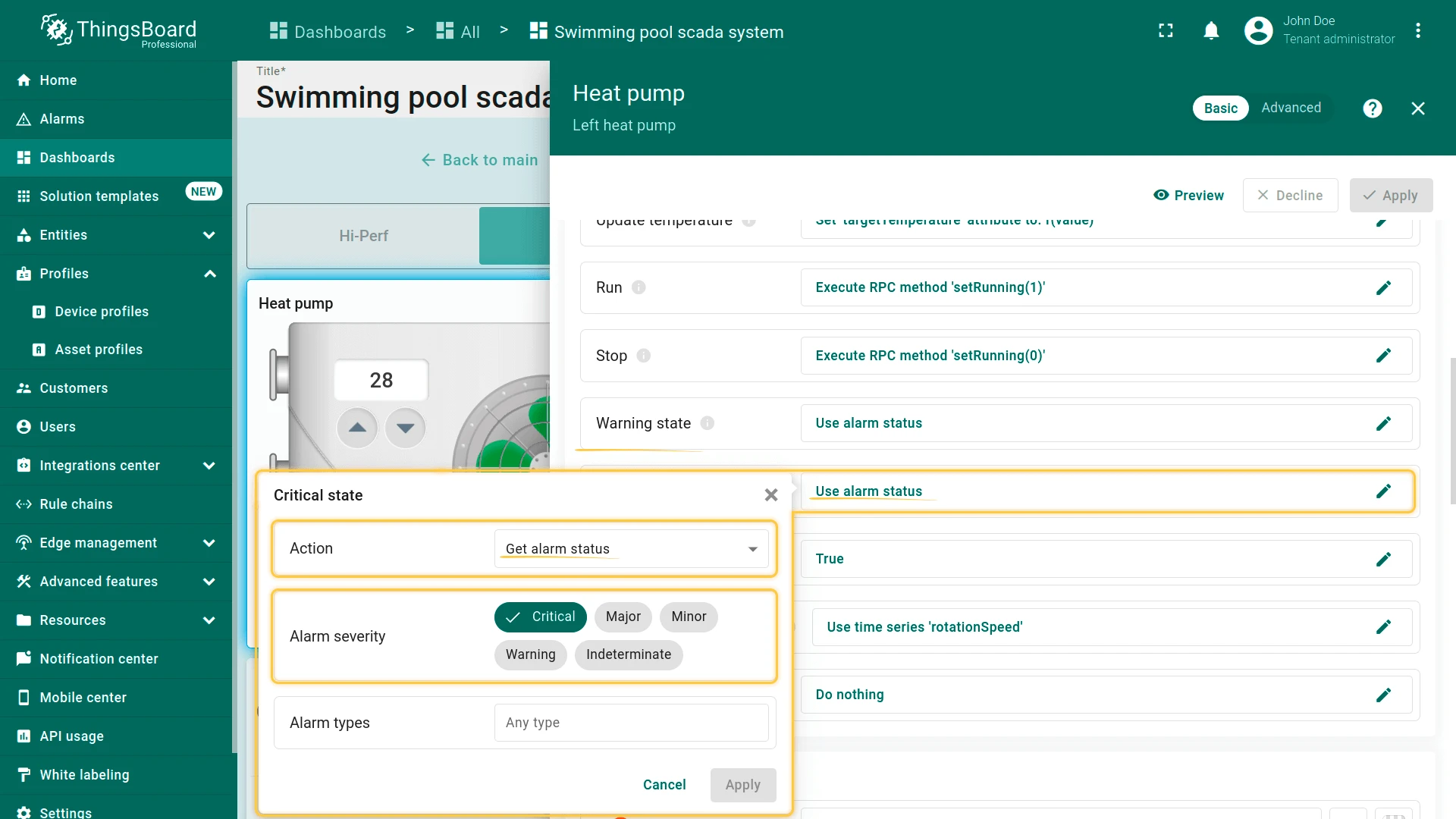
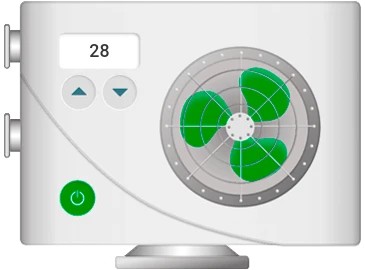
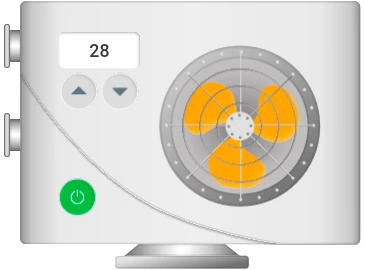
If an alarm rule is executed, the propeller changes color based on the alarm severity. A yellow propeller indicates Warning, Major, Minor, or Indeterminate severity. A red flashing propeller indicates Critical severity.
Clicking on the heat pump device opens its state with operational data and active alarms, including rotation speed, power consumption, refrigerant pressure, etc.
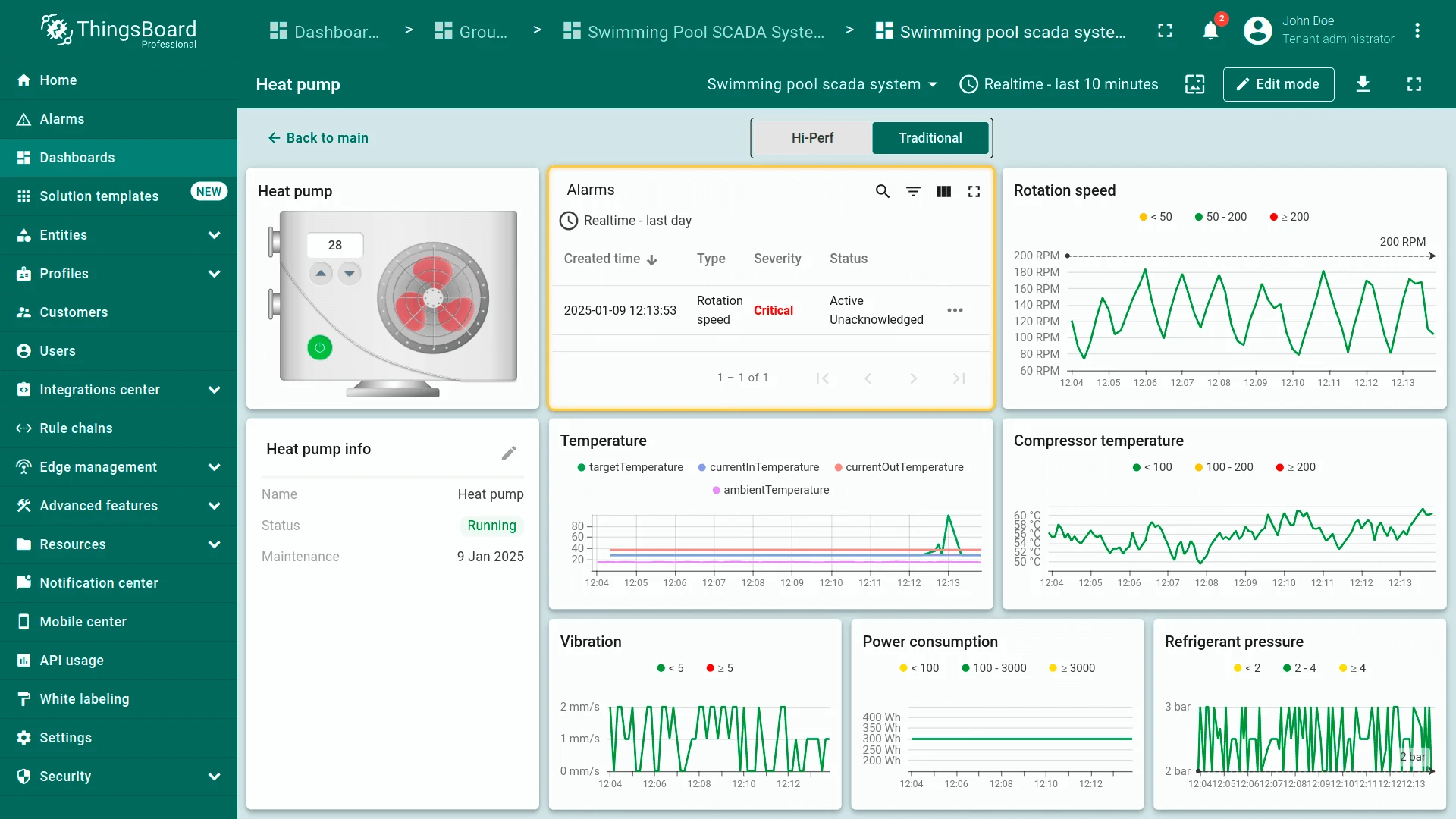
Switching to the Alarms tab displays all active alarms organized by device, alarm type, and severity.
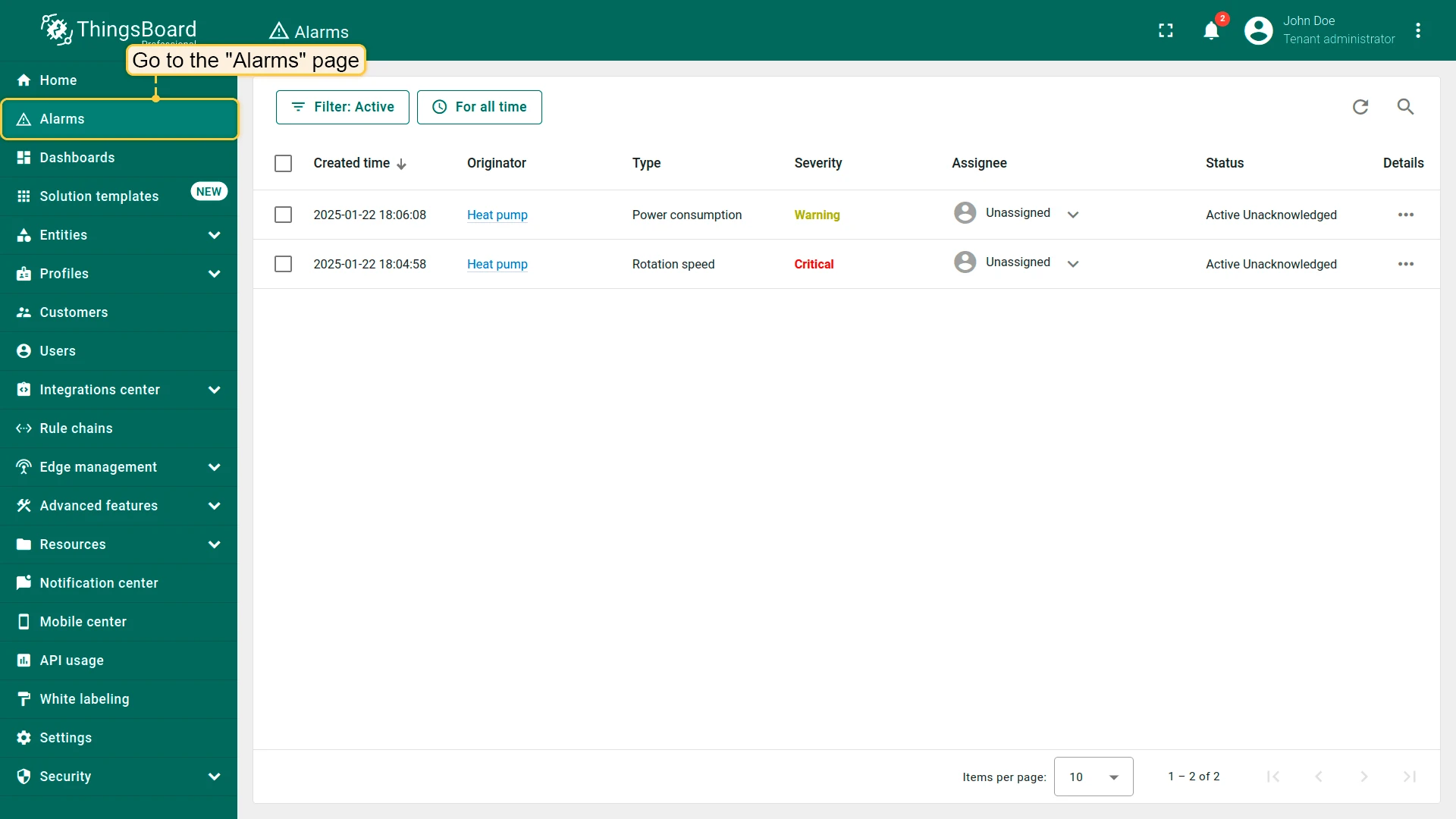
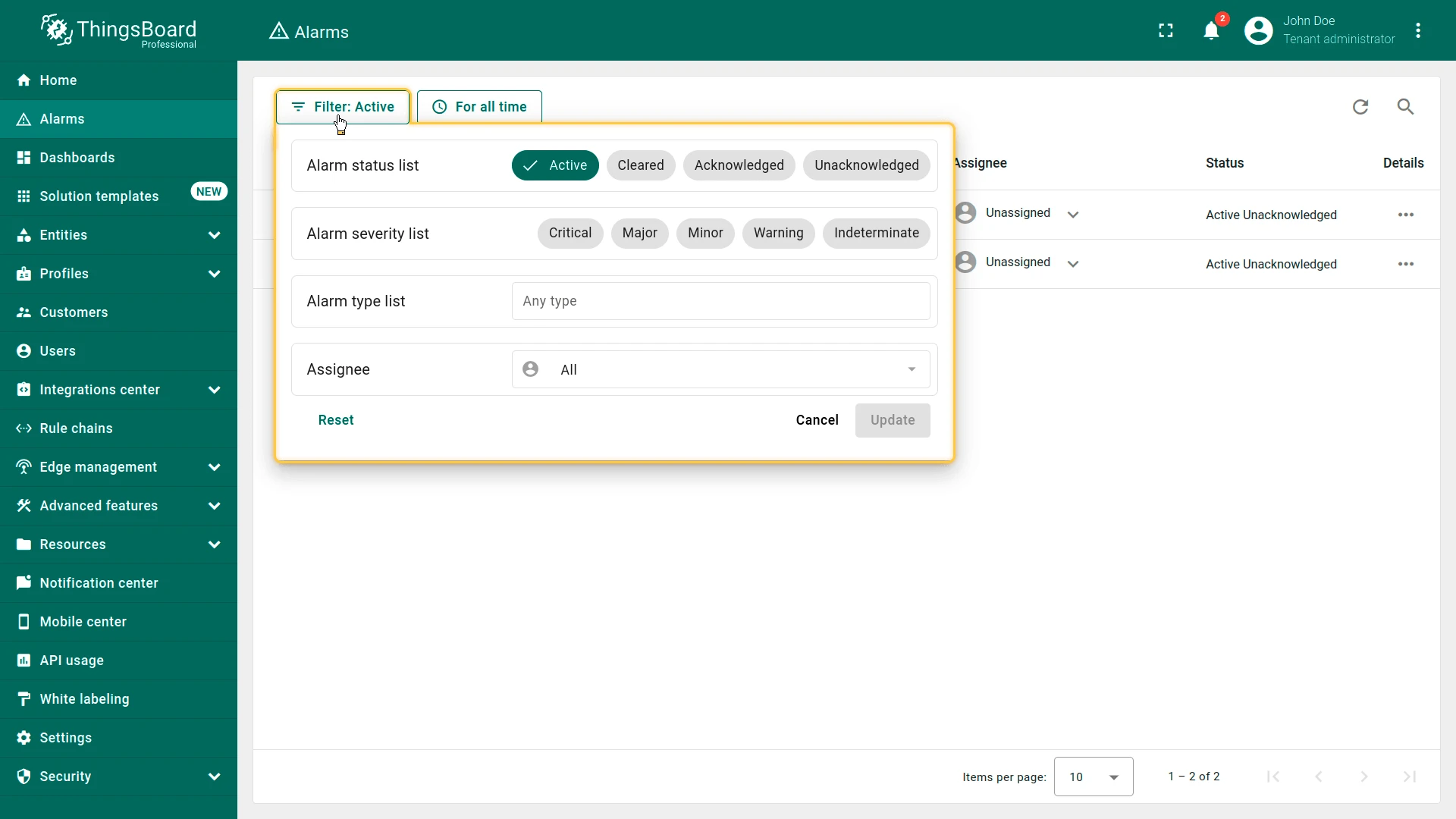
For more about alarms and how to configure them, see alarm rules.
Conclusion
Section titled “Conclusion”The Swimming Pool SCADA system template provides a framework for managing swimming pool components. It ensures integration between sensors and ThingsBoard via the IoT Gateway, allowing real-time data collection, processing, and visualization. This setup provides a scalable solution for centralized supervision and control of swimming pool systems.
Was this helpful?